

Jump to content

Specs:

Xfx 7970 (old)

Visiontech 7970 (new)


Intel Core i7 3770k
Asrock fatal1ty z77 professional
8gb Gskill Trident X

Corsair AX 860

Fractal design define r4 case

128gb ocz ssd

1tb seagate hdd


_________________________________________________

Background:


I Bought a 1440p monitor and picked up a second graphics card on Ebay to crossfire my XFX 7970 with


Problems:


-VT shows Only 20% usage in fur mark then crashes (the VT by itself and in crossfire)

-BF4 crashes after 5 minuets of game play

-GPUZ shows whichever card is in the 2nd pci slot of my motherboard slot only 1x


Things I have tried:


-Driver sweeper

-Beta Drivers

-Switching Card Positions (VT on top XFX on bottem)

-Switching Crossfire Bridge around

-The second bios on the VT


Things that do work:

-XfX does not crash by itself under load

-Both cards post into windows individually


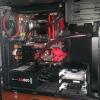
post-749-0-65785000-1403994638_thumb.jpg

post-749-0-65785000-1403994638_thumb.jpg

Link to comment
https://linustechtips.com/topic/173111-7970-crossfire-issues/
Share on other sites

Link to post
Share on other sites

Try the VT by itself, just to make sure it isn't faulty. 

Project Insomnia

CPU: Intel i5 4670K @ 4.6 GHz.   CPU Cooler: NZXT Kraken x40   Motherboard: ASRock Z97 Extreme6   Memory: Corsair Vengeance 8Gb.   Graphics Card: EVGA SC Geforce GTX 780 Ti   Power Supply: EVGA G2 850W   Case: NZXT H440


Link to comment
https://linustechtips.com/topic/173111-7970-crossfire-issues/#findComment-2299965
Share on other sites

Link to post
Share on other sites

What temps are your cards at under load?

Have you tried downgrading to older drivers?

NEW PC build: Blank Heaven   minimalist white and black PC     Old S340 build log "White Heaven"        The "LIGHTCANON" flashlight build log        Project AntiRoll (prototype)        Custom speaker project

Spoiler

Ryzen 3950X | AMD Vega Frontier Edition | ASUS X570 Pro WS | Corsair Vengeance LPX 64GB | NZXT H500 | Seasonic Prime Fanless TX-700 | Custom loop | Coolermaster SK630 White | Logitech MX Master 2S | Samsung 980 Pro 1TB + 970 Pro 512GB | Samsung 58" 4k TV | Scarlett 2i4 | 2x AT2020


Link to comment
https://linustechtips.com/topic/173111-7970-crossfire-issues/#findComment-2299981
Share on other sites

Link to post
Share on other sites

What temps are your cards at under load?

Have you tried downgrading to older drivers?

I tried 14.4 which worked fine with the xfx 7970 for a few weeks now and 14.6 beta drivers, Which older drivers should I try


about 35c idle, under load display driver crashes and so does furmark/Games

Edited by Tama
Link to comment
https://linustechtips.com/topic/173111-7970-crossfire-issues/#findComment-2299992
Share on other sites

Link to post
Share on other sites

I tried 14.4 which worked fine with the xfx 7970 for a few weeks now and 14.6 beta drivers, Which older drivers should I try

First stress test each card separately in both PCI E slots to make sure its not a hardware problem. Then start from the latest drivers and if it fails try the driver before that one.

You need to monitor your temperatures at load to make sure your GPUs are not overheating.

NEW PC build: Blank Heaven   minimalist white and black PC     Old S340 build log "White Heaven"        The "LIGHTCANON" flashlight build log        Project AntiRoll (prototype)        Custom speaker project

Spoiler

Ryzen 3950X | AMD Vega Frontier Edition | ASUS X570 Pro WS | Corsair Vengeance LPX 64GB | NZXT H500 | Seasonic Prime Fanless TX-700 | Custom loop | Coolermaster SK630 White | Logitech MX Master 2S | Samsung 980 Pro 1TB + 970 Pro 512GB | Samsung 58" 4k TV | Scarlett 2i4 | 2x AT2020


Link to comment
https://linustechtips.com/topic/173111-7970-crossfire-issues/#findComment-2300002
Share on other sites

Link to post
Share on other sites

First stress test each card separately in both PCI E slots to make sure its not a hardware problem. Then start from the latest drivers and if it fails try the driver before that one.

You need to monitor your temperatures at load to make sure your GPUs are not overheating.

NEW DISCOVERY

VT 7970 is idleing at like 47c it crashes as soon as it hits 80c on furmark

XFX 7970 idleing at like 26c it never crashes, takes about 15 mins to reach 80c and still doesnt crash

Link to comment
https://linustechtips.com/topic/173111-7970-crossfire-issues/#findComment-2300097
Share on other sites

Link to post
Share on other sites

NEW DISCOVERY

VT 7970 is idleing at like 47c it crashes as soon as it hits 80c on furmark

XFX 7970 idleing at like 26c it never crashes, takes about 15 mins to reach 80c and still doesnt crash

Should I dismember the VT and put new thermal paste?

Link to comment
https://linustechtips.com/topic/173111-7970-crossfire-issues/#findComment-2300118
Share on other sites

Link to post
Share on other sites

Seeing PCI-E X8 is normal for your motherboard.

According to AsRock, your top-most PCI-E X16 runs @ X16 when the second slot is unused. The second slot shares bandwidth with the top slot. Whenever the second slot is occupied, they will operate at X8/X8.

Since your VisionTek HD 7970 is a new card, and is still under warranty, best to RMA it and get a replacement. You never know, it may not just be the thermal paste, it could be a defective card.

If it were a used card, I'd say go ahead and re-apply the thermal paste...but that is not the case for you.

AMD Ryzen 9000 Rig

  • AMD R7 9800X3D + Alphacool CORE 1 w/ Performance Mount Kit + Thermal Grizzly AM5 Contact Frame
  • Gigabyte X870E Aorus Pro Ice
  • 32GB (16GB X2) G.Skill Trident Z5 Neo RGB DDR5-6400
  • Sapphire NITRO+ 6800 XT Special Edition + EKwb Full Cover Block
  • Custom Loop w/ 2x 360mm Radiators
  • WD SN850X + WD SN750 + Samsung 980
  • EVGA P2 850W + Red/White CableMod Cables
  • Lian-Li O11 Dynamic EVO XL

AMD Ryzen 5000 Rig

  • AMD R7-5800X
  • Gigabyte B550 Aorus Pro AC
  • 32GB (16GB X 2) Crucial Ballistix RGB DDR4-3600
  • Gigabyte Vision RTX 3060 Ti OC
  • EKwb D-RGB 360mm AIO
  • Intel 660p NVMe 1TB + Crucial MX500 1TB + WD Black 1TB HDD
  • EVGA P2 850W + White CableMod cables
  • Lian-Li LanCool II Mesh - White

Intel i7-8086K / Z390 Rig (Decommissioned Q2' 2025)

Intel i7-6800K / X99 Rig (Officially Decommissioned, Dead CPU returned to Intel)
Intel i5-4690K / Z97 Rig (Decommissioned)

AMD FX-8350 / 990FX Rig (Decommissioned)

AMD Phenom II X6 1090T / 890FX Rig (Decommissioned)


<> Electrical Engineer , B.Eng <>

<> Electronics & Computer Engineering Technologist (Diploma + Advanced Diploma) <>

<> Electronics Engineering Technician for the Canadian Department of National Defence <>

Link to comment
https://linustechtips.com/topic/173111-7970-crossfire-issues/#findComment-2300174
Share on other sites

Link to post
Share on other sites

Since you said you got the VisionTek card off ebay, I assueme it was used. Yuo might want to try registering it for warranty. If you can register it, you should probably just RMA it.

CPU: Intel i7 4770k w/Noctua NH-D15, Motherboard: Gigabyte Z97 Ultra Durable, RAM: Patriot 8Gb 1600Mhz (2x4Gb), GPU: MSI R9 390x Gaming,


SSD: Samsung 840 EVO 1Tb, HDD: Caviar Black 1Tb, Seagate 4Tb Hybrid, Case: Fractal Design Define R4, PSU: Antec Earthwatts 750w 


Phone: LG G2 32Gb Black (Verizon) Laptop: Fujitsu Lifebook E754 w/ 1TB Samsung 840 Evo SSD Vehicle: 2012 Nissan Xterra named Rocky

Link to comment
https://linustechtips.com/topic/173111-7970-crossfire-issues/#findComment-2300229
Share on other sites

Link to post
Share on other sites

Hate to echo the advice of others, but they are right...try the RMA route before you dig into that thing.....

Case: Silverstone SG09B Motherboard: MSI Z10 Morter M-ATX CPU: I5-6600K  Ram: Corsair LP 2400 DD4 16GB GPU: MSI RX 480 Storage: Seagate HDD Baracuda 2TB x2, Crucial M200 500GB SSD X2 (Raid 0)PSU: Silverstone Strider Gold 1000W w/PP05E Kit


"When to say :blink: WTF :blink: ....$2K rig only used for Minesweeper and Internet Checkers marathons...."


Link to comment
https://linustechtips.com/topic/173111-7970-crossfire-issues/#findComment-2300419
Share on other sites

Link to post
Share on other sites

Just thought of this but, try using software like MSI Afterburner to make a custom fan profile. Use it to force a high fan speed to see if the card still crashes under load. Could just be some weird fan setting that's not speeding things up so it causes it to crash.

CPU: Intel i7 4770k w/Noctua NH-D15, Motherboard: Gigabyte Z97 Ultra Durable, RAM: Patriot 8Gb 1600Mhz (2x4Gb), GPU: MSI R9 390x Gaming,


SSD: Samsung 840 EVO 1Tb, HDD: Caviar Black 1Tb, Seagate 4Tb Hybrid, Case: Fractal Design Define R4, PSU: Antec Earthwatts 750w 


Phone: LG G2 32Gb Black (Verizon) Laptop: Fujitsu Lifebook E754 w/ 1TB Samsung 840 Evo SSD Vehicle: 2012 Nissan Xterra named Rocky

Link to comment
https://linustechtips.com/topic/173111-7970-crossfire-issues/#findComment-2300501
Share on other sites

Link to post
Share on other sites

Since you said you got the VisionTek card off ebay, I assueme it was used. Yuo might want to try registering it for warranty. If you can register it, you should probably just RMA it.


This is probably your best bet.  No sense in pouring money into a defective card.  

Project Insomnia

CPU: Intel i5 4670K @ 4.6 GHz.   CPU Cooler: NZXT Kraken x40   Motherboard: ASRock Z97 Extreme6   Memory: Corsair Vengeance 8Gb.   Graphics Card: EVGA SC Geforce GTX 780 Ti   Power Supply: EVGA G2 850W   Case: NZXT H440


Link to comment
https://linustechtips.com/topic/173111-7970-crossfire-issues/#findComment-2300589
Share on other sites

Link to post
Share on other sites

Seeing PCI-E X8 is normal for your motherboard.

According to AsRock, your top-most PCI-E X16 runs @ X16 when the second slot is unused. The second slot shares bandwidth with the top slot. Whenever the second slot is occupied, they will operate at X8/X8.

Since your VisionTek HD 7970 is a new card, and is still under warranty, best to RMA it and get a replacement. You never know, it may not just be the thermal paste, it could be a defective card.

If it were a used card, I'd say go ahead and re-apply the thermal paste...but that is not the case for you.

it is used I bought it on ebay for $165 when I said (New) I meant tat was the card that I just recently put in my system

I just put new thermal paste in , NO CRASHES and CONSTANTLY UNDER 60c YAYHAYAYAYAYA but its still running on PCI 1x when I have both cards in my system

Link to comment
https://linustechtips.com/topic/173111-7970-crossfire-issues/#findComment-2300715
Share on other sites

Link to post
Share on other sites

I started gaming and saw serious artifacting, not just a few tears or colors but the whole screen was flickering every frame so i decided to replace the thermal pads on the Vram, Still having the SERIOUS flickering artifacting jitter thats going on, as of right now games would be unplayabl is there a driver issue or something i should fix?

Link to comment
https://linustechtips.com/topic/173111-7970-crossfire-issues/#findComment-2336696
Share on other sites

Link to post
Share on other sites

I started gaming and saw serious artifacting, not just a few tears or colors but the whole screen was flickering every frame so i decided to replace the thermal pads on the Vram, Still having the SERIOUS flickering artifacting jitter thats going on, as of right now games would be unplayabl is there a driver issue or something i should fix?

Considering how the card was already crashing and overheating before, it's probably dying.

Link to comment
https://linustechtips.com/topic/173111-7970-crossfire-issues/#findComment-2336795
Share on other sites

Link to post
Share on other sites

Considering how the card was already crashing and overheating before, it's probably dying.

I just switched crossfire fingers and downgraded to 14.4 drivers and it fixed the issue, I dont know how :D LOVING CROSSFIRE! THANKS FOR EVERYONES HELP http://l.facebook.com/l.php?u=http%3A%2F%2Fwww.3dmark.com%2F3dm%2F3453561&h=3AQGySv9iAQHQ1ffVWj0pMPsYNRZdCqqR4r2Wrzl6KNbxsg&enc=AZPM9G_UFp3JfhyHDero4NwCv4xNCbr-TspBFkDCFAhaGn4caAE71s_URgzuZOMrSJc51oHQXnpNcLUd91Ba_V2k&s=1

Link to comment
https://linustechtips.com/topic/173111-7970-crossfire-issues/#findComment-2342373
Share on other sites

Link to post
Share on other sites

Create an account or sign in to comment

You need to be a member in order to leave a comment

Create an account

Sign up for a new account in our community. It's easy!

Register a new account

Sign in

Already have an account? Sign in here.

Sign In Now

×



