


Aniallation
-
Posts
20,122 -
Joined
-
Last visited











Recent Profile Visitors
25,574 profile views





Aniallation's Achievements

-
Been quite a while since I've been active on here, but thought I'd post a little something from recently. Came across someone local giving away an empty case from a circa-2007 HP Pavilion Media Center PC that I just had to pick up, because although they were a fairly common sight for sale a decade ago, nowadays they're quite rare so it may be my last chance before they finally have all disappeared. It's one that's meaningful to me as it was my first "proper" computer from when I first got into PCs, and started spending most of my free time after school days on this forum, helping others and learning more myself along the way. Probably half of my 20k of posts were on that HP, and I have fond memories of upgrading it over that time, until I eventually did a complete new build. I had always wanted to build a "sleeper PC" since back then as well, so this was a perfect opportunity to both do that, and relive the good old days of working in this case. I wanted a practical use case to keep this PC around so it will be used for a sim racing rig in the basement. With how I also didn't want to pour a ton of money into it, it would definitely end up being just a "mild" build using budget and used parts, but still decent enough to keep up today. Components: CPU: AMD Ryzen 2600X - laying around Cooler: Random no-name cooler from AliExpress that was on a good sale, turns out to be really good! - $25 CAD Motherboard: "Jingsha" literally also random no-name AliExpress AM4 board, works just fine though - $60 CAD RAM: Silicon Power 16GB DDR4-3200 - $40 CAD SSD: Timetec 512GB NVMe - $40 CAD GPU: EVGA GeForce GTX 1080Ti SC2 - $100 CAD (used) PSU: Seasonic S12II 500W - A particularly special one, this was the power supply I bought to upgrade that very HP back in the day and support a decent GPU. Those who were there back then and still are today will remember my main "thing" was encouraging the use of at least decent PSUs, and honestly how the effects still resonate on here to this day. In practicing what I preach, it was the first component I actually shelled out on despite not having much money, and it's personally really cool to see it come full circle. End Total: $265 CAD spent on the rig, which I think for the components and performance, even ignoring the nostalgia and emotional fulfillment reasons for building it, is still a pretty good value. Pics from the build: The main parts assembled into the bare chassis. Thankfully the GPU is short enough that I didn't run into issues with that vertical metal bar. There's a good amount of space without the big bracket that houses both the 3.5" hard drive as well as the slot for the "personal media drive", an external hard drive line that HP sold back then which could dock in to the case through a slot in the front, accessed by opening the door to the left of the HP logo. The front and top panels being piano black were a bit scratched up, so I did what I could on them with some plastic polish and a power buffer. The top panel also contained a slide-open tray for storing discs with a pass-through for cables to the back. I remember having a 30-pin for my iPod ran through it! The case was surprisingly clean, but with it being old enough to buy alcohol here in Canada, there was still a bit of filth that I decided to fully disassemble it to get in all the nooks and crannies, and lubricate the sliding mechanism. The polish did a pretty good job on it, and door slides super smooth now. Still a few scuffs and scratches here and there, but definitely a lot better than when I got it. Although the hard drive cage isn't really needed as I'm using only the M.2 drive, I wanted to keep as much functionality of this case as possible, so I did install it as well as connect the docking port up (just has a standard SATA and a molex power connector). There's just enough room for it with everything else in there, and now it can indeed accept and work with an HP Personal Media Drive if I happen to find one in the future! I was not sure if this pretty big tower cooler would fit and clear the side panel, but thankfully it does. Just barely! I was totally prepared to have to modify the front panel connectors being a prebuilt case, either swapping the physical switch and LED to regular ones or splicing in standard 2-pin connectors. However as it turns out, the header on the board is the exact same as the plug on the case, even the correct pinout. Plugs right in and works perfect. Maybe fate really did have this board and case destined to come together on this day. Test boot before putting the panels on and closing it up. All seems to be working well. Everything together and running! I was pondering for a bit over removing or leaving the old school stickers that came on the case, but decided to leave them for both the aesthetic and not having to deal with the hassle of getting all the inevitable residue off if I were to remove them. Temperatures turned out not nearly as bad as I thought they would be, given the cramped quarters and pretty poor airflow in this case. Loaded down with both CineBench and FurMark at the same time, the CPU steadied at 57c stock clocks/settings, and the GPU steadied at 74c but that's with a +200MHz overclock. The CPU cooler was a pretty big surprise especially for the price, feels really well made, very dense and HEAVY so I guess no surprise it performs this well. I put a Thermalright fan on it just as I wasn't a fan of the white-and-clear one it came with. There's just two things on it left to address as they remain non-functional which are on the front panel IO, the composite AV input ports and the FireWire port. The former I already have a good idea of how to accomplish though, I will just splice in standard male RCA connectors to the header cable, and connect them to a USB capture card to be kept inside the case and connected to an internal header. The latter though, I would need a PCIe x1 FireWire card with an internal header, which seems quite hard to find, as many do exist but only offer rear panel ports. I'm thinking worst case though I can just get one of those cards, desolder the rear ports, and just solder the header wires straight to those pins on the card. I don't see why both of those wouldn't work, but it's not like I actually have any composite video or FireWire devices to test my work with xD Anyways, that's probably it for now. I will come back to those extra bits later, but for now I have to actually assemble the sim rig it's meant for! Thanks for reading!

-

Gamers Nexus alleges LMG has insufficient ethics and integrity
Aniallation replied to osgalaxy's topic in General Discussion
Tf does that even mean, just because something gets more views because naturally more people are interested, does not mean he's doing it for the drama. -
Gamers Nexus alleges LMG has insufficient ethics and integrity
Aniallation replied to osgalaxy's topic in General Discussion
At least a part of why there's still growing pains and internal disorganization, is how desperate LMG is to continue to grow and pump out content even faster, despite them already being a massive company working over their heads. I still remember once upon a time, Linus was ecstatic just to have his own channel and independent audience, rather than presenting out of the NCIX backroom. I left years ago when all the LTT content started becoming clickbaity titles and thumbnails, had no idea things have gotten this bad. -
The degradation part itself is fixed for the 2nd gens, but by way of changing the battery chemistry to tolerate heat and not actually adding thermal management unfortunately. So in the newer ones, you can heat them up as much as you want and it won't accelerate degradation, but long road trips are still a disaster because the hotter it gets the slower it will charge.
-
For that specifically? Leaf. It is a really underrated chassis, and even stock, handles very well for what it is. The Bolt is noticeably worse for handling and chassis rigidity. Carving forest backroads with a stock 2018 Leaf during my trip to Oregon: As a car/an EV though? Definitely the Bolt, considering it's significantly better range and active cooling for the battery. The defective batteries have been recalled and are getting replaced, so ones that have been won't just blow up.
-
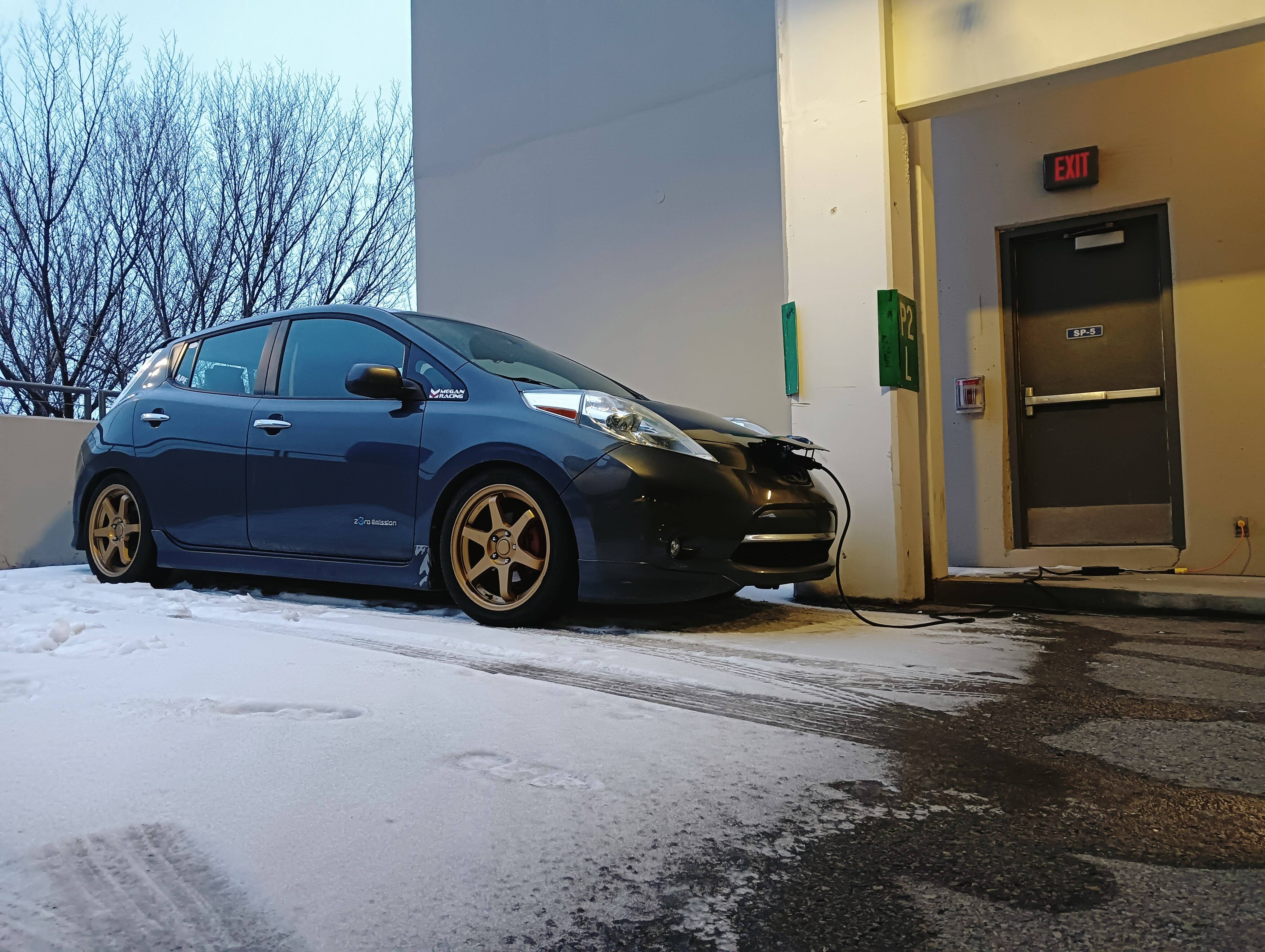
2014 Nissan Leaf.
-
Honest question - Are we ever going to have clear normal video titles again?
-
If you're just using the prebuilt as it is (stock) -> No problem. If you're looking to upgrade it -> We would need more details on the system and PSU itself, and what you were wanting to do to it.
-
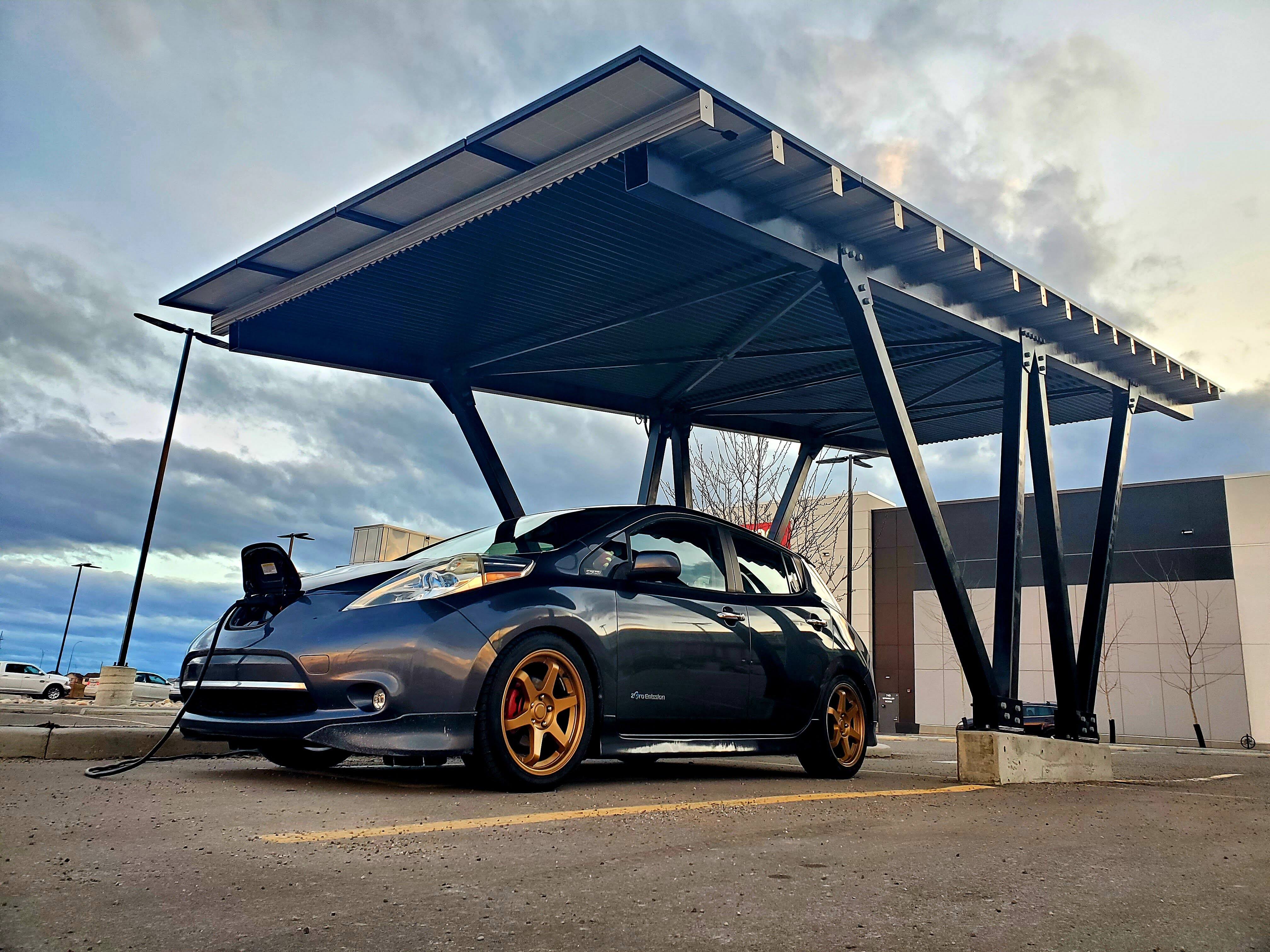
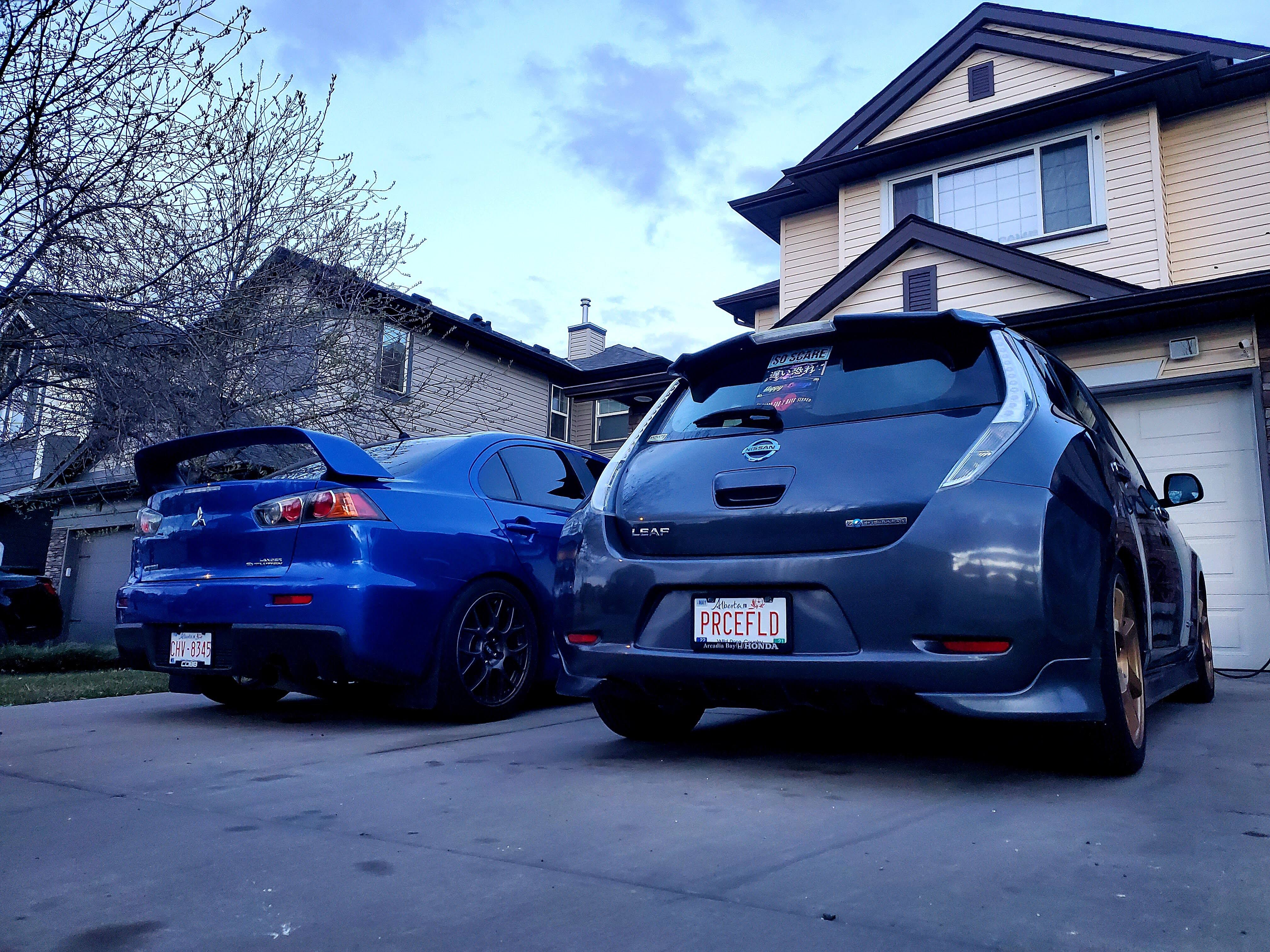
Interesting time for me to just so happen to pop in again. Over the years (since being active here), still been a car and driving enthusiast, and like to actually drive my car and have a good time. Anyone can drive fast in a straight line though, and when most of my time is spent commuting in the city there's nowhere to go fast anyways, I highly prefer having a good nimble chassis that handles well and is fun to toss around. Maybe something went wrong along the line, but what I actually drive: Megan Racing coilovers, Ultra Racing Juke rear sway bar, Cusco Juke front LCA brace, Nitto NT05s, and the really low center of gravity - rips corners like it's on rails. A blast to rip through the city, down onramps, and at the occasional local autox events they host here. Needs a bit more power, plan to do the 110kW inverter upgrade next, once I actually find one to buy.
-
Aniallation changed their profile photo
-
Windows 10 USB 3.0 speeds limited to 40MB/s
Aniallation replied to Aniallation's topic in Troubleshooting
A Patriot Rage XT and a Crucial X6 SSD, both of which I know sustain much higher speeds than that, especially when reading. This also happens when copying one large file, which was what was happening in the screenshot I took in the OP. -
As of recently I've encountered an issue on both my PCs, desktop with Gigabyte B450 Aorus M board, and Asus Vivobook with Ryzen 5500U. Copying to/from USB 3.0 devices seems to be limited to 40MB/s max which is apparently the speed of USB 2.0. I've done some searches and almost all of results I can find seem to be people who have this issue with only the front ports on their PC and not the rear. In my case it is happening on all ports front and back, whether ones that run directly off the CPU or via the chipset. Drivers are up to date on both systems and I've tried multiple different B450 driver versions on the desktop. Is it a Windows 10 related issue? This is happening with >90% of transfers for at least the past two weeks. Every now and then it will start off full speed again, but if it's a larger transfer, after a little bit it will drop back down, and do a "zigzag" speed pattern going up and down between 30-40MB/s. Even Dimitri from HardwareCanucks commented on having this same issue so it clearly can't be that uncommon but nobody seems to have found a fix?
-
Thank you, finally someone who gets it. It's honestly disappointing to see all the people blaming it on the yOuTuBe AlgOriThM to defend the practice. It has nothing to do with the algorithm. I personally know people who were actually affected by the algorithm, which turned off commenting on their videos, drastically reducing their audience, and they're no longer able to make enough off YouTube for a living, actually having to change their career path and only doing YouTube as a hobby for their remaining fans and small Patreon supporter group. THAT'S being affected by the algorithm. Intentionally making clickbait because you want to make more money, isn't something that you can blame them for as a business, but saying that it's YouTube's fault for it, who have LMG's back as a major content creator, is just complete BS. You can be a good tech content creator without having to resort to doing so. Public image.
-
While I do understand this, a lot of other large content creators on YouTube (including in tech) do as well, and they still haven't felt the need to resort to clickbait titles and thumbnails. Yes there's overhead and revenue, but there's still having respect for your audience and viewers. As with everything there should be a line between ethics and profit, even if it swings a lot more towards the latter, rather than just being greedy as possible.
-
Though I haven't been on the forum much if at all the past few years, I still continued to keep up with the main channel and videos that I thought were interesting. The video titles and thumbnails started to contain catchy taglines, but still clearly explained what the product is and the video was about (ex. "I'm DONE covering for NVIDIA - RTX 3070 Review"). However, as of the past few months, there were more and more videos with absolutely nothing in the title or description that explains what it is about, and more and more often they are just downright clickbait. Who came up with this idea, and are we going to go back to clear titles and thumbnails that actually tell the viewer what they're clicking on before watching the video?
-
What's the background of your question? Do you already have a board and everything for it laying around, or are you starting from scratch?





.png.f04f3e0ebe19e32e6761cd195012b5aa.png)