Jump to content

Hello forums, 


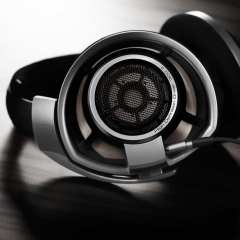
Recently I bought a new set of headphones which require a spdif out for them to work. As I was trying to get my headphones to produce sound, I realized that there was no light being produced from the motherboard or sound card for the optical cable. I spent hours and hours trying to find out why it won't work, checking my bios, removing and re-installing drivers and searching the web if anyone else has this problem. Nothing, if anyone can help it would be much appreciated. 


|CPU: Intel 5960X|MOBO:Rampage V Extreme|GPU:EVGA 980Ti SC 2 - Way SLI|RAM:G-Skill 32GB|CASE:900D|PSU:CorsairAX1200i|DISPLAY :Dell U2412M X3|SSD Intel 750 400GB, 2X Samsung 850 Pro|

Peripherals : | MOUSE : Logitech G602 | KEYBOARD: K70 RGB (Cherry MX Brown) | NAS: Synology DS1515+  - WD RED 3TB X 5|ROUTER: AC68U

Sound : | HEADPHONES: Sennheiser HD800 SPEAKERS: B&W CM9 (Front floorstanding) ,  B&W CM Center 2 (Centre) | AV RECEIVER : Denon 3806 | MY X99 BUILD LOG!


Link to comment
https://linustechtips.com/topic/68196-no-light-from-spdif-out/
Share on other sites

Link to post
Share on other sites

go to control panel, click on hardware and sound, then click on manage audio devices (in the line beside the speaker icon). then click playback tab.  There should be  a list of output devices and one should be labeled s/pdif or optical out or realtek digital optical or something like that, Right click on that device and ensure it is both enabled and the default, to help problem solve right click and disable all other devices to windows is forced to use on the optical out.


Hope that works.

Grammar and spelling is not indicative of intelligence/knowledge.  Not having the same opinion does not always mean lack of understanding.  

Link to comment
https://linustechtips.com/topic/68196-no-light-from-spdif-out/#findComment-933926
Share on other sites

Link to post
Share on other sites

go to control panel, click on hardware and sound, then click on manage audio devices (in the line beside the speaker icon). then click playback tab.  There should be  a list of output devices and one should be labeled s/pdif or optical out or realtek digital optical or something like that, Right click on that device and ensure it is both enabled and the default, to help problem solve right click and disable all other devices to windows is forced to use on the optical out.


Hope that works.

They are enabled. 

|CPU: Intel 5960X|MOBO:Rampage V Extreme|GPU:EVGA 980Ti SC 2 - Way SLI|RAM:G-Skill 32GB|CASE:900D|PSU:CorsairAX1200i|DISPLAY :Dell U2412M X3|SSD Intel 750 400GB, 2X Samsung 850 Pro|

Peripherals : | MOUSE : Logitech G602 | KEYBOARD: K70 RGB (Cherry MX Brown) | NAS: Synology DS1515+  - WD RED 3TB X 5|ROUTER: AC68U

Sound : | HEADPHONES: Sennheiser HD800 SPEAKERS: B&W CM9 (Front floorstanding) ,  B&W CM Center 2 (Centre) | AV RECEIVER : Denon 3806 | MY X99 BUILD LOG!


Link to comment
https://linustechtips.com/topic/68196-no-light-from-spdif-out/#findComment-933934
Share on other sites

Link to post
Share on other sites

are they the default audio device?

Yes, it is. Anything else you can suggest.

|CPU: Intel 5960X|MOBO:Rampage V Extreme|GPU:EVGA 980Ti SC 2 - Way SLI|RAM:G-Skill 32GB|CASE:900D|PSU:CorsairAX1200i|DISPLAY :Dell U2412M X3|SSD Intel 750 400GB, 2X Samsung 850 Pro|

Peripherals : | MOUSE : Logitech G602 | KEYBOARD: K70 RGB (Cherry MX Brown) | NAS: Synology DS1515+  - WD RED 3TB X 5|ROUTER: AC68U

Sound : | HEADPHONES: Sennheiser HD800 SPEAKERS: B&W CM9 (Front floorstanding) ,  B&W CM Center 2 (Centre) | AV RECEIVER : Denon 3806 | MY X99 BUILD LOG!


Link to comment
https://linustechtips.com/topic/68196-no-light-from-spdif-out/#findComment-933988
Share on other sites

Link to post
Share on other sites

only that you disable everything else, so only the optical out is enabled. After that I am out of ideas sorry.

Grammar and spelling is not indicative of intelligence/knowledge.  Not having the same opinion does not always mean lack of understanding.  

Link to comment
https://linustechtips.com/topic/68196-no-light-from-spdif-out/#findComment-933998
Share on other sites

Link to post
Share on other sites

Create an account or sign in to comment

You need to be a member in order to leave a comment

Create an account

Sign up for a new account in our community. It's easy!

Register a new account

Sign in

Already have an account? Sign in here.

Sign In Now

×