Jump to content

After watching Luke's video build of the fallout pc case, I was like 'my mate would love that!'  So I decided I would buold it for him.

If you haven't seen Luke's video watch it , it is the bases of my build (search youtube)


Before I continue, have to say a huge thank you to Luke @Slick , for the inspiration of this build.

Also, a little background of me, I have never built a pc in a normal case, let alone building a custom case.  I don't have an arts and craft background or crafting knowledge.  Most of this build was done in my kitchen and garden with predominately a rotary tool.

Hopefully showing what is possible, even without skill and tools!


I have taken most of Luke's ideas with a few tweeks and mods here and there.


Firstly the cylindrical extension.  Now I didn't have access to a 3d printer and the cost online was prohibitive, getting quotes of £700, due to volume of the piece, not the physical material costs.  Also, don't have a computer to make the template design to send to those companies.  So I had to think of something else.  I decided to use two thin sheets of plywood and glue them into the cylinder.  I conceptualised a jig to hold the wood in the desired shape, while the glue set.

I then filled the gap in the joins and sanded it smooth


IMG_20160309_175026.jpg

IMG_20160314_172357.jpg


I added an inner ring of ply to create a lip, with grioves, which would slot into the plastic nuke base and top.


IMG_20160314_172002.jpg

IMG_20160314_200501.jpg


Airflow was a major consideration, given the experience that Luke had on his build.  So I made sure I had large intakes and like Luke covered them in mash.  I also added another finer dust filter behind later


IMG_20160315_192115.jpg

IMG_20160315_192103.jpg


To make sure that the intakes acted as intakes I used a fan, but unlike Luke's two 60mm (or were they 80?) Fans.  I added a whopping 140mm!  With a little 'help' from my rotary friend.  Which msi has now 'copied'  (ok, I only saw msi's design afterwards)


IMG_20160317_120203.jpg

IMG_20160317_120219.jpg

IMG_20160317_120800.jpg

IMG_20160317_122621.jpg

IMG_20160317_122638.jpg


The next consideration for airflow was the gpu itself, in Luke's build, the gpu's fan was sandwich into the back of the motherboard, so struggled to get much air. Along with the ssd and the wifi antenna further restricting space.  So I glued the antenna into the cone above the fan (no picture of that).  Instead of an ssd I used a m.2 drive, a nice little luxury.  Which allowed a lot more space for thr gpu.  Lastly I used a longer pcie extender cable to orientate the fan into that space away from the motherboard.  The cable also provides the insulation between the motherboard and the back of the gpu.


IMG_20160414_214339.jpg


I glued some cross beams to suspend the motherboard and gpu from and to place the psu on top of.


IMG_20160414_212327.jpg


Another major change, was the I/O.  I didn't put any in!  I thought that all that extra cabling and the trouble Luke had with it fitting of it, the soldering of thr psu plug etc... I decided on a different route, a simple slot, with a grommet (sorry don't have a picture of this), for the power supply plug to go in, the hdmi and a usb3 cable to come out.  As it was going into a tv the sound will come through the hdmi and with usb3, there's enough to handle most peripherals through a 4port expansion.  Obviously the downside is the lack of ease in swapping things in and out, but once you've got it set up, as you can add more connections ie ethernet and usbs etc...  it will pretty much just sit there untouch for most of the time.  Well that was my reasoning at least.


Even though I used a m.2 drive to save space I saw a reasonably price 2Tb hdd, which I had originally planned to place next to the psu, but it was getting awfully hot above the gpu.  Luckily with the layout I had there was plenty of space on the motherboard side to makeshift a drive caddy.


IMG_20160416_180527.jpg


Given the trouble Luke had with the base feet and then the concern with the added weight, I added additional support to the base.  Again with grooves that allowed it to slot practically seamlessly into the base.


IMG_20160416_231527.jpg

IMG_20160416_231440.jpg

IMG_20160416_231343.jpg

IMG_20160416_231316.jpg


In the last picture you can kind of see the simplicity of the I/O cable coming out the base.  Along with the air filters through the mesh.


I was going to carbon copy Luke's power switch.  However I got an idea from DIY perks (youtube), about using led's and acrylic.  With some more 'help' from my rotary friend, I came up with this


VID_20160408_204328.mp4


IMG_20160407_131817.jpg

IMG_20160407_131853.jpg

IMG_20160408_193651.jpg


I used the led power jumper on the motherboard, but I did solder in a different led, smaller, but brighter.


Nearly finished I promise.


The final internal mod.  The cables that came with the psu were quite stiff and a little too long, which made routing them awkward.  As I had come this far I decided I may as well go all the way and make a complete custom sleeved set os psu cables!  Now I have to give a shout out to the info given by WiSK and others over at overclockers.net.  Helped me understand the pin out and enabling me to alter the wire configuration!  Otherwise it wouldn't have been possible.  As you can see I went with a 'nuclear' yellow and green theme (with a little black).  Even though you don't see the cables, it rounds off the build beautifully for me. (ok im a little biased)


IMG_20160416_141928.jpg

IMG_20160416_190905.jpg

IMG_20160416_192821.jpg


You can kind of see just how much space I have been able to give the gpu to 'breathe'  especially compared with Luke's.


Last little touches:

Using yellow and green cable ties

Using a green sata cable

(Both can be seen in the second to last picture above)


Covered the top vent with steel mesh


IMG_20160408_162402.jpg


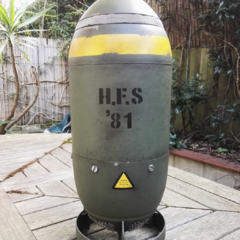
Had to completely repaint the mini nuke green, as I wasn't able to match the original colour.  Along with the rusting effect.  Thanks here goes to an awesome side at Dark Sphere, who spent a lot of time giving me advice for this


IMG_20160319_154621.jpg


The completed build


IMG_20160413_142500.jpg


With a suitably matching themed welcoming page (and background, but no picture of that)


IMG_20160414_223758.jpg


Well done if you've made it this far!  Thank you for taking the time.

Again big thank you to Luke, who's build paved the way for this.  Even though it may seem I'm criticising his build, im not, just learnig from the obstacles that he encountered.  I'm sure given another go and I'm assuming less time restraints, he would come up with an even more bad assary mod.

Another thanks is to youtubeand the many videos I've watched building up my confidence to do this, far too many mention them all, it a wealth of information for all the different facets of this build.


Wishing you much fun on your own builds


And yes my mate was blown away with it!


Unfizzy

Link to comment
https://linustechtips.com/topic/584326-fallout-mini-nuke-build/
Share on other sites

Link to post
Share on other sites

Nice!  That's a very impressive build you've built, that's a very nice thing to build and give to your friend :D 


You should tag Luke into this build so maybe he would see it as he would get notified about this thread :D (use @Slick to tag him (gonna let yourself tag him if you wanna)) 

Looking at my signature are we now? Well too bad there's nothing here...


What? As I said, there seriously is nothing here :) 

Link to comment
https://linustechtips.com/topic/584326-fallout-mini-nuke-build/#findComment-7621607
Share on other sites

Link to post
Share on other sites

Friggin incredible, no offense to @Slick... But I felt it could've  been done much better and this is the proof in fact the vision I had of what I wanted to do! amazing, truly amazing! and yes you should tag Slick to this

CPU: Intel Core i7 Extreme Edition 3960X | Motherboard: Intel DX79SR "Stormville" | RAM: 32GB G.SKILL Ripjaws Z Series DDR3 PC3-12800 (4x 8GB) Quad-Channel | GPU: 2x EVGA GTX 970 FTW 4GB in SLI (I have Many other builds plus 100+ Macs (don't judge me)... Many specs are listed on my profile)

[PC#1] Log: [Link] [PC#2] Log: [Link] F@H stats: [Link]


Link to comment
https://linustechtips.com/topic/584326-fallout-mini-nuke-build/#findComment-7621719
Share on other sites

Link to post
Share on other sites

Fantastic Job. Awesome method of mounting that Noctua at the top, I really liked that. Luke could take a few pointers from yours :P


  1. GLaDOS: i5 6600 EVGA GTX 1070 FE EVGA Z170 Stinger Cooler Master GeminS524 V2 With LTT Noctua NFF12 Corsair Vengeance LPX 2x8 GB 3200 MHz Corsair SF450 850 EVO 500 Gb CableMod Widebeam White LED 60cm 2x Asus VN248H-P, Dell 12" G502 Proteus Core Logitech G610 Orion Cherry Brown Logitech Z506 Sennheiser HD 518 MSX
  2. Lenovo Z40 i5-4200U GT 820M 6 GB RAM 840 EVO 120 GB
  3. Moto X4 G.Skill 32 GB Micro SD Spigen Case Project Fi


Link to comment
https://linustechtips.com/topic/584326-fallout-mini-nuke-build/#findComment-7622436
Share on other sites

Link to post
Share on other sites

@Slick attempt was a nice prototype. You took it and made it sexy. Your paint even matches! :P9/10*


*-1 for the plywood body 

"Solus" (2015) - CPU: i7-4790k | GPU: MSI GTX 970 | Mobo: Asus Z97-A | Ram: 16GB (2x8) G.Skill Ripjaws X Series | PSU: EVGA G2 750W 80+ Gold | CaseFractal Design Define R4

Next Build: "Tyrion" (TBA)

Link to comment
https://linustechtips.com/topic/584326-fallout-mini-nuke-build/#findComment-7626861
Share on other sites

Link to post
Share on other sites

Very nice! I hate to say it, but @Slick has been out done on this one. I think the addition of a 140mm fan instead of two dinky things is a much better solution to move more air through, and I'm sure it's a quieter build as well. Did you do any thermal testing? How did it fair? And what components did you use? 

ASU

Link to comment
https://linustechtips.com/topic/584326-fallout-mini-nuke-build/#findComment-7626891
Share on other sites

Link to post
Share on other sites

@Hackentosher

Intel i5 6600k

Silverstone ar06 cpu cooler

Amd Fury Nano

Gigabyte z170n gaming 5 mini itx

16gb ddr4 corsair vengeance lpx 3000

Samsung SM951 256GB M.2-2280 Solid State Drive

Samsung Spinpoint M9T 2TB 2.5" 5400RPM Internal Hard Drive

Noctua NF-A14 PWM 82.5 CFM 140mm Fan

Silverstone Strider Gold 450W 80+ Gold Certified Fully-Modular SFX Power Supply


The machine at idle is surprisingly quiet, though when running hot, the power supply and gpu do spin out a lot of noise.


As for testing did a short prime 95 burn, cpu hit 66oC.  Yes the, one could argue the k is not worth the extra as it isn't overclocked.  Though might be later, have no experience overclocking and in such a small chassis, my first build etc.. thought best not to.  Though having that potential later, is nice to have.


And furmark, gpu hit 83-84oC @1080p. Didn't test higher res, as it will be used mainly at the res, sadly.  I had thoughts of 'undervolting' it, but couldn't easily see how to do it and didn't really want to delay giving it to my friend.IMG_20160415_105242.jpg


This brings me to the only problem I really had.  The motherboard, gigabyte don't seem to allow much control of the fans.  You can download some software from gigabyte, but it is awful!  Firstly for any saved profile, you have to open the program each time you start the computer, it doesn't ruin automatically!  Yes yiu could write a few lines as a work around, but it is a workaround.


Secondly, you have very little control, the system fan only changes dues to the system temp, which didn't push past 38oC or there abouts and sits at 30oC as idle so very little variance.  I had hoped for better, so tried speedfan, which looked great for what I wanted, making a fan profle linked to any component.  However , speedfan was unable to access the cpu or system fans, it seems that gigabyte lock them out, so was unable to do so.  Theremay be an updated version where it may gain control, but not yet.  So all I could think of to do was go into the bios and change the fan speed to manual and put it to the highest voltage change for the pmw per oC change.


It still moves the air well, in from the base and out of top, but would have like more control.  Especially when the gpu get going.  I did do one test where the fan was at full speed, but it only made a degree or two difference!  Never tested without the fan, so don't know how much of a difference it really made, but I think it looks good :-)

Edited by Unfizzy
Put in missing spec info
Link to comment
https://linustechtips.com/topic/584326-fallout-mini-nuke-build/#findComment-7630188
Share on other sites

Link to post
Share on other sites

Oh man, this rig is awesome! Great job!

Video Game, Anime and Tech Fan! 

 Current Build - CPU: Intel Xeon x5660 @ 4.2GHZ / MOBO: ASUS P6T / COOLER: Cooler Master Hyper 212 + / GPU: Radeon HD 7970 / RAM 8GB Corsair XMS3 / STORAGE: OCZ Agility 3 60gb, WD Blue 1TB / CASE: Bitfenix Shinobi PSU / Antec Earthwatts 500w / DISPLAY: Asus 23 inch @1080p, Dell 19 inch @ 1440x900, Seiki SE42UM @ 4K 


Mobile Devices: HP Chromebook 14, 3DS XL, Vita, Samsung Note 4, LG G Pad 8.3, Chuwi Hi8, NEX-3N

Link to comment
https://linustechtips.com/topic/584326-fallout-mini-nuke-build/#findComment-7633452
Share on other sites

Link to post
Share on other sites

Create an account or sign in to comment

You need to be a member in order to leave a comment

Create an account

Sign up for a new account in our community. It's easy!

Register a new account

Sign in

Already have an account? Sign in here.

Sign In Now

×