Jump to content

Basically everytime I launch CS GO, Euro Truck Simulator 2 or GTA IV my screen goes all over the place like some sort of disco.


I am currently running Windows 8.1 64 bit


System specs


Powercolor AMD Radeon HD 6870 1GB  - http://powercolor.com/au/products_features.asp?id=307

AMD Phenom II X6 1055T

Asus M5A97 R2

AcBel 700W power Supply

LG Blue ray drive

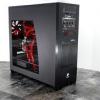
Thermaltake V6 Blacx edition

Corsair XMS3 8GB kit (2x4GB)


Bios version


Graphics Card: 013.011.000.002.000000 (113-970-970)

Motherboard: American Megatrends Inc Version 1102


Link to comment
https://linustechtips.com/topic/358893-graphics-card-dying/
Share on other sites

Link to post
Share on other sites

1GB VRAM seems pretty low, are you sure you're not asking too much of it in that respect?


I'm dead certain my 750Ti will run those

It usually runs fine I've had the card for about 3 years so I'm thinking that its on its last legs but not 100% sure

Link to comment
https://linustechtips.com/topic/358893-graphics-card-dying/#findComment-4869623
Share on other sites

Link to post
Share on other sites

it is an old card, it won't perform brilliantly with new games and I doubt the drivers will be designed to run those games either.


Go green, get a 750Ti from MSI and nudge those clocks up. To give some idea, I have a 750Ti running with a +195 MHz core boost and +400 Memory boost. it ceases to function around 225MHz clock and 425 MHz memory. It's a great little card and I have no doubt it'll do what you need it to


Funny you mention go green I was condidering upgrading to a GTX 970 but my motherboard apparently doesn't support the green team so :( I may as well upgrade the whole thing

Link to comment
https://linustechtips.com/topic/358893-graphics-card-dying/#findComment-4869666
Share on other sites

Link to post
Share on other sites

I unplugged and plugged the cable back in and then it was just a black screen

o no :( try another cable, dvi hdmi w/e. Also never heard of the people that make your motherboard. Has anyone here? I think its dead or soon to be, confront it in its last days, we all need a friend.
Link to comment
https://linustechtips.com/topic/358893-graphics-card-dying/#findComment-4869699
Share on other sites

Link to post
Share on other sites

51 idle is pretty high what is the load temps also the driver crash is the driver of amd what amd driver are you running ?


On 11/19/2014 at 2:14 PM, Syntaxvgm said:
You would think Ubisoft would support the Bulldozer based architectures more given their digging themed names like bulldozer, Piledriver, Steamroller and Excavator.
Link to comment
https://linustechtips.com/topic/358893-graphics-card-dying/#findComment-4877474
Share on other sites

Link to post
Share on other sites

Furmark

that are some epic artifacts i am sorry to say RIP.

my hd 7850 gave his last shot a month back same things as you


On 11/19/2014 at 2:14 PM, Syntaxvgm said:
You would think Ubisoft would support the Bulldozer based architectures more given their digging themed names like bulldozer, Piledriver, Steamroller and Excavator.
Link to comment
https://linustechtips.com/topic/358893-graphics-card-dying/#findComment-4877482
Share on other sites

Link to post
Share on other sites

it looks like it gave up and went home


RIP Graphics Card, u didn't go fast. 1 liek = 1prayr

give this man a award


On 11/19/2014 at 2:14 PM, Syntaxvgm said:
You would think Ubisoft would support the Bulldozer based architectures more given their digging themed names like bulldozer, Piledriver, Steamroller and Excavator.
Link to comment
https://linustechtips.com/topic/358893-graphics-card-dying/#findComment-4877486
Share on other sites

Link to post
Share on other sites

Hmmm looks like that upcoming GPU cooler cleaning video is coming a little late for you :( (it's on vessel though dunno if you've seen that). I think if you cleaned it a while ago it might have saved the card.


So maybe that's something to keep in mind for next time.


Wouldn't mind seeing a picture of the card itself... how dirty is it right now?

I have no signature

Link to comment
https://linustechtips.com/topic/358893-graphics-card-dying/#findComment-4877927
Share on other sites

Link to post
Share on other sites

Funny you mention go green I was condidering upgrading to a GTX 970 but my motherboard apparently doesn't support the green team so :( I may as well upgrade the whole thing

Where did you get the info that your M5A97 does not support "Green Team" from?


It's a motherboard. It doesn't have secret allegiances or political positions. Uninstall Catalyst drivers, remove dead card, install new (hopefully GTX 970) and away you go.


I've used nVidia cards on M5A97s and M5A99s, they're very compatible together. The fact that your 9800 GT didn't work is likely that it's dead from age too, the 9800s were always a few fries short of a happy meal.


.... either that or your motherboard has a faulty PCIE slot... I suppose that could happen...

The New Machine: Intel 11700K / Strix Z590-A WIFI II / Patriot Viper Steel 4400MHz 2x8GB / Gigabyte RTX 3080 Gaming OC w/ Bykski WB / x4 1TB SSDs (x2 M.2, x2 2.5) / Corsair 5000D Airflow White / EVGA G6 1000W / Custom Loop CPU & GPU


The Rainbow X58: i7 975 Extreme Edition @4.2GHz, Asus Sabertooth X58, 6x2GB Mushkin Redline DDR3-1600 @2000MHz, SP 256GB Gen3 M.2 w/ Sabrent M.2 to PCI-E, Inno3D GTX 580 x2 SLI w/ Heatkiller waterblocks, Custom loop in NZXT Phantom White, Corsair XR7 360 rad hanging off the rear end, 360 slim rad up top. RGB everywhere.

Link to comment
https://linustechtips.com/topic/358893-graphics-card-dying/#findComment-4882188
Share on other sites

Link to post
Share on other sites

Create an account or sign in to comment

You need to be a member in order to leave a comment

Create an account

Sign up for a new account in our community. It's easy!

Register a new account

Sign in

Already have an account? Sign in here.

Sign In Now

×