Jump to content

I have the notification "USB Device Not Recognized" and I have tried just about everything except reinstalling my OS.

I have uninstalled the driver of the device, disabled then re-enabled the device.  I have updated my BIOS, updated my USB software many times (from the motherboard website).  

Installed from the motherboard driver disc.  

The simplest thing was I removed each usb-connected device one by one to see if the notification changes, and it doesnt.  I have no clue what else to do, any advice would be greatly appreciated. 


Specs:
ASUS Sabertooth Z77

i5-3570K

8 GB Kingston RAM

Kingston 240GB SSD

WD Black 2TB HDD

MSI 560Ti


Tohrchur

Link to comment
https://linustechtips.com/topic/35305-usb-device-not-recognized-please-help/
Share on other sites

Link to post
Share on other sites

Try the USB ports behind the motherboard.

| CPU: INTEL i5 6600k @ 4.6Ghz @ 1.328v | Motherboard: ASUS Z170-AR | Ram: G.SKILL 2x8GB 2400Mhz | CPU Cooler : Corsair H100i V2

| GPU: GIGABYTE GTX980Ti G1 GAMING | SSD: SAMSUNG 840 EVO 250GB  Storage: WD 1TB GREEN | OS: Windows 10 Pro 64bit | PSU: FSP 650W AURUM S |

<<<<< BLK-Phant0m >>>>>


Link to post
Share on other sites

Try this. Take a sheet of bounty and fold it in four, then apply some isopropyl alcohol on it, not to much though, then wipe the flash drive's USB connector with the bounty, then let the isopropyl alcohol on the flash drive's USB connector dry off naturally. When it is dried plug it in your USB port and see if it will be recognized. IF this works then it is just the flash drive USB connector being oxidized, if not then you motherboard has the problem. If it is the motherboard then do a fresh in stall, it could be your registry being corrupt and fixing that is best left up to the PROs. ;)

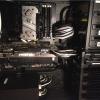
A water-cooled mid-tier gaming PC.

Link to post
Share on other sites

Try this. Take a sheet of bounty and fold it in four, then apply some isopropyl alcohol on it, not to much though, then wipe the flash drive's USB connector with the bounty, then let the isopropyl alcohol on the flash drive's USB connector dry off naturally. When it is dried plug it in your USB port and see if it will be recognized. IF this works then it is just the flash drive USB connector being oxidized, if not then you motherboard has the problem. If it is the motherboard then do a fresh in stall, it could be your registry being corrupt and fixing that is best left up to the PROs. ;)

I will try the alcohol tomorrow. I did end up doing a fresh install of windows 7.  I don't think its my motherboard but I have no clue what it is.  All my peripherals work perfectly.

Tohrchur

Link to post
Share on other sites

1. Open command prompt

2. Diskpart

3. List disk

4. select disk #(what ever your usb drive is)

5. Clean disk


using this method I have NEVER needed to throw away a usb disk unless it was physically broken.

Corsair 600T White | Gigabyte Z77-UD3H | Intel Core i5-2500k | 8GB Gskill Ares@1600MHz | Gigabyte G1 GTX970 | OCZ ZT 550 | Western Digital Caviar Blue 500GB | Western Digital Caviar Black 1TB | Samsung 840 EVO 250GB (boot) | Full Custom Loop | NZXT HUE

Link to post
Share on other sites

Do you have your USB drivers installed? If not, I would try it to see if it fixes the problem.

Hello and Welcome to LTT Forum!


If you are a new member, please read the rules located in "Forum News and Info". Thanks!  :)


Linus Tech Tips Forum Code of Conduct           FAQ           Privacy Policy & Legal Disclaimer

Link to post
Share on other sites

1. Open command prompt

2. Diskpart

3. List disk

4. select disk #(what ever your usb drive is)

5. Clean disk


using this method I have NEVER needed to throw away a usb disk unless it was physically broken.

I tried to do this but the disk's listed were just my SSD and HDD, no usb

Tohrchur

Link to post
Share on other sites

Is the USB device working in another PC?  I had an issue with my keyboard a few weeks ago getting the same error, I ran sysprep on my system and it fixed the issue

Its not a specific device. There is just an error and notification showing up saying a device is not recognized. but all my peripherals, drives, etc work fine

Tohrchur

Link to post
Share on other sites

I tried to do this but the disk's listed were just my SSD and HDD, no usb

can you see it in disk manager?

Corsair 600T White | Gigabyte Z77-UD3H | Intel Core i5-2500k | 8GB Gskill Ares@1600MHz | Gigabyte G1 GTX970 | OCZ ZT 550 | Western Digital Caviar Blue 500GB | Western Digital Caviar Black 1TB | Samsung 840 EVO 250GB (boot) | Full Custom Loop | NZXT HUE

Link to post
Share on other sites

Create an account or sign in to comment

You need to be a member in order to leave a comment

Create an account

Sign up for a new account in our community. It's easy!

Register a new account

Sign in

Already have an account? Sign in here.

Sign In Now

×