
Jump to content

Optimizing Storage for Video Editing?

*** This is a long post - I really appreciate anyone who takes the time to read it ***


Hey guys,


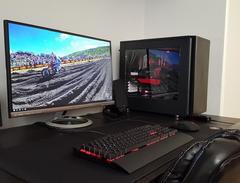
I originally built my PC for gaming - ironically I don't really game (although it was a ton of fun to build my first desktop). The specs are below in my signature, but here is a link to the build if your interested in seeing the current configuration: https://pcpartpicker.com/b/bcnnTW


Although I haven't done any gaming, I have started to get into videography (purely for personal use - vacations, family, etc). I have quickly ran into a storage problem as I only have a 250GB SSD (for OS/programs) and a 1TB WD Blue HD. The file sizes from 4K footage are massive (I had some footage from Hawaii that I transcoded to CineForm and it was 670GB!). I've been editing off of the 1TB WD Blue HD, which isn't very optimal (although ironically I haven't had any issues with it being slow - granted I am using proxies). 


I have been doing a ton of research on what my storage upgrade options may be, without it costing me a fortune. Not to mention the computer was built around gaming, and I would have to practically do a new build to overhaul it into a full on editing machine. So, I'd really like to keep the storage upgrades to under $500. 


I came across this YouTube video, which presented sort of the "optimal" storage setup: 

My plan is to do the following:

C Drive: OS & Applications - Keep current Samsung EVO 850 250GB SSD or upgrade to Samsung EVO 970 250GB M.2 SSD

D Drive: Project & Source Media, Media Cache & Scratch - Samsung EVO 860 1TB SSD or Samsung T5 1TB SSD (INTERNAL or EXTERNAL?)

E Drive (OPTIONAL): For Media Cache & Scratch - Samsung EVO 860 1TB SSD (or maybe even put my 250GB Samsung EVO 850 here if I get an M.2 SSD for the C Drive)

E/F Drive: General storage - Keep 1TB WD Blue

External Storage: Buy the OWC docking bay and a few 3.5" 4TB HDs. 

Cloud Storage Secondary Backup: BackBlaze


I would love an NAS (Synology 918+) for external storage, but I can't justify the cost yet. I may decide to get an NAS later down the road though.


What do you guys think? What would you do to optimize my current storage situation without breaking the bank? I think my current plan is pretty good. 


Thanks!

| Intel i5-6600K | NZXT Kraken X61 | MSI GTX 980TI | NZXT Kraken X41 | ASUS MAXIMUS VIII Hero Corsair Vengeance DDR4-3000 16GB | 

                |Samsung 850 EVO 250GB | WD Blue 1TB | EVGA SuperNova G2 850W | Fractal Design Define S |


Link to comment
https://linustechtips.com/topic/971074-optimizing-storage-for-video-editing/
Share on other sites

Link to post
Share on other sites

you should absolutely have that D drive as an internal SSD simple for transfer speeds and latency advantages.


what i dont understand yet is that you want to buy these OWC dock thingy, i dont know which model you are looking for exactly but what i have seen was fairly expensive and not really far away from a 918+ which would be much more versatile.

Link to post
Share on other sites

8 hours ago, Pixel5 said:

you should absolutely have that D drive as an internal SSD simple for transfer speeds and latency advantages.


what i dont understand yet is that you want to buy these OWC dock thingy, i dont know which model you are looking for exactly but what i have seen was fairly expensive and not really far away from a 918+ which would be much more versatile.

Thanks that makes sense.


Oh the OWB dock is the "toaster oven" style. It is $60. A little more expensive than some of the alternatives, but it is really good quality. Like I said, if I could afford an NAS I would go that route, but the toaster oven with some WD Blues will be a very easy way to archive my videos for now. 


https://eshop.macsales.com/item/OWC/U3DRVDCK2/

| Intel i5-6600K | NZXT Kraken X61 | MSI GTX 980TI | NZXT Kraken X41 | ASUS MAXIMUS VIII Hero Corsair Vengeance DDR4-3000 16GB | 

                |Samsung 850 EVO 250GB | WD Blue 1TB | EVGA SuperNova G2 850W | Fractal Design Define S |


Link to post
Share on other sites

Create an account or sign in to comment

You need to be a member in order to leave a comment

Create an account

Sign up for a new account in our community. It's easy!

Register a new account

Sign in

Already have an account? Sign in here.

Sign In Now

×
