
Jump to content

Supercharger front panel USB not working
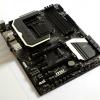

I've noticed lately that my front panel USB ports arent working on my Corsair Obsidian 650D im using the MSI Mpower z87 motherboard. when i run the super charger application it tells me its running but i cant ready anything from the USB ports, I've tried unplugging and plugging it back  and and numerous restarts with no change. I also tried connecting the front panel cable into another USB 2.0 header and no change. so looks like my front panel usb is dead, which really sucks because its a pain to have to climb behind my computer to plug something in. anyone have suggestions on how to fix this?

RIG:|Corsair Obsidion 650d|MSI Mpower Z87| i7-4770k (4Ghz)|Corsair H100 cooler|16Gb corsair dominator platinum 1866Mhz|  EVGA GTX 780 classified (runs at 1240Mhz)| 1200W pc power and cooling silencer mkIII PSU|recon sound blaster champion series| 1Tb WD black| 256Gb Samsung 840 pro| Monitors:| Samsung px2370| ASUS VG248QE| X-star 27" 2560x1440 korean monitor (runs at 100Hz)| other stuff:| Razer black widow ultimate| Razer mamba 2013 edition| Razer Vespula mousepad| Klipsch X10i| Ultrasone Pro750| Harmon/Kardon sound sticks 2| 

Link to comment
https://linustechtips.com/topic/76349-supercharger-front-panel-usb-not-working/
Share on other sites

Link to post
Share on other sites

Create an account or sign in to comment

You need to be a member in order to leave a comment

Create an account

Sign up for a new account in our community. It's easy!

Register a new account

Sign in

Already have an account? Sign in here.

Sign In Now

×


