Jump to content

Hey guys, 

I've still got an i5 2500k that I bought new years ago and it's served me extremely well. 

When I first got the cpu it was a beast overclocker. I was able to get it up to 5.37Ghz, which was insane. and that was on air. 

I got extremely lucky in the silicon lottery. I didn't keep it at that speed of course. But I ran it for at least a year at 5Ghz. 

I eventually moved down 4.8 and kept it there for the majority of it's life so far. 

About a year ago, i was so busy with work, I wasn't able to get on it as much so I lowered it down to stock 3.3ghz. 


Well today I felt like messing with it since I'm playing more games and figured I could dial in a moderate 4.5ghz OC. 

Well, I remember being able to get 4.5 with 1.28 vcore. And now, I had to move it up to near 1.38 to get Prime95 stable for more than 15mins. 

The thing is, I am now running a 360mm high fpi rad on the cpu alone. I intended on added another 240 rad and adding the 2 cards, but I held off on that.

So it's got very very good cooling. 

Max 57C with 1 hour of prime95


My question is, has anyone else seen cpu degradation like this? I haven't tried 5.0 Ghz or anything lately, but it is for sure needing a little bit more 

voltage than I remember. 


Is it more likely the motherboard is causing this? (was a pretty good motherboard when I bought it, pretty sure it was over $235+)


My Specs are:


i5 2500k at 4.5ghz (@ 1.36vcore)

Asus P8Z68-V Pro

16GB Gskill 1600mhz

Samsung 840 Pro 256gb

(2) Samsung 850 Pro 256

WD Black 2TB

WD Black 1TB

WD Black 750

(2) Asus GTX 660 TI's in SLI (DCU2)  

Corsairs AX 860i PSU

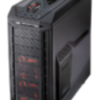
Corsair 600T - modded

Corsair SP120 fans

XSPC CPU block

Blackice 360 rad

Swiftech MCP35X pump


PC.jpg

Intel i7 8700k @ 5.3GHz - Asus Maximus X Hero - 16GB Gskill TridentZ RGB 3200Mhz - EVGA GTX 1080 Ti FTW3 - Viotek 27" 1440p 144hz curved- Corsair AX860i - CM H500M - Custom watercooling loop (BlackIce GT 360mm w/ Corsair SP120s in pull) - Swiftech MCP35X Pump - XSPC WaterBlock - Intel 760p 512gb nvme m.2 + [2x] 512GB Samsung 850 Pro SSDs (RAID0) + 512GB Samsung 840 pro + (2) 2TB WD Black + 1TB WD Black + 1TB SCSI WD External for Plex Media Server storage - CM QuickFire TK w/ Cherry MX Blues - Roccat Tyon - VModa Crossfade LP - Klipsche ProMedia 2.1's pushed with a FiiO Andes F07K DAC

Link to comment
https://linustechtips.com/topic/617431-reduced-overclocking-performance-over-time/
Share on other sites

Link to post
Share on other sites

prime 95 is not a good stress test. 

Good luck, Have fun, Build PC, and have a Wii and PS2 as your only consoles.

NightHawk 3.0: R7 5700x @, B550A vision D, H105, 2x32gb Oloy 3600, Asrock RX9070xt Steel Legends, Corsair RM750X, 500gb 850 evo, 2tb rocket and 5tb Toshiba x300, 3x 6TB WD Black W10 all in a Obsidian 750D airflow.
GF PC: (NightHawk 2.0): R7 2700x, B450m vision D, 4x8gb Geli 2933, Sapphire RX 6700XT  Nitro+, CX650M RGB, Obsidian 350D

Skunkworks: R5 3500U, 16gb, 500gb 860 evo, Vega 8. HP probook G455R G6 Ubuntu 20. LTS

Condor (MC server): 6600K, z170m plus, 16gb corsair vengeance LPX, samsung 750 evo, EVGA BR 450.

Spirt  (NAS) ASUS Z9PR-D12, 2x E5 2620V2, 8x4gb, 24 3tb HDD. F80 800gb cache, trueNAS, 2x12disk raid Z3 stripped

HP probook 445R G6 review


"Stupidity is like trying to find a limit of a constant. You are never truly smart in something, just less stupid."

Camera Gear: X-S10, 16-80 F4, 35mm F1.4, Helios 44

Link to post
Share on other sites

2 minutes ago, GDRRiley said:

prime 95 is not a good stress test. 

It's always worked for me in the past. If I can clear 30mins smallFFT and then 30mins of Blend, I know my pc is stable. 

Have any other suggestions for stress testing?

Intel i7 8700k @ 5.3GHz - Asus Maximus X Hero - 16GB Gskill TridentZ RGB 3200Mhz - EVGA GTX 1080 Ti FTW3 - Viotek 27" 1440p 144hz curved- Corsair AX860i - CM H500M - Custom watercooling loop (BlackIce GT 360mm w/ Corsair SP120s in pull) - Swiftech MCP35X Pump - XSPC WaterBlock - Intel 760p 512gb nvme m.2 + [2x] 512GB Samsung 850 Pro SSDs (RAID0) + 512GB Samsung 840 pro + (2) 2TB WD Black + 1TB WD Black + 1TB SCSI WD External for Plex Media Server storage - CM QuickFire TK w/ Cherry MX Blues - Roccat Tyon - VModa Crossfade LP - Klipsche ProMedia 2.1's pushed with a FiiO Andes F07K DAC

Link to post
Share on other sites

1 minute ago, JTMarch86 said:

It's always worked for me in the past. If I can clear 30mins smallFFT and then 30mins of Blend, I know my pc is stable. 

Have any other suggestions for stress testing?

intel's burn test work well for me and you only need about 5 runs.

Good luck, Have fun, Build PC, and have a Wii and PS2 as your only consoles.

NightHawk 3.0: R7 5700x @, B550A vision D, H105, 2x32gb Oloy 3600, Asrock RX9070xt Steel Legends, Corsair RM750X, 500gb 850 evo, 2tb rocket and 5tb Toshiba x300, 3x 6TB WD Black W10 all in a Obsidian 750D airflow.
GF PC: (NightHawk 2.0): R7 2700x, B450m vision D, 4x8gb Geli 2933, Sapphire RX 6700XT  Nitro+, CX650M RGB, Obsidian 350D

Skunkworks: R5 3500U, 16gb, 500gb 860 evo, Vega 8. HP probook G455R G6 Ubuntu 20. LTS

Condor (MC server): 6600K, z170m plus, 16gb corsair vengeance LPX, samsung 750 evo, EVGA BR 450.

Spirt  (NAS) ASUS Z9PR-D12, 2x E5 2620V2, 8x4gb, 24 3tb HDD. F80 800gb cache, trueNAS, 2x12disk raid Z3 stripped

HP probook 445R G6 review


"Stupidity is like trying to find a limit of a constant. You are never truly smart in something, just less stupid."

Camera Gear: X-S10, 16-80 F4, 35mm F1.4, Helios 44

Link to post
Share on other sites

5 minutes ago, GDRRiley said:

intel's burn test work well for me and you only need about 5 runs.

Intel Burn Test is very similar to Prime's smallFFT. 

and the burn test is really focusing on high heat loads, whereas prime95 has multiple options of how I stress my system, including ram, something I don't think Intel's burn test does. 

So I wouldn't say prime95 isn't a good stress test, it's far more stressful than anything else I do on this pc, which is gaming and media consumption. 

Intel i7 8700k @ 5.3GHz - Asus Maximus X Hero - 16GB Gskill TridentZ RGB 3200Mhz - EVGA GTX 1080 Ti FTW3 - Viotek 27" 1440p 144hz curved- Corsair AX860i - CM H500M - Custom watercooling loop (BlackIce GT 360mm w/ Corsair SP120s in pull) - Swiftech MCP35X Pump - XSPC WaterBlock - Intel 760p 512gb nvme m.2 + [2x] 512GB Samsung 850 Pro SSDs (RAID0) + 512GB Samsung 840 pro + (2) 2TB WD Black + 1TB WD Black + 1TB SCSI WD External for Plex Media Server storage - CM QuickFire TK w/ Cherry MX Blues - Roccat Tyon - VModa Crossfade LP - Klipsche ProMedia 2.1's pushed with a FiiO Andes F07K DAC

Link to post
Share on other sites

15 minutes ago, GDRRiley said:

prime 95 is not a good stress test. 

13 minutes ago, JTMarch86 said:

It's always worked for me in the past. If I can clear 30mins smallFFT and then 30mins of Blend, I know my pc is stable. 

Have any other suggestions for stress testing?


Prime95 is ok on Sandy Bridge, but Ivy Bridge and newer should definitely not be using Prime.

if you have to insist you think for yourself, i'm not going to believe you.

Link to post
Share on other sites

5 minutes ago, Suika said:


Prime95 is ok on Sandy Bridge, but Ivy Bridge and newer should definitely not be using Prime.

Yea, Prime was the goto stress test when I built the pc. But anyways, we're off topic. I was asking about CPU degradation.

Intel i7 8700k @ 5.3GHz - Asus Maximus X Hero - 16GB Gskill TridentZ RGB 3200Mhz - EVGA GTX 1080 Ti FTW3 - Viotek 27" 1440p 144hz curved- Corsair AX860i - CM H500M - Custom watercooling loop (BlackIce GT 360mm w/ Corsair SP120s in pull) - Swiftech MCP35X Pump - XSPC WaterBlock - Intel 760p 512gb nvme m.2 + [2x] 512GB Samsung 850 Pro SSDs (RAID0) + 512GB Samsung 840 pro + (2) 2TB WD Black + 1TB WD Black + 1TB SCSI WD External for Plex Media Server storage - CM QuickFire TK w/ Cherry MX Blues - Roccat Tyon - VModa Crossfade LP - Klipsche ProMedia 2.1's pushed with a FiiO Andes F07K DAC

Link to post
Share on other sites

That's some extreme degradation! 

Sure it's not another setting (ram?) or maybe bios upgrade (seen this before)cause loss of stability?

ive still got an old q9550 kicking around (main rigs i7 but can't bare to part with old girl)and this things been hammered! I ran it for about 6 years @3.8 with 1.375 (loaded, 1.425 idle) and then a year or 2 at slightly lower but on Intel cooler. It still performs as day I got it!


im not familiar personally with your cpu, but vcore doesn't sound excessive. Have you measured your actual vcore with a multimeter or working of software? 

Link to post
Share on other sites

4 minutes ago, Dunxy said:

That's some extreme degradation! 

Sure it's not another setting (ram?) or maybe bios upgrade (seen this before)cause loss of stability?

ive still got an old q9550 kicking around (main rigs i7 but can't bare to part with old girl)and this things been hammered! I ran it for about 6 years @3.8 with 1.375 (loaded, 1.425 idle) and then a year or 2 at slightly lower but on Intel cooler. It still performs as day I got it!


im not familiar personally with your cpu, but vcore doesn't sound excessive. Have you measured your actual vcore with a multimeter or working of software? 

Just software. I haven't broken out my multimeter yet. Although I have used multiple programs to check at the same time to make sure I was getting accurate readings. 

I may need to play with it some more. I tried quite a few different settings, with the ram too (with and without XMP, auto and entering timings manually, etc..) LLC on extreme, ultra high, high, cpu capability. etc.. 

It kinda seems like LLC isn't doing as good of a job that it used to do. It's not keeping the vcore or VID as close as I have it set. So it's possible the motherboard is just old. 


I haven't done a BIOS flash in a long time, but I know I did upgrade the bios about 2 years ago. But at that time I wasn't running anywhere near 5ghz. 


Oh and get this, I started having trouble with my SLI setup about 6 months ago. I thought one of the cards was messed up a bit from when my WC loop dripped a few drops of water on it and made the pc restart. So I figured that was it. So I was running 1 card for awhile. The other day I was like.. hmm, lets pop that back in. It would run but after about 5mins of game time, it would crash to desktop. I tried a bunch of stuff, changing the OC on the cards, even down to none, same issues. Then I thought.. Did this issue start before or after that last SSD I added? So I unplugged 2 extra HDD's I had connected for storage, and it works. So it's like I ran out of PCIe bandwidth. 

I admit I had a ton of drives. (3 ssd's, 3 HDDs + 1 external HDD). But it's weird that it did work for a while even with all that connected. 


It may be very possible the board is just getting old. I mean, it is Sandy Bridge. (Z68). 


Intel i7 8700k @ 5.3GHz - Asus Maximus X Hero - 16GB Gskill TridentZ RGB 3200Mhz - EVGA GTX 1080 Ti FTW3 - Viotek 27" 1440p 144hz curved- Corsair AX860i - CM H500M - Custom watercooling loop (BlackIce GT 360mm w/ Corsair SP120s in pull) - Swiftech MCP35X Pump - XSPC WaterBlock - Intel 760p 512gb nvme m.2 + [2x] 512GB Samsung 850 Pro SSDs (RAID0) + 512GB Samsung 840 pro + (2) 2TB WD Black + 1TB WD Black + 1TB SCSI WD External for Plex Media Server storage - CM QuickFire TK w/ Cherry MX Blues - Roccat Tyon - VModa Crossfade LP - Klipsche ProMedia 2.1's pushed with a FiiO Andes F07K DAC

Link to post
Share on other sites

Oh, and Welcome to LTT Dunxy!  =)

Intel i7 8700k @ 5.3GHz - Asus Maximus X Hero - 16GB Gskill TridentZ RGB 3200Mhz - EVGA GTX 1080 Ti FTW3 - Viotek 27" 1440p 144hz curved- Corsair AX860i - CM H500M - Custom watercooling loop (BlackIce GT 360mm w/ Corsair SP120s in pull) - Swiftech MCP35X Pump - XSPC WaterBlock - Intel 760p 512gb nvme m.2 + [2x] 512GB Samsung 850 Pro SSDs (RAID0) + 512GB Samsung 840 pro + (2) 2TB WD Black + 1TB WD Black + 1TB SCSI WD External for Plex Media Server storage - CM QuickFire TK w/ Cherry MX Blues - Roccat Tyon - VModa Crossfade LP - Klipsche ProMedia 2.1's pushed with a FiiO Andes F07K DAC

Link to post
Share on other sites

If your voltages to your CPU are not as expected I would focus diagnostics on the motherboard to exclude that as the cause first.


I ran my 3930K with an Asus Sabertooth X79 motherboard overclocked at 4.2GHz with effectively a 100% 24/7 load for 3.5+ years. It became unstable in the last couple of months, I had to underclock it to below 2.8GHz for it to be stable.

The motherboard VRM temperatures were either getting into the mid-high 80's, or the read-backs just locked up and stopped reporting when it was unstable. The system also often failed to post.

When my computer started failing I priced up a new system. Replacement (new or secondhand) motherboards for previous generations, particularly enthusiast, are not readily available where I live.

Once I was able to risk completely breaking the system, I disassembled the motherboard to inspect the thermal pads between the VRM and heatsink and they had completely deteriorated. After replacing the thermal pads, it is back good as new. More often though, motherboard faults tend to be fixed by replacing the motherboard.

Link to post
Share on other sites

10 hours ago, DrMikeNZ said:

If your voltages to your CPU are not as expected I would focus diagnostics on the motherboard to exclude that as the cause first.


I ran my 3930K with an Asus Sabertooth X79 motherboard overclocked at 4.2GHz with effectively a 100% 24/7 load for 3.5+ years. It became unstable in the last couple of months, I had to underclock it to below 2.8GHz for it to be stable.

The motherboard VRM temperatures were either getting into the mid-high 80's, or the read-backs just locked up and stopped reporting when it was unstable. The system also often failed to post.

When my computer started failing I priced up a new system. Replacement (new or secondhand) motherboards for previous generations, particularly enthusiast, are not readily available where I live.

Once I was able to risk completely breaking the system, I disassembled the motherboard to inspect the thermal pads between the VRM and heatsink and they had completely deteriorated. After replacing the thermal pads, it is back good as new. More often though, motherboard faults tend to be fixed by replacing the motherboard.

Yea, adding everything up it does seem to point more towards the motherboard. The temps on the board look good though. So there's nothing just blatantly obvious on hwmonitor or any of the tests I've ran. I may replace the thermal pads as you did. Couldn't hurt. 

Intel i7 8700k @ 5.3GHz - Asus Maximus X Hero - 16GB Gskill TridentZ RGB 3200Mhz - EVGA GTX 1080 Ti FTW3 - Viotek 27" 1440p 144hz curved- Corsair AX860i - CM H500M - Custom watercooling loop (BlackIce GT 360mm w/ Corsair SP120s in pull) - Swiftech MCP35X Pump - XSPC WaterBlock - Intel 760p 512gb nvme m.2 + [2x] 512GB Samsung 850 Pro SSDs (RAID0) + 512GB Samsung 840 pro + (2) 2TB WD Black + 1TB WD Black + 1TB SCSI WD External for Plex Media Server storage - CM QuickFire TK w/ Cherry MX Blues - Roccat Tyon - VModa Crossfade LP - Klipsche ProMedia 2.1's pushed with a FiiO Andes F07K DAC

Link to post
Share on other sites

32nm Hi-K was fairly prone to degradation. Although that seems pretty extreme.


Have you increased your boards current limit in the VRM control area?

Link to post
Share on other sites

Have you increased your vcssa voltage? My i5 only got stable after a slight increase in the vcssa voltage.

My PC specs; Processor: Intel i5 2500K @4.6GHz, Graphics card: Sapphire AMD R9 Nano 4GB DD Overclocked @1050MHz Core and 550 MHz Memory. Hard Drives: 500GB Seagate Barracuda 7200 RPM, 2TB Western Digital Green Drive, Motherboard: Asus P8Z77-V , Power Supply: OCZ ZS series 750W 80+ Bronze certified, Case: NZXT S340, Memory: Corsair Vengance series Ram, Dual Channel kit @ 1866 Mhz, 10-11-10-30 Timings, 4x4 GB DIMMs. Cooler: CoolerMaster Seidon 240V

Link to post
Share on other sites

22 hours ago, harrynowl said:

32nm Hi-K was fairly prone to degradation. Although that seems pretty extreme.


Have you increased your boards current limit in the VRM control area?

Yea I did. Tried all the way up to 140%, with LLC on Ultra High (still seemed to dip more than I would have liked tho). 


I honestly think the board is just worn out. It is pretty old at this point. 

Intel i7 8700k @ 5.3GHz - Asus Maximus X Hero - 16GB Gskill TridentZ RGB 3200Mhz - EVGA GTX 1080 Ti FTW3 - Viotek 27" 1440p 144hz curved- Corsair AX860i - CM H500M - Custom watercooling loop (BlackIce GT 360mm w/ Corsair SP120s in pull) - Swiftech MCP35X Pump - XSPC WaterBlock - Intel 760p 512gb nvme m.2 + [2x] 512GB Samsung 850 Pro SSDs (RAID0) + 512GB Samsung 840 pro + (2) 2TB WD Black + 1TB WD Black + 1TB SCSI WD External for Plex Media Server storage - CM QuickFire TK w/ Cherry MX Blues - Roccat Tyon - VModa Crossfade LP - Klipsche ProMedia 2.1's pushed with a FiiO Andes F07K DAC

Link to post
Share on other sites

22 hours ago, maazster said:

Have you increased your vcssa voltage? My i5 only got stable after a slight increase in the vcssa voltage.

I tried adding a step to PLL, and I'm able to hit high frequencies and everything but it's weird. 

Like I get it stable at 4.8, stress test it, all seems fine. The next day I boot up a game and it just restarts on me randomly. 


I never had weird stuff like this when I first got the board. Anyways, I'll have more time this weekend to really get down there and try a ton of different things. 

Unfortunately, I just haven't had enough time this week with work. 

I'll try changing vcssa then. Couldn't hurt. 

Thanks for the tip =)


I'll post back when I've spent some more time on it

Intel i7 8700k @ 5.3GHz - Asus Maximus X Hero - 16GB Gskill TridentZ RGB 3200Mhz - EVGA GTX 1080 Ti FTW3 - Viotek 27" 1440p 144hz curved- Corsair AX860i - CM H500M - Custom watercooling loop (BlackIce GT 360mm w/ Corsair SP120s in pull) - Swiftech MCP35X Pump - XSPC WaterBlock - Intel 760p 512gb nvme m.2 + [2x] 512GB Samsung 850 Pro SSDs (RAID0) + 512GB Samsung 840 pro + (2) 2TB WD Black + 1TB WD Black + 1TB SCSI WD External for Plex Media Server storage - CM QuickFire TK w/ Cherry MX Blues - Roccat Tyon - VModa Crossfade LP - Klipsche ProMedia 2.1's pushed with a FiiO Andes F07K DAC

Link to post
Share on other sites

3 hours ago, JTMarch86 said:

I tried adding a step to PLL, and I'm able to hit high frequencies and everything but it's weird. 

Like I get it stable at 4.8, stress test it, all seems fine. The next day I boot up a game and it just restarts on me randomly. 


I never had weird stuff like this when I first got the board. Anyways, I'll have more time this weekend to really get down there and try a ton of different things. 

Unfortunately, I just haven't had enough time this week with work. 

I'll try changing vcssa then. Couldn't hurt. 

Thanks for the tip =)


I'll post back when I've spent some more time on it

Usually PLL wants to go down. I run 1.6V on PLL for best results.


1.15V on VCSSA and VCIO might help :)

Link to post
Share on other sites

Create an account or sign in to comment

You need to be a member in order to leave a comment

Create an account

Sign up for a new account in our community. It's easy!

Register a new account

Sign in

Already have an account? Sign in here.

Sign In Now

×