
Jump to content

Ready for SLI? (Air Flow Optimisation)

Hello everyone,


I have just purchased a second EVGA GTX 780 SC ACX to compliment the one currently in my rig. I am starting to wonder if there was anything I could do to optimise the airflow of my rig, ready for the extra heat output. 


24mfjls.png


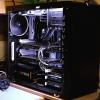
The image above shows how my airflow shall be in my Define R4 when I install the second card.


Any ideas and comments would be greatly appreciated.


Thanks.

CPU  Intel i7 5820k Motherboard Asus X99-S  RAM  32GB (8x4) Kingston Hyper X Fury GPU EVGA GTX 1080Ti SC2 iCX Case Fractal Design R4 Windowed Storage 500GB Samsung 850 Evo + 120GB Crucial M500 SSD + 2TB Seagate Barracuda + 1TB Western Digital Blue PSU Corsair RM1000 Display 2x Asus VS239HV Cooling  Noctua NH-D15 Keyboard  Corsair K70 RGB Mouse Logitech G502 Gaming Surface Razer Golitahus Extended Speed

Link to comment
https://linustechtips.com/topic/293585-ready-for-sli-air-flow-optimisation/
Share on other sites

Link to post
Share on other sites

I would personally add another fan in the bottom of the case as an intake

INTEL CORE I5 4670K | NVIDIA GTX 980 | NOCTUA NH-L9i | GIGABYTE GA-Z97X-SLI | KINGSTON 120GB V300

CM STORM QUICKFIRE TK | BENQ XL2420TE | ROCCAT SAVU | FRACTAL DEFINE R4


Link to post
Share on other sites

I would personally add another fan in the bottom of the case as an intake


Thanks, I have room for a 120mm fan, would you personally go for an AF series or SP series fan on the bottom?

CPU  Intel i7 5820k Motherboard Asus X99-S  RAM  32GB (8x4) Kingston Hyper X Fury GPU EVGA GTX 1080Ti SC2 iCX Case Fractal Design R4 Windowed Storage 500GB Samsung 850 Evo + 120GB Crucial M500 SSD + 2TB Seagate Barracuda + 1TB Western Digital Blue PSU Corsair RM1000 Display 2x Asus VS239HV Cooling  Noctua NH-D15 Keyboard  Corsair K70 RGB Mouse Logitech G502 Gaming Surface Razer Golitahus Extended Speed

Link to post
Share on other sites

Thanks, I have room for a 120mm fan, would you personally go for an AF series or SP series fan on the bottom?

AF since you're not running it with a rad

INTEL CORE I5 4670K | NVIDIA GTX 980 | NOCTUA NH-L9i | GIGABYTE GA-Z97X-SLI | KINGSTON 120GB V300

CM STORM QUICKFIRE TK | BENQ XL2420TE | ROCCAT SAVU | FRACTAL DEFINE R4


Link to post
Share on other sites

Thanks everyone for the input. I have never really had an issue with dust, the filters on the front the the case do capture a lot, but inside the case is fine. 

CPU  Intel i7 5820k Motherboard Asus X99-S  RAM  32GB (8x4) Kingston Hyper X Fury GPU EVGA GTX 1080Ti SC2 iCX Case Fractal Design R4 Windowed Storage 500GB Samsung 850 Evo + 120GB Crucial M500 SSD + 2TB Seagate Barracuda + 1TB Western Digital Blue PSU Corsair RM1000 Display 2x Asus VS239HV Cooling  Noctua NH-D15 Keyboard  Corsair K70 RGB Mouse Logitech G502 Gaming Surface Razer Golitahus Extended Speed

Link to post
Share on other sites

Corsair fans are very loud. I suggest noiseblocker, noctua or enermax fans.


Oh, and the 8350 will bottleneck the 2 x 780s.


I keep all fans around 1000 RPM, and so far it has provided sufficent cooling and are almost silent.


As for bottlenecking http://www.tweaktown.com/tweakipedia/58/core-i7-4770k-vs-amd-fx-8350-with-gtx-980-vs-gtx-780-sli-at-4k/index.html The gains of an i7 are negligable for the price premium. I am however saving cash to get a 5820k setup to aid with render times from Pro Tools.

CPU  Intel i7 5820k Motherboard Asus X99-S  RAM  32GB (8x4) Kingston Hyper X Fury GPU EVGA GTX 1080Ti SC2 iCX Case Fractal Design R4 Windowed Storage 500GB Samsung 850 Evo + 120GB Crucial M500 SSD + 2TB Seagate Barracuda + 1TB Western Digital Blue PSU Corsair RM1000 Display 2x Asus VS239HV Cooling  Noctua NH-D15 Keyboard  Corsair K70 RGB Mouse Logitech G502 Gaming Surface Razer Golitahus Extended Speed

Link to post
Share on other sites

Hello everyone,


I have just purchased a second EVGA GTX 780 SC ACX to compliment the one currently in my rig. I am starting to wonder if there was anything I could do to optimise the airflow of my rig, ready for the extra heat output. 


24mfjls.png


The image above shows how my airflow shall be in my Define R4 when I install the second card.


Any ideas and comments would be greatly appreciated.


Thanks.


Put the rear fan as intake, and add a Botton fan as intake, so your case will be under positive pressure.


One question: The H100i fans are in pull or push? On top or botton on the radiator?

CORE i5 4670K ASRock Fatal1ty KILLER 8GB CORSAIR VENGEANCE PRO  MSI GTX 770 7TEAM 550W

AMD FX6300 GA 990FXA-UD3 4.0 16GB G.SKILL TridentX  EVGA 9600 GT EVGA SN 750W G2


Link to post
Share on other sites

Put the rear fan as intake, and add a Botton fan as intake, so your case will be under positive pressure.


Is this to counter dust honestly? Because there is no filter for the back, pulling dust right in if it was an intake.


He could possibly try to have a neutral or slightly positive airflow by having higher performance intake, and slowing down the exhaust. I don't know if that is how it works, but otherwise, using intake other than the bottom and front will not be filtered.

CPU: I7 4790K(4.6@1.252v)                               Case: Fractal Design Define R5 Windowed(Black)           Cooler: CM 212 EVO + NF F12 iPPC

RAM: HyperX Fury 1600MHZ CL10 2x4GB      Storage: Samsung 850 EVO(250GB) + WD Red(2TB)      PSU: Corsair RM750 (and no, it hasn't blown up!)

MoBo: Asus Maximus VII Ranger                      Graphics: MSI GTX 970 TwinFrozr (1494MHZ Core)       OS: Windows 10 Enterprise

Link to post
Share on other sites

Is this to counter dust honestly? Because there is no filter for the back, pulling dust right in if it was an intake.


He could possibly try to have a neutral or slightly positive airflow by having higher performance intake, and slowing down the exhaust. I don't know if that is how it works, but otherwise, using intake other than the bottom and front will not be filtered.


You can always buy a cheap fan filter or make a

.

CORE i5 4670K ASRock Fatal1ty KILLER 8GB CORSAIR VENGEANCE PRO  MSI GTX 770 7TEAM 550W

AMD FX6300 GA 990FXA-UD3 4.0 16GB G.SKILL TridentX  EVGA 9600 GT EVGA SN 750W G2


Link to post
Share on other sites

My SLI is fine with just 2 intake and 1 exhaust + a air CPU cooler. I will get some more fans to get the noise down (sound paradox haha) but it wouldn't be necessary. Your setup even hast the H100i fans as kind of a exhaust so i wouldn't worry.

who cares...

Link to post
Share on other sites

SP120 PE at 1k RPM isn't even loud. They are just fine at that speed. And look nice too. 

Our Grace. The Feathered One. He shows us the way. His bob is majestic and shows us the path. Follow unto his guidance and His example. He knows the one true path. Our Saviour. Our Grace. Our Father Birb has taught us with His humble heart and gentle wing the way of the bob. Let us show Him our reverence and follow in His example. The True Path of the Feathered One. ~ Dimboble-dubabob III

Link to post
Share on other sites

Create an account or sign in to comment

You need to be a member in order to leave a comment

Create an account

Sign up for a new account in our community. It's easy!

Register a new account

Sign in

Already have an account? Sign in here.

Sign In Now

×


