Jump to content

Here is my setup:

AMD Fx 8350 @ 4.51ghz 1.41v (220mhz BCLK, 20.5 multiplier)

Powercolor r9 290 pcs+ @ stock

Amd r9 gamer memory 2x4gb @ 2052mhz (220mhz BCLK, 9.33 multiplier)

Gigabyte 990fxa ud3 rev. 4 F2 BIOS

Crucial mx100 128gb as C:

Seagate Barracuda 1tb as storage

EVGA 850 G2 with black sleeved cable kit and eco mode on

Nanoxia Deep Silence one

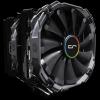
Cryorig r1 ultimate

Arctic Cooling mx-4

Fan configuration:

2x stock nanoxia fans intaking in the front (120mm)

2x Cryorig XF140 on cpu cooler

1x Cryorig XT140 as rear exhaust.


Problem:

I tried to launch a game (planetside 2) and after the game went full screen I got a black screen and the PC hard locked. After about 10 seconds it shut down and did not turn back on. I tried taking it out the case and running the system on the graphics card box. I plugged everything back in and jumpered the power button pins with a screwdriver. Still nothing. I suspected it was the power supply so I turned eco mode off and started the psu with a 24 pin jumper. The fan started spinning so it is not completely dead. So my suspicion right now is that the power supply crapped out and took some other components out with it. If anyone could give any troubleshooting tips or advice it would be much appreciated.

Link to comment
https://linustechtips.com/topic/263153-computer-not-posting/
Share on other sites

Link to post
Share on other sites

Do you get any beep codes or LED debugging lights to further give information about the problem? Most cases come with a small speaker that can be attached to the motherboard for debugging. 

I don't have a debug light or a speaker, but would it work to plug in a regular 3,5mm device?

Link to comment
https://linustechtips.com/topic/263153-computer-not-posting/#findComment-3579799
Share on other sites

Link to post
Share on other sites

No, the output for the speaker are from specific pins around the front panel connector pins. A speaker is $.99 if you have a decent computer hardware store nearby. Other than that have your tried clearing the overclock out of the BIOS (clearing* the BIOS) and seeing if it'll start on stock clock?

Link to comment
https://linustechtips.com/topic/263153-computer-not-posting/#findComment-3579934
Share on other sites

Link to post
Share on other sites

I don't have a debug light or a speaker, but would it work to plug in a regular 3,5mm device?

No, it doesn't use a regular plug. They use specific pin outs found on the motherboard front panel header area.

"It pays to keep an open mind, but not so open your brain falls out." - Carl Sagan.

"I can explain it to you, but I can't understand it for you" - Edward I. Koch

"I didn't die! I performed a tactical reset!" - Apollolol

Link to comment
https://linustechtips.com/topic/263153-computer-not-posting/#findComment-3581223
Share on other sites

Link to post
Share on other sites

No, the output for the speaker are from specific pins around the front panel connector pins. A speaker is $.99 if you have a decent computer hardware store nearby. Other than that have your tried clearing the overclock out of the BIOS (clearing* the BIOS) and seeing if it'll start on stock clock?

I've tried using the clear CMOS jumpers on my motherboard. System still didn't start at all. No fans spinning up or anything like before.

Link to comment
https://linustechtips.com/topic/263153-computer-not-posting/#findComment-3586129
Share on other sites

Link to post
Share on other sites

sounds kinda like either the psu is bad, the mobo is bad, or both, but im not an " expert "

CPU: i7 4790k OC'd @ 4.6 ghz COOLER: Corsair H105 (SP 120mm Quiet Edition Fans) MOBO: ASRock Z97 Extreme 6 RAM: Kingston Hyper Fury 16GB (2x8) 1866mhz

SSD: Samsung 840 EVO 250GB HDD: WD Blue 1TB GPU: EVGA GTX 970 FTW 4GB PSU: EVGA Supernova G2 750w 80+ Gold Fully Modular CASE: Fractal Arc Midi R2

OPTICAL DRIVE: Samsung DVD Burner OS: Win 7 64bit   Please do some research of your own before asking questions. Google and Youtube are your friend.

Link to comment
https://linustechtips.com/topic/263153-computer-not-posting/#findComment-3586241
Share on other sites

Link to post
Share on other sites

Here is my setup:

AMD Fx 8350 @ 4.51ghz 1.41v (220mhz BCLK, 20.5 multiplier)

Powercolor r9 290 pcs+ @ stock

Amd r9 gamer memory 2x4gb @ 2052mhz (220mhz BCLK, 9.33 multiplier)

Gigabyte 990fxa ud3 rev. 4 F2 BIOS

Crucial mx100 128gb as C:

Seagate Barracuda 1tb as storage

EVGA 850 G2 with black sleeved cable kit and eco mode on

Nanoxia Deep Silence one

Cryorig r1 ultimate

Arctic Cooling mx-4

Fan configuration:

2x stock nanoxia fans intaking in the front (120mm)

2x Cryorig XF140 on cpu cooler

1x Cryorig XT140 as rear exhaust.


Problem:

I tried to launch a game (planetside 2) and after the game went full screen I got a black screen and the PC hard locked. After about 10 seconds it shut down and did not turn back on. I tried taking it out the case and running the system on the graphics card box. I plugged everything back in and jumpered the power button pins with a screwdriver. Still nothing. I suspected it was the power supply so I turned eco mode off and started the psu with a 24 pin jumper. The fan started spinning so it is not completely dead. So my suspicion right now is that the power supply crapped out and took some other components out with it. If anyone could give any troubleshooting tips or advice it would be much appreciated.


Almost the same thing happened on my friend's rig. He was even playing planetside 2 lol. I was there when it happened so I brought him my spare PSU and it is still working fine.

Link to comment
https://linustechtips.com/topic/263153-computer-not-posting/#findComment-3586651
Share on other sites

Link to post
Share on other sites

Create an account or sign in to comment

You need to be a member in order to leave a comment

Create an account

Sign up for a new account in our community. It's easy!

Register a new account

Sign in

Already have an account? Sign in here.

Sign In Now

×