Jump to content

Hey guys,


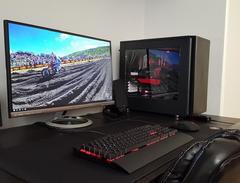
I originally built my rig for gaming (see here: https://pcpartpicker.com/b/bcnnTW). Ironically I really don't game at all, but have become more involved over the past year or so with video editing on Premiere Pro.


I am quickly finding out that my current storage situation is sub optimal for video editing as I have one Samsung 850 EVO 250GB SSD and one WD Blue 1TB HD. Several people have recommended that I get an M.2 SSD (which I know nothing about). 


I am hoping somewhere here can help me out and give me some tips on how I can add to my current storage situation to be better suited for video editing.


Thanks!


| Intel i5-6600K | NZXT Kraken X61 | MSI GTX 980TI | NZXT Kraken X41 | ASUS MAXIMUS VIII Hero Corsair Vengeance DDR4-3000 16GB | 

                |Samsung 850 EVO 250GB | WD Blue 1TB | EVGA SuperNova G2 850W | Fractal Design Define S |


Link to comment
https://linustechtips.com/topic/904232-optimizing-storage-for-video-editing/
Share on other sites

Link to post
Share on other sites

15 minutes ago, Electronics Wizardy said:

What type of footage? codec? bitrate?


Id just get a ssd for current projects, model really don't matter, Id go mx500 500gb.

Well...I shoot 1080P and 4K usually...all within either h.264 or h.265 codec. Right now I typically use Cineform proxies in Premiere Pro so I can get smooth footage when editing. Export in h.264 right now for YouTube, Instagram, etc. Although it would be nice to make master files with Cineform or DNxHD.


So your saying I would have my current 250GB Samsung 850 SSD for my applications, Windows, etc. Another SSD (500GB lets say) dedicated for my Premiere Pro footage, and then my 1TB HD for just general storage?

| Intel i5-6600K | NZXT Kraken X61 | MSI GTX 980TI | NZXT Kraken X41 | ASUS MAXIMUS VIII Hero Corsair Vengeance DDR4-3000 16GB | 

                |Samsung 850 EVO 250GB | WD Blue 1TB | EVGA SuperNova G2 850W | Fractal Design Define S |


Link to post
Share on other sites

I suppose maybe this is a silly question - but is my current setup even capable of being a decent editing rig with some storage upgrades? I know I only have an i5, but I am really hoping I can make this rig work even if it is a compromise.

| Intel i5-6600K | NZXT Kraken X61 | MSI GTX 980TI | NZXT Kraken X41 | ASUS MAXIMUS VIII Hero Corsair Vengeance DDR4-3000 16GB | 

                |Samsung 850 EVO 250GB | WD Blue 1TB | EVGA SuperNova G2 850W | Fractal Design Define S |


Link to post
Share on other sites

2 hours ago, CC268 said:

Well...I shoot 1080P and 4K usually...all within either h.264 or h.265 codec. Right now I typically use Cineform proxies in Premiere Pro so I can get smooth footage when editing. Export in h.264 right now for YouTube, Instagram, etc. Although it would be nice to make master files with Cineform or DNxHD.


So your saying I would have my current 250GB Samsung 850 SSD for my applications, Windows, etc. Another SSD (500GB lets say) dedicated for my Premiere Pro footage, and then my 1TB HD for just general storage?

Yep thats what id go.


When is your setup slow anyways?


You can easily make cineform or dnxhd masters if you want.


1 hour ago, CC268 said:

I suppose maybe this is a silly question - but is my current setup even capable of being a decent editing rig with some storage upgrades? I know I only have an i5, but I am really hoping I can make this rig work even if it is a compromise.

Should work fine, but with proxies, the ssd won't be a huge upgrade with your footage and setup.


Link to post
Share on other sites

9 hours ago, Electronics Wizardy said:

Yep thats what id go.


When is your setup slow anyways?


You can easily make cineform or dnxhd masters if you want.


Should work fine, but with proxies, the ssd won't be a huge upgrade with your footage and setup.


Thanks for your help it is much appreciated. I've been out of the computer scene for a few years now and I am not familiar with video editing setups, but I got people over on the Adobe forums telling me I desperately need to update my storage configuration.


Right now I just have everything on my WD Blue 1TB. If I put all my media on my SSD I run out of room when I start making proxies. I shot a lot of footage on my past vacation, so with the footage itself and proxies it fills up my SSD quick. 


So for now I just have Premiere Pro itself on the SSD of course and all the media on the HD.


It sounds like maybe the only thing worth doing would be to get a 3rd SSD to keep the media on during editing?


What do you think of one of the M.2 SSDs like the 850 EVO M.2 or 960 EVO M.2? I'm not even familiar with them, but a lot of the folks video editing talk about them.


https://www.frys.com/product/9063597?site=sr:SEARCH:MAIN_RSLT_PG

| Intel i5-6600K | NZXT Kraken X61 | MSI GTX 980TI | NZXT Kraken X41 | ASUS MAXIMUS VIII Hero Corsair Vengeance DDR4-3000 16GB | 

                |Samsung 850 EVO 250GB | WD Blue 1TB | EVGA SuperNova G2 850W | Fractal Design Define S |


Link to post
Share on other sites

2 hours ago, CC268 said:

Thanks for your help it is much appreciated. I've been out of the computer scene for a few years now and I am not familiar with video editing setups, but I got people over on the Adobe forums telling me I desperately need to update my storage configuration.


Right now I just have everything on my WD Blue 1TB. If I put all my media on my SSD I run out of room when I start making proxies. I shot a lot of footage on my past vacation, so with the footage itself and proxies it fills up my SSD quick. 


So for now I just have Premiere Pro itself on the SSD of course and all the media on the HD.


It sounds like maybe the only thing worth doing would be to get a 3rd SSD to keep the media on during editing?


What do you think of one of the M.2 SSDs like the 850 EVO M.2 or 960 EVO M.2? I'm not even familiar with them, but a lot of the folks video editing talk about them.


https://www.frys.com/product/9063597?site=sr:SEARCH:MAIN_RSLT_PG

Really just get a cheaper ssd like a mx500, ssd speed won't matter as your not dealing with uncompressed footage.


How is the performance on the hdd, If its fine, Id probably keep it on the hdd for now.

Link to post
Share on other sites

4 minutes ago, Electronics Wizardy said:

Really just get a cheaper ssd like a mx500, ssd speed won't matter as your not dealing with uncompressed footage.


How is the performance on the hdd, If its fine, Id probably keep it on the hdd for now.

I mean for a hobbyist like myself it seems fine. I might just leave my rig alone for now. I can add an SSD later I guess if I feel it is completely necessary.

| Intel i5-6600K | NZXT Kraken X61 | MSI GTX 980TI | NZXT Kraken X41 | ASUS MAXIMUS VIII Hero Corsair Vengeance DDR4-3000 16GB | 

                |Samsung 850 EVO 250GB | WD Blue 1TB | EVGA SuperNova G2 850W | Fractal Design Define S |


Link to post
Share on other sites

21 hours ago, johnukguy said:

The option to get a cheapish but larger SSD that was mentioned is a good one and can make a big difference. That plus a larger, decent speed HD, and you should be fine for storage and editing. 

I might just pay the money and get the Samsung 960 EVO M.2 500GB. However, for the price I could get two EVO 860s for $300...


In terms of an HD to replace my WD Blue 1TB, what would you recommend?

| Intel i5-6600K | NZXT Kraken X61 | MSI GTX 980TI | NZXT Kraken X41 | ASUS MAXIMUS VIII Hero Corsair Vengeance DDR4-3000 16GB | 

                |Samsung 850 EVO 250GB | WD Blue 1TB | EVGA SuperNova G2 850W | Fractal Design Define S |


Link to post
Share on other sites

I have narrowed down my options in terms of upgrading my current storage configuration (see here for PC hardware: https://pcpartpicker.com/b/bcnnTW)

So here are the two possible configurations I am thinking of:

Configuration 1: 
C Drive: OS & Applications - Samsung 850 EVO 250 GB (currently own)
D Drive: Project & Source Media, Media Cache & Scratch - Samsung 960 EVO M.2 500GB ($240)
E Drive: General storage, archived projects, documents, etc - WD Blue 1TB (currently own - I may upgrade this)

Configuration 2:
C Drive: OS & Applications - Samsung 850 EVO 250 GB (currently own)
D Drive: Project & Source Media - Samsung 860 EVO 500GB ($150)
E Drive: Media Cache & Scratch - Samsung 860 EVO 500GB ($150)
F Drive: General storage, archived projects, documents, etc - WD Blue 1TB (currently own - I may upgrade this)

Configuration 3: the ideal configuration (also most expensive)
C Drive: OS & Applications - Samsung 850 EVO 250 GB (currently own)
D Drive: Project & Source Media - Samsung 960 EVO M.2 500GB ($230)
E Drive: Media Cache & Scratch - Samsung 860 EVO 500GB ($150)
F Drive: General storage, archived projects, documents, etc - WD Blue 1TB (currently own - I may upgrade this)

Obviously Configuration 3 is optimal, but it is also the most expensive and may be overkill for a small hobbyist like me.

Is 500GB enough for Project & Source Media, and Media Cache and Scratch?

| Intel i5-6600K | NZXT Kraken X61 | MSI GTX 980TI | NZXT Kraken X41 | ASUS MAXIMUS VIII Hero Corsair Vengeance DDR4-3000 16GB | 

                |Samsung 850 EVO 250GB | WD Blue 1TB | EVGA SuperNova G2 850W | Fractal Design Define S |


Link to post
Share on other sites

The sizes of the drives really depend on what files you shoot and how large projects you work on. But for a normal hobbyist a 500gb should probably be enough. 


And the question about if your rig is good for video editing. Yes, I’d consider it decent, but if you want more performance just swap to an i7. They should not be too expensive now as you are running an older architecture. 

FX-8350 GTX760 16GB RAM 250GB SSD + 1TB HDD


"How many roads must a man walk down?" "42"

Link to post
Share on other sites

20 hours ago, xQubeZx said:

The sizes of the drives really depend on what files you shoot and how large projects you work on. But for a normal hobbyist a 500gb should probably be enough. 


And the question about if your rig is good for video editing. Yes, I’d consider it decent, but if you want more performance just swap to an i7. They should not be too expensive now as you are running an older architecture. 

So probably the i7-6700K would be my best bet?

| Intel i5-6600K | NZXT Kraken X61 | MSI GTX 980TI | NZXT Kraken X41 | ASUS MAXIMUS VIII Hero Corsair Vengeance DDR4-3000 16GB | 

                |Samsung 850 EVO 250GB | WD Blue 1TB | EVGA SuperNova G2 850W | Fractal Design Define S |


Link to post
Share on other sites

1 hour ago, CC268 said:

So probably the i7-6700K would be my best bet?

If you feel you lack in CPU power that is the cheapest upgrade you can make that will make a noticable improvement. 

FX-8350 GTX760 16GB RAM 250GB SSD + 1TB HDD


"How many roads must a man walk down?" "42"

Link to post
Share on other sites

32 minutes ago, xQubeZx said:

If you feel you lack in CPU power that is the cheapest upgrade you can make that will make a noticable improvement. 

Thanks - I don't think it is necessary as of now, but I may decide to upgrade it at some point. Wondering if 32GB of RAM instead of 16GB would make a big difference. Amazing how expensive 32GB of RAM is though.

| Intel i5-6600K | NZXT Kraken X61 | MSI GTX 980TI | NZXT Kraken X41 | ASUS MAXIMUS VIII Hero Corsair Vengeance DDR4-3000 16GB | 

                |Samsung 850 EVO 250GB | WD Blue 1TB | EVGA SuperNova G2 850W | Fractal Design Define S |


Link to post
Share on other sites

I do a lot of video work and I have a pretty beefy system to make it all happen so here's what I have going on.


5820K & GTX970


240GB M.2 SSD for OS and Applications


240GB Sata SSD for Cache & Effects Rendering


500GB Sata SSD for Current Projects & Proxies


4TB HDD for recent and other project storage


3TB HDD for backup(I know, small)


2TB HDD for stock files


You may get a marginal improvement by upgrading your CPU, but to be honest, you will get a more noticeable difference by switching to an all SSD setup for projects. Only in rendering will you see a major difference. You already create proxies that are more efficient so I don't see the point in anything else being added.

Link to post
Share on other sites

I don't want to be "advertising", but didn't BitWit do a video about this?

Make sure to tag and/or quote people so they get notified... :P:D 


My gear:

                                                         Ryzen 7 2700X / Gigabyte GA-X370M-Gaming 3 / R9 380 Nitro 4GB/ 16GB DDR4 2133 / 225GB OCZ Trion 100 / 3TB of hard drive storage
                                                                                                     AOC C24G1 / BenQ GW2270H(rarely overclocked to 87Hz :P )
                                                                               Razer Blackwidow / Redragon Kumara / Logitech G Pro Wiress / Sennheiser HD 559

                                                                                                        Microsoft LifeCam Studio / Tonor BM700 microphone
                                                                                                         
Panasonic Lumix DC-FZ82 / Canon EOS 80D

#PCMasterrace

Link to post
Share on other sites

Create an account or sign in to comment

You need to be a member in order to leave a comment

Create an account

Sign up for a new account in our community. It's easy!

Register a new account

Sign in

Already have an account? Sign in here.

Sign In Now

×