
Jump to content

Afaik, it's much faster than SSD's. Does it actually work well?

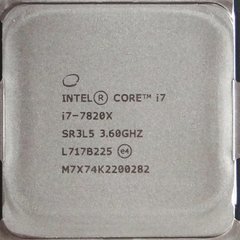
CPU: Intel Core i7 7820X Cooling: Corsair Hydro Series H110i GTX Mobo: MSI X299 Gaming Pro Carbon AC RAM: Corsair Vengeance LPX DDR4 (3000MHz/16GB 2x8) SSD: 2x Samsung 850 Evo (250/250GB) + Samsung 850 Pro (512GB) GPU: NVidia GeForce GTX 1080 Ti FE (W/ EVGA Hybrid Kit) Case: Corsair Graphite Series 760T (Black) PSU: SeaSonic Platinum Series (860W) Monitor: Acer Predator XB241YU (165Hz / G-Sync) Fan Controller: NZXT Sentry Mix 2 Case Fans: Intake - 2x Noctua NF-A14 iPPC-3000 PWM / Radiator - 2x Noctua NF-A14 iPPC-3000 PWM / Rear Exhaust - 1x Noctua NF-F12 iPPC-3000 PWM

Link to comment
https://linustechtips.com/topic/552979-anyone-use-ramdisk/
Share on other sites

Link to post
Share on other sites

There is no point to it. When I had 64Gb of ram I tried to make it a boot drive. It very difficult and buggy to modify the bios to allow ram store data after shut down, not to mention the making the ram disk visible as boot drive when installing windows... Normal ssd is enough for daily use. Ram disk is just a silly toy

EVGA SR-2 / 2x Intel Xeon X5675 4.4Ghz OC / 24GB EEC 1800Mhz OC/ AMD RX570 / Enermax Evoliution 1050W / Main RAID 0: 2x256GB 840EVO SSD / BackUp(1) Raid 5: 3x2TB WD HDD / BackUp(2) 8x2TB / Dell U2412M / Dell U2312HM

Link to comment
https://linustechtips.com/topic/552979-anyone-use-ramdisk/#findComment-7292436
Share on other sites

Link to post
Share on other sites

2 minutes ago, multifrag said:

There is no point to it. When I had 64Gb of ram I tried to make it a boot drive. It very difficult and buggy to modify the bios to allow ram store data after shut down, not to mention the making the ram disk visible as boot drive when installing windows... Normal ssd is enough for daily use. Ram disk is just a silly toy

You can load the system off a regular drive and then just use Ramdisk.. Should be fast.

Edit: but not so fast as it could be. Just regular SSD performance..

I need S340. But more Define S'ish

Link to comment
https://linustechtips.com/topic/552979-anyone-use-ramdisk/#findComment-7292450
Share on other sites

Link to post
Share on other sites

4 minutes ago, multifrag said:

There is no point to it. When I had 64Gb of ram I tried to make it a boot drive. It very difficult and buggy to modify the bios to allow ram store data after shut down, not to mention the making the ram disk visible as boot drive when installing windows... Normal ssd is enough for daily use. Ram disk is just a silly toy

wait wut??? I thought keeping data on ram after shutdown was impossible... How does  that work? Please explain yourself XD.

Don't do drugs. Do hugs!


Link to comment
https://linustechtips.com/topic/552979-anyone-use-ramdisk/#findComment-7292475
Share on other sites

Link to post
Share on other sites

Just now, Tmt97 said:

wait wut??? I thought keeping data on ram after shutdown was impossible... How does  that work? Please explain yourself XD.

When you shutdown it copies to a physical drive.


I use a 16GB ram cache for my ssds, and office definitely loads faster (I mean instantly. 100% instant) but I have some bugs sometimes that make me consider canceling it.


primocache.


Making a ram disk doesn't make sense.

LINK-> Kurald Galain:  The Night Eternal 

Top 5820k, 980ti SLI Build in the World*

CPU: i7-5820k // GPU: SLI MSI 980ti Gaming 6G // Cooling: Full Custom WC //  Mobo: ASUS X99 Sabertooth // Ram: 32GB Crucial Ballistic Sport // Boot SSD: Samsung 850 EVO 500GB

Mass SSD: Crucial M500 960GB  // PSU: EVGA Supernova 850G2 // Case: Fractal Design Define S Windowed // OS: Windows 10 // Mouse: Razer Naga Chroma // Keyboard: Corsair k70 Cherry MX Reds

Headset: Senn RS185 // Monitor: ASUS PG348Q // Devices: Note 10+ - Surface Book 2 15"

LINK-> Ainulindale: Music of the Ainur 

Prosumer DYI FreeNAS

CPU: Xeon E3-1231v3  // Cooling: Noctua L9x65 //  Mobo: AsRock E3C224D2I // Ram: 16GB Kingston ECC DDR3-1333

HDDs: 4x HGST Deskstar NAS 3TB  // PSU: EVGA 650GQ // Case: Fractal Design Node 304 // OS: FreeNAS


Link to comment
https://linustechtips.com/topic/552979-anyone-use-ramdisk/#findComment-7292491
Share on other sites

Link to post
Share on other sites

Just now, Curufinwe_wins said:

When you shutdown it copies to a physical drive.


I use a 16GB ram cache for my ssds, and office definitely loads faster (I mean instantly. 100% instant) but I have some bugs sometimes that make me consider canceling it.


primocache.


Making a ram disk doesn't make sense.

What are the bugs?

Don't do drugs. Do hugs!


Link to comment
https://linustechtips.com/topic/552979-anyone-use-ramdisk/#findComment-7292499
Share on other sites

Link to post
Share on other sites

Just now, Tmt97 said:

What are the bugs?

Like in word sometimes it will flipp shit out when it auto saves as I am typing (because the data in the cache doesn't match the data that is writing it). Or odd times when files I have copied refuse to show up because the cache didn't properly update.

LINK-> Kurald Galain:  The Night Eternal 

Top 5820k, 980ti SLI Build in the World*

CPU: i7-5820k // GPU: SLI MSI 980ti Gaming 6G // Cooling: Full Custom WC //  Mobo: ASUS X99 Sabertooth // Ram: 32GB Crucial Ballistic Sport // Boot SSD: Samsung 850 EVO 500GB

Mass SSD: Crucial M500 960GB  // PSU: EVGA Supernova 850G2 // Case: Fractal Design Define S Windowed // OS: Windows 10 // Mouse: Razer Naga Chroma // Keyboard: Corsair k70 Cherry MX Reds

Headset: Senn RS185 // Monitor: ASUS PG348Q // Devices: Note 10+ - Surface Book 2 15"

LINK-> Ainulindale: Music of the Ainur 

Prosumer DYI FreeNAS

CPU: Xeon E3-1231v3  // Cooling: Noctua L9x65 //  Mobo: AsRock E3C224D2I // Ram: 16GB Kingston ECC DDR3-1333

HDDs: 4x HGST Deskstar NAS 3TB  // PSU: EVGA 650GQ // Case: Fractal Design Node 304 // OS: FreeNAS


Link to comment
https://linustechtips.com/topic/552979-anyone-use-ramdisk/#findComment-7292506
Share on other sites

Link to post
Share on other sites

1 minute ago, Curufinwe_wins said:

Like in word sometimes it will flipp shit out when it auto saves as I am typing (because the data in the cache doesn't match the data that is writing it). Or odd times when files I have copied refuse to show up because the cache didn't properly update.

Damn, that is weird. xD Not worth it to me, I'd be worried I'd lose hours of work in Word.

Don't do drugs. Do hugs!


Link to comment
https://linustechtips.com/topic/552979-anyone-use-ramdisk/#findComment-7292526
Share on other sites

Link to post
Share on other sites

Just now, Tmt97 said:

Damn, that is weird. xD Not worth it to me, I'd be worried I'd lose hours of work in Word.

yea... I've actually started turning it off when using word. Now naturally you don't have to cache the drive you are using word on (esp if you have a hard drive/secondary ssd you want to cache), but I had been caching both for the load times (office is imho the single biggest benefactor to the impressive load times of the ramcache.)

LINK-> Kurald Galain:  The Night Eternal 

Top 5820k, 980ti SLI Build in the World*

CPU: i7-5820k // GPU: SLI MSI 980ti Gaming 6G // Cooling: Full Custom WC //  Mobo: ASUS X99 Sabertooth // Ram: 32GB Crucial Ballistic Sport // Boot SSD: Samsung 850 EVO 500GB

Mass SSD: Crucial M500 960GB  // PSU: EVGA Supernova 850G2 // Case: Fractal Design Define S Windowed // OS: Windows 10 // Mouse: Razer Naga Chroma // Keyboard: Corsair k70 Cherry MX Reds

Headset: Senn RS185 // Monitor: ASUS PG348Q // Devices: Note 10+ - Surface Book 2 15"

LINK-> Ainulindale: Music of the Ainur 

Prosumer DYI FreeNAS

CPU: Xeon E3-1231v3  // Cooling: Noctua L9x65 //  Mobo: AsRock E3C224D2I // Ram: 16GB Kingston ECC DDR3-1333

HDDs: 4x HGST Deskstar NAS 3TB  // PSU: EVGA 650GQ // Case: Fractal Design Node 304 // OS: FreeNAS


Link to comment
https://linustechtips.com/topic/552979-anyone-use-ramdisk/#findComment-7292542
Share on other sites

Link to post
Share on other sites

Just now, Curufinwe_wins said:

yea... I've actually started turning it off when using word. Now naturally you don't have to cache the drive you are using word on (esp if you have a hard drive/secondary ssd you want to cache), but I had been caching both for the load times (office is imho the single biggest benefactor to the impressive load times of the ramcache.)

Its such a shame... I like speed... I mean I REALLY like speed. xD I'm so tempted to play with fire here...

Don't do drugs. Do hugs!


Link to comment
https://linustechtips.com/topic/552979-anyone-use-ramdisk/#findComment-7292567
Share on other sites

Link to post
Share on other sites

14 minutes ago, Smooth Bunz said:

too much trouble to get it started I'd just get a m.2 or a pcie ssd

yeah and the fact that you have to rewrite to it every boot, because RAM loses all data when power is lost


Link to comment
https://linustechtips.com/topic/552979-anyone-use-ramdisk/#findComment-7292570
Share on other sites

Link to post
Share on other sites

Just now, Cactusneedle_18 said:

yeah and the fact that you have to rewrite to it every boot, becaus RAM loses all data when power is lost

You actually don't because good ramcache software writes to a hard drive on shutdown to preserve the cache.


Just now, Tmt97 said:

Its such a shame... I like speed... I mean I REALLY like speed. xD I'm so tempted to play with fire here...

It's fun to try. primocache has a 60 day trial you can download and mess around with.

LINK-> Kurald Galain:  The Night Eternal 

Top 5820k, 980ti SLI Build in the World*

CPU: i7-5820k // GPU: SLI MSI 980ti Gaming 6G // Cooling: Full Custom WC //  Mobo: ASUS X99 Sabertooth // Ram: 32GB Crucial Ballistic Sport // Boot SSD: Samsung 850 EVO 500GB

Mass SSD: Crucial M500 960GB  // PSU: EVGA Supernova 850G2 // Case: Fractal Design Define S Windowed // OS: Windows 10 // Mouse: Razer Naga Chroma // Keyboard: Corsair k70 Cherry MX Reds

Headset: Senn RS185 // Monitor: ASUS PG348Q // Devices: Note 10+ - Surface Book 2 15"

LINK-> Ainulindale: Music of the Ainur 

Prosumer DYI FreeNAS

CPU: Xeon E3-1231v3  // Cooling: Noctua L9x65 //  Mobo: AsRock E3C224D2I // Ram: 16GB Kingston ECC DDR3-1333

HDDs: 4x HGST Deskstar NAS 3TB  // PSU: EVGA 650GQ // Case: Fractal Design Node 304 // OS: FreeNAS


Link to comment
https://linustechtips.com/topic/552979-anyone-use-ramdisk/#findComment-7292584
Share on other sites

Link to post
Share on other sites

Just now, Curufinwe_wins said:

You actually don't because good ramcache software writes to a hard drive on shutdown to preserve the cache.


yeah but you still have to have all the data stored on your HDD and you have to write to the RAM every boot


Link to comment
https://linustechtips.com/topic/552979-anyone-use-ramdisk/#findComment-7292605
Share on other sites

Link to post
Share on other sites

1 minute ago, Cactusneedle_18 said:

yeah but you still have to have all the data stored on your HDD and you have to write to the RAM every boot

Not actually a big deal. A 32 GB full cache via HDD would take like 3 minutes to fill and it doesn't write on boot normally (although you have the option, normal option is to do it once you get into windows.) Via SSD it's less than a minute (and I would always recommend write to SSD anyways).


Also you don't HAVE to use "save cache" it's more of a useful thing once you get the program working long enough that the items in the cache are exactly what you want.


Even with purging the cache every startup, you still see almost all the same benefits (trust me I have played around with this software alot).


In fact my only issues with it are the bugs I mentioned earlier which depending on your use cases may or may not be 100% deal breaking.

LINK-> Kurald Galain:  The Night Eternal 

Top 5820k, 980ti SLI Build in the World*

CPU: i7-5820k // GPU: SLI MSI 980ti Gaming 6G // Cooling: Full Custom WC //  Mobo: ASUS X99 Sabertooth // Ram: 32GB Crucial Ballistic Sport // Boot SSD: Samsung 850 EVO 500GB

Mass SSD: Crucial M500 960GB  // PSU: EVGA Supernova 850G2 // Case: Fractal Design Define S Windowed // OS: Windows 10 // Mouse: Razer Naga Chroma // Keyboard: Corsair k70 Cherry MX Reds

Headset: Senn RS185 // Monitor: ASUS PG348Q // Devices: Note 10+ - Surface Book 2 15"

LINK-> Ainulindale: Music of the Ainur 

Prosumer DYI FreeNAS

CPU: Xeon E3-1231v3  // Cooling: Noctua L9x65 //  Mobo: AsRock E3C224D2I // Ram: 16GB Kingston ECC DDR3-1333

HDDs: 4x HGST Deskstar NAS 3TB  // PSU: EVGA 650GQ // Case: Fractal Design Node 304 // OS: FreeNAS


Link to comment
https://linustechtips.com/topic/552979-anyone-use-ramdisk/#findComment-7292664
Share on other sites

Link to post
Share on other sites

I was just thinking of using it for games and apps. I mean everything is fast as fk already, I was just curious if it made things 5 seconds faster or so.


Seems like majority opinion is its useless

CPU: Intel Core i7 7820X Cooling: Corsair Hydro Series H110i GTX Mobo: MSI X299 Gaming Pro Carbon AC RAM: Corsair Vengeance LPX DDR4 (3000MHz/16GB 2x8) SSD: 2x Samsung 850 Evo (250/250GB) + Samsung 850 Pro (512GB) GPU: NVidia GeForce GTX 1080 Ti FE (W/ EVGA Hybrid Kit) Case: Corsair Graphite Series 760T (Black) PSU: SeaSonic Platinum Series (860W) Monitor: Acer Predator XB241YU (165Hz / G-Sync) Fan Controller: NZXT Sentry Mix 2 Case Fans: Intake - 2x Noctua NF-A14 iPPC-3000 PWM / Radiator - 2x Noctua NF-A14 iPPC-3000 PWM / Rear Exhaust - 1x Noctua NF-F12 iPPC-3000 PWM

Link to comment
https://linustechtips.com/topic/552979-anyone-use-ramdisk/#findComment-7292823
Share on other sites

Link to post
Share on other sites

My 32th GB of RAM arrived in the mail this week... I've been trying to make a ramdisk work / be usefull since... 

I'd admit that I wasn't googling "why to use a ramdisk" for nothing, haha ^^' 

However, I might have found one good way of using it that you might like! 


- Step 1 : Get Softperfect's Ram Disk

- Step 2 : Create a ramdisk IMAGE as big as you can

- Step 3 : Mount that image and install games that you like and have long loadings on it (multiplayer games's loading time won't matter because you'll wait for the other "peasants")

- Step 4 : Name that image by the name of the game(s) it hosts.

- Step 5 : Place the image on your SSD if you play it often, on an HDD otherwise.


- Finally : You can trade a 15 sec - 1 min mounting time for the loading time once you play. 
... it's good if you like to play a game for hours and it loads scenes over and over again...


Any thoughts?? 

Link to comment
https://linustechtips.com/topic/552979-anyone-use-ramdisk/#findComment-7321449
Share on other sites

Link to post
Share on other sites

Create an account or sign in to comment

You need to be a member in order to leave a comment

Create an account

Sign up for a new account in our community. It's easy!

Register a new account

Sign in

Already have an account? Sign in here.

Sign In Now

×


