Jump to content

So, fairly soon I am going to be building my mother a new office PC for her work, and I just found out my budget for it is going to be a bit bigger than I thought it was.


A while back, my dad asked me about building him a PC for him to backup his work laptop on.


So I got to wondering if I couldn't kill two birds with one stone. Is there a way that I could set up the new office PC to function as a NAS as well? If so, how would I do it? I have no experience with NAS what so ever. Basically, I want to have an office computer for my mom, that also shows up wirelessly for my dad to connect to via his laptop, and upload his work files.

Ketchup is better than mustard.

GUI is better than Command Line Interface.

Dubs are better than subs

Link to comment
https://linustechtips.com/topic/304952-office-computer-nas/
Share on other sites

Link to post
Share on other sites

So, fairly soon I am going to be building my mother a new office PC for her work, and I just found out my budget for it is going to be a bit bigger than I thought it was.


A while back, my dad asked me about building him a PC for him to backup his work laptop on.


So I got to wondering if I couldn't kill two birds with one stone. Is there a way that I could set up the new office PC to function as a NAS as well? If so, how would I do it? I have no experience with NAS what so ever. Basically, I want to have an office computer for my mom, that also shows up wirelessly for my dad to connect to via his laptop, and upload his work files.

By "office", I assume you won't be doing any video rendering? Just plain Word and Excel files.


Also, need OS? Any particular preference for a case color or type of model?

Want to help researchers improve the lives on millions of people with just your computer? Then join World Community Grid distributed computing, and start helping the world to solve it's most difficult problems!


Link to comment
https://linustechtips.com/topic/304952-office-computer-nas/#findComment-4144854
Share on other sites

Link to post
Share on other sites

By "office", I assume you won't be doing any video rendering? Just plain Word and Excel files.


Also, need OS? Any particular preference for a case color or type of model?

Mostly word and excel yeah. 


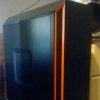
I was planning on going with a plain white lian li full tower case. Something not over the top, but professional looking. Probably going to go with a high end CPU for it in case my dad decides to do any CAD work on it (I assume that needs a higher end cpu for fast, efficient work). I'm going with windows 7 because it's currently cheaper than windows 8, and will get a free upgrade to ten when that comes out.


All I really need is to know what hardware I need to make her PC operate as both a NAS and a "normal" PC.

Ketchup is better than mustard.

GUI is better than Command Line Interface.

Dubs are better than subs

Link to comment
https://linustechtips.com/topic/304952-office-computer-nas/#findComment-4144972
Share on other sites

Link to post
Share on other sites

Mostly word and excel yeah. 


I was planning on going with a plain white lian li full tower case. Something not over the top, but professional looking. Probably going to go with a high end CPU for it in case my dad decides to do any CAD work on it (I assume that needs a higher end cpu for fast, efficient work). I'm going with windows 7 because it's currently cheaper than windows 8, and will get a free upgrade to ten when that comes out.


All I really need is to know what hardware I need to make her PC operate as both a NAS and a "normal" PC.

Well, all you'll really need is a mobo with a ton of Sata Ports, as well as a big enough case. After that, you can just use software to access the PC remotely.


Currently, 3TB hds are the best Price/performance out there. If you need less than, say, 21TBs, you could just get a mobo with 7 Sata ports and call it a day. If you need more storage, then you are looking at lower price/performance ratios, but it can surely be done within a PC. As far as CPU goes, Xeons are probably your best bets. Maybe some locked i3 or i5, to help you with youtube (dem integrated graphics...).

Want to help researchers improve the lives on millions of people with just your computer? Then join World Community Grid distributed computing, and start helping the world to solve it's most difficult problems!


Link to comment
https://linustechtips.com/topic/304952-office-computer-nas/#findComment-4145073
Share on other sites

Link to post
Share on other sites

Well, all you'll really need is a mobo with a ton of Sata Ports, as well as a big enough case. After that, you can just use software to access the PC remotely.


Currently, 3TB hds are the best Price/performance out there. If you need less than, say, 21TBs, you could just get a mobo with 7 Sata ports and call it a day. If you need more storage, then you are looking at lower price/performance ratios, but it can surely be done within a PC. As far as CPU goes, Xeons are probably your best bets. Maybe some locked i3 or i5, to help you with youtube (dem integrated graphics...).

Well, I was planning on an I7 just for the horsepower. That or a locked 4690. He isn't storing that much information, just his usual work files, so a single 2 or 3tb drive would be enough for that, plus an SSD for the OS on the PC and another HDD for my moms work files. The main thing was, how do I set the PC up so that he can access it wirelessly? I assume I need a wireless card on it, and then some kind of NAS software?

Ketchup is better than mustard.

GUI is better than Command Line Interface.

Dubs are better than subs

Link to comment
https://linustechtips.com/topic/304952-office-computer-nas/#findComment-4145287
Share on other sites

Link to post
Share on other sites

Well, I was planning on an I7 just for the horsepower. That or a locked 4690. He isn't storing that much information, just his usual work files, so a single 2 or 3tb drive would be enough for that, plus an SSD for the OS on the PC and another HDD for my moms work files. The main thing was, how do I set the PC up so that he can access it wirelessly? I assume I need a wireless card on it, and then some kind of NAS software?

If you plan on only using office taske, an i7 is WAY overkill. You'll be fine a Celeron, just to show you how little that would require!


As far as wireless access, there are 3 options:

  1. A wireless USB adapter.
  2. A PCIe wireless card
  3. A motherboard with built in wireless. Yes, those exist, here's an overkill example.

For accessing your files... pick one from the list:

Want to help researchers improve the lives on millions of people with just your computer? Then join World Community Grid distributed computing, and start helping the world to solve it's most difficult problems!


Link to comment
https://linustechtips.com/topic/304952-office-computer-nas/#findComment-4145372
Share on other sites

Link to post
Share on other sites

If you plan on only using office taske, an i7 is WAY overkill. You'll be fine a Celeron, just to show you how little that would require!


As far as wireless access, there are 3 options:

  1. A wireless USB adapter.
  2. A PCIe wireless card
  3. A motherboard with built in wireless. Yes, those exist, here's an overkill example.

For accessing your files... pick one from the list:

-snip

Interesting, so all I need is a wireless card then? And the reason I am going overkill on the CPU is I want it to last a long ass time. We are talking about an older person who, on a daily basis, essentially tries to see how many windows, tabs, folders, programs, etc, she can have open at once. Or at the least just forgets to close them....ever.


Any suggested programs? I may just go with the built in windows remote desktop thingy since it's free.

Ketchup is better than mustard.

GUI is better than Command Line Interface.

Dubs are better than subs

Link to comment
https://linustechtips.com/topic/304952-office-computer-nas/#findComment-4145434
Share on other sites

Link to post
Share on other sites

Create an account or sign in to comment

You need to be a member in order to leave a comment

Create an account

Sign up for a new account in our community. It's easy!

Register a new account

Sign in

Already have an account? Sign in here.

Sign In Now

×