Jump to content
I recently bought a Surface Pro 3 (not a big fan of 2 in 1s) and I'm having issues with process activity in "sleep" mode. I have set the active power plan to "never sleep" but this doesn't solve my issue.


I would like to use the power button to simply turn the display off, AND continue to download/compile/install things with the screen off. I am aware that the type cover could potentially solve this issue, however I don't intend to have it on hand 100% of the time.


Thanks in advance!

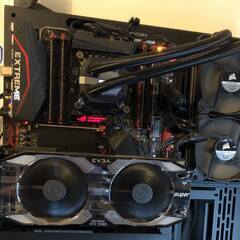
Main System: [Windows 10 Pro] [Core i7 5960x] [Asus Rampage V Extreme] [32GB 2400mhz G.Skill Value] [Corsair AX1200] [RXT 2080 Super] [Corsair H100i] [Thermaltake Core P3]

Link to comment
https://linustechtips.com/topic/293041-surface-pro-3-sleep-state-issue/
Share on other sites

Link to post
Share on other sites

GDDjhjF.png

Location: Kaunas, Lithuania, Europe, Earth, Solar System, Local Interstellar Cloud, Local Bubble, Gould Belt, Orion Arm, Milky Way, Milky Way subgroup, Local Group, Virgo Supercluster, Laniakea, Pisces–Cetus Supercluster Complex, Observable universe, Universe.

Spoiler

12700, B660M Mortar DDR4, 32GB 3200C16 Viper Steel, 2TB SN570, EVGA Supernova G6 850W, be quiet! 500FX, EVGA 3070Ti FTW3 Ultra.


Link to post
Share on other sites

GDDjhjF.png


So it's my fault for not being descriptive enough, but you can only tell the power button to "Do Nothing" <- literally nothing, not even screen off, "Sleep", and "Power Off". When you set the "Lid Close" action to "Do Nothing" the screen stays on when the type cover is closed (I know it's registering the "lid close", because the device will instantly sleep if I enable said feature).

Main System: [Windows 10 Pro] [Core i7 5960x] [Asus Rampage V Extreme] [32GB 2400mhz G.Skill Value] [Corsair AX1200] [RXT 2080 Super] [Corsair H100i] [Thermaltake Core P3]

Link to post
Share on other sites

So it's my fault for not being descriptive enough, but you can only tell the power button to "Do Nothing" <- literally nothing, not even screen off, "Sleep", and "Power Off". When you set the "Lid Close" action to "Do Nothing" the screen stays on when the type cover is closed (I know it's registering the "lid close", because the device will instantly sleep if I enable said feature).

oh okay, then i have no idea.

Location: Kaunas, Lithuania, Europe, Earth, Solar System, Local Interstellar Cloud, Local Bubble, Gould Belt, Orion Arm, Milky Way, Milky Way subgroup, Local Group, Virgo Supercluster, Laniakea, Pisces–Cetus Supercluster Complex, Observable universe, Universe.

Spoiler

12700, B660M Mortar DDR4, 32GB 3200C16 Viper Steel, 2TB SN570, EVGA Supernova G6 850W, be quiet! 500FX, EVGA 3070Ti FTW3 Ultra.


Link to post
Share on other sites

Create an account or sign in to comment

You need to be a member in order to leave a comment

Create an account

Sign up for a new account in our community. It's easy!

Register a new account

Sign in

Already have an account? Sign in here.

Sign In Now

×