Jump to content

pygame.init()

display_width = 800
display_height = 600
"""
rgb mean red green blue
"""
black = (0,0,0)
white = (255,255,255)
red = (255,0,0)
green = (0,255,0)
blue = (0,0,255)


gameDisplay = pygame.display.set_mode((display_width,display_height))
pygame.display.set_caption('Race Craze')
clock = pygame.time.Clock()

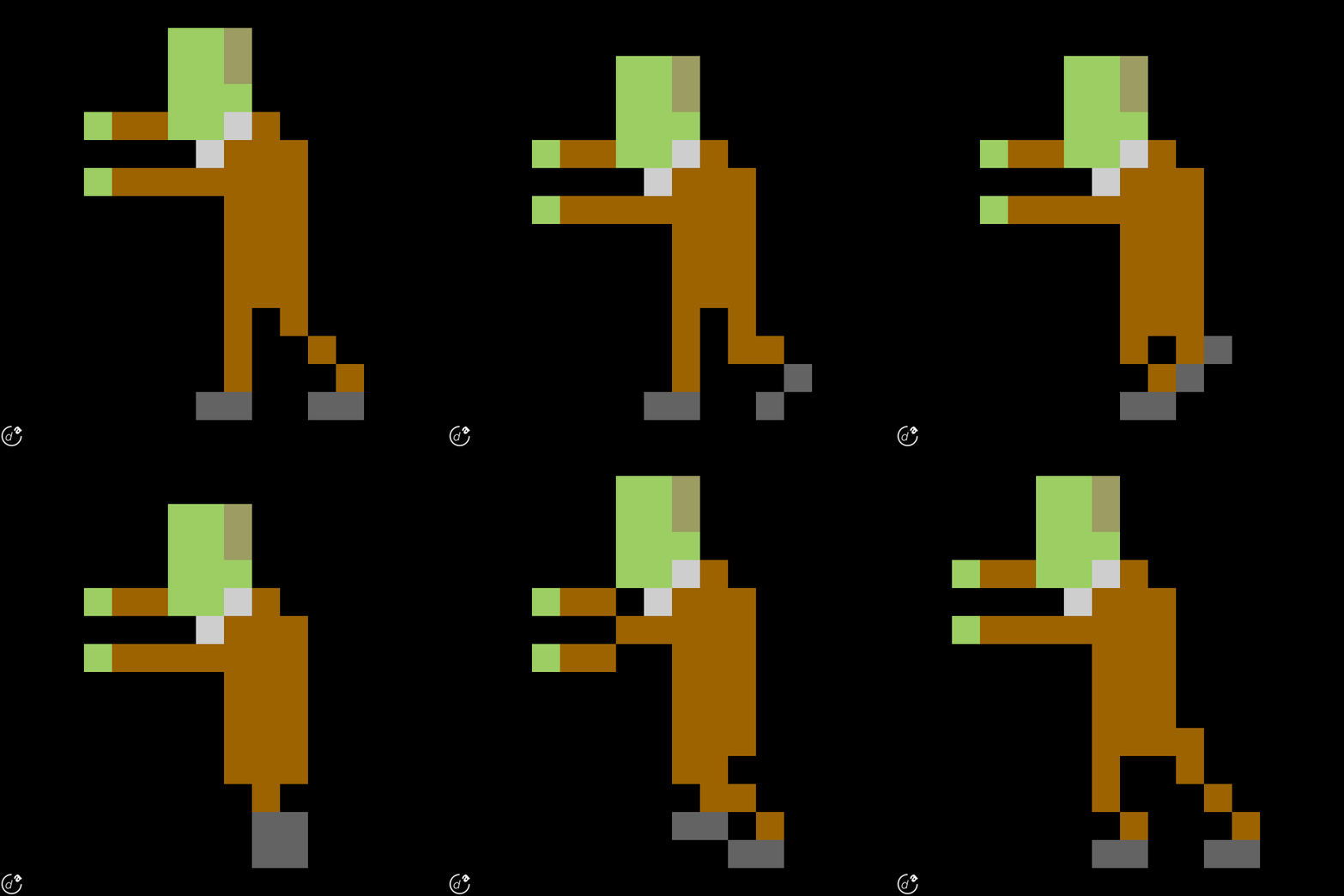
carImg = pygame.image.load('mothership.png')

def car(x,y):
    gameDisplay.blit(carImg,(x,y))

x = (display_width * 0.45)
y = (display_height * 0.8)    


crashed = False

while not crashed:

    for event in pygame.event.get():
        if event.type == pygame.QUIT:
            crashed = True


    gameDisplay.fill(white)
    car(x,y)
    pygame.display.update()
    clock.tick(60)

pygame.quit()
quit()


It says that is can not open "mothership.png" I have the file on my desktop. Please help?

RIG:  CPU: Intel Core i5-4690K CPU Cooler: Corsair H80i Motherboard: ASRock Fatal1ty Z97 Killer ATX Memory: G.Skill Ripjaws Series 8GB Storage: Seagate Barracuda 1TB Internal HDD SSD: Samsung 840 Series 120GB 2.5" SSD Video Card: Zotac GeForce GTX 970 4GB Video Card Case: Corsair 780T PSU: NZXT HALE82 850W 80+ Bronze Monitor: LG 34UM95-P Keyboard: Steelseries Apex Keyboard Mouse: Razer Taipan Mouse Mat: Razer Vespula Sound: Cyber Acoustics CA-3090, Corsair Vengeance 2100 :  1998.40 Euro

Link to comment
https://linustechtips.com/topic/239881-python-pygame-code-help/
Share on other sites

Link to post
Share on other sites

You have to place the image in the same directory where your porgram.py file is saved (the file name of your program).


Else you have to show the path to the image. Like 'C:\Users\username\mothership.png'.Or what ever the path for your image is. You can find it by right clicking on the image and going to properties and looking for 'Location:'.


Hope that helped.

Link to comment
https://linustechtips.com/topic/239881-python-pygame-code-help/#findComment-3289480
Share on other sites

Link to post
Share on other sites

You have to place the image in the same directory where your porgram.py file is saved (the file name of your program).


Else you have to show the path to the image. Like 'C:\Users\username\mothership.png'.Or what ever the path for your image is. You can find it by right clicking on the image and going to properties and looking for 'Location:'.


Hope that helped.

How do I place the image in the same directory?

RIG:  CPU: Intel Core i5-4690K CPU Cooler: Corsair H80i Motherboard: ASRock Fatal1ty Z97 Killer ATX Memory: G.Skill Ripjaws Series 8GB Storage: Seagate Barracuda 1TB Internal HDD SSD: Samsung 840 Series 120GB 2.5" SSD Video Card: Zotac GeForce GTX 970 4GB Video Card Case: Corsair 780T PSU: NZXT HALE82 850W 80+ Bronze Monitor: LG 34UM95-P Keyboard: Steelseries Apex Keyboard Mouse: Razer Taipan Mouse Mat: Razer Vespula Sound: Cyber Acoustics CA-3090, Corsair Vengeance 2100 :  1998.40 Euro

Link to comment
https://linustechtips.com/topic/239881-python-pygame-code-help/#findComment-3289531
Share on other sites

Link to post
Share on other sites

Well were did you save your program file? Go to the desktop right click and click copy. Then go to the file you saved your program in,right click, and hit paste. Now the image is in with your program file. 


If you don't know what windows directories are I suggest YouTubeing it for a fast answer. 

Link to comment
https://linustechtips.com/topic/239881-python-pygame-code-help/#findComment-3289581
Share on other sites

Link to post
Share on other sites

Well were did you save your program file? Go to the desktop right click and click copy. Then go to the file you saved your program in,right click, and hit paste. Now the image is in with your program file. 


If you don't know what windows directories are I suggest YouTubeing it for a fast answer.

When my script with my code opens, it does not open with IDLE it opens with textedit where I can not run the code. Also when I paste it, it just goes next to the script.

RIG:  CPU: Intel Core i5-4690K CPU Cooler: Corsair H80i Motherboard: ASRock Fatal1ty Z97 Killer ATX Memory: G.Skill Ripjaws Series 8GB Storage: Seagate Barracuda 1TB Internal HDD SSD: Samsung 840 Series 120GB 2.5" SSD Video Card: Zotac GeForce GTX 970 4GB Video Card Case: Corsair 780T PSU: NZXT HALE82 850W 80+ Bronze Monitor: LG 34UM95-P Keyboard: Steelseries Apex Keyboard Mouse: Razer Taipan Mouse Mat: Razer Vespula Sound: Cyber Acoustics CA-3090, Corsair Vengeance 2100 :  1998.40 Euro

Link to comment
https://linustechtips.com/topic/239881-python-pygame-code-help/#findComment-3289614
Share on other sites

Link to post
Share on other sites

Is it saved with .py as the extension? I know you can use cmd to run your script but I'm not good with cmd.

Done, but the image still won't go in the file. It just goes on top of it.

RIG:  CPU: Intel Core i5-4690K CPU Cooler: Corsair H80i Motherboard: ASRock Fatal1ty Z97 Killer ATX Memory: G.Skill Ripjaws Series 8GB Storage: Seagate Barracuda 1TB Internal HDD SSD: Samsung 840 Series 120GB 2.5" SSD Video Card: Zotac GeForce GTX 970 4GB Video Card Case: Corsair 780T PSU: NZXT HALE82 850W 80+ Bronze Monitor: LG 34UM95-P Keyboard: Steelseries Apex Keyboard Mouse: Razer Taipan Mouse Mat: Razer Vespula Sound: Cyber Acoustics CA-3090, Corsair Vengeance 2100 :  1998.40 Euro

Link to comment
https://linustechtips.com/topic/239881-python-pygame-code-help/#findComment-3289657
Share on other sites

Link to post
Share on other sites

If the file is saved with a .py extension and you get a black box flash on the screen when you double click it that means there are errors. Right click your program file and hit click edit with IDLE. Hit ctrl + F5 to run it and it will show your errors.

There is no black box, it just won't let me put the image in the script file.

RIG:  CPU: Intel Core i5-4690K CPU Cooler: Corsair H80i Motherboard: ASRock Fatal1ty Z97 Killer ATX Memory: G.Skill Ripjaws Series 8GB Storage: Seagate Barracuda 1TB Internal HDD SSD: Samsung 840 Series 120GB 2.5" SSD Video Card: Zotac GeForce GTX 970 4GB Video Card Case: Corsair 780T PSU: NZXT HALE82 850W 80+ Bronze Monitor: LG 34UM95-P Keyboard: Steelseries Apex Keyboard Mouse: Razer Taipan Mouse Mat: Razer Vespula Sound: Cyber Acoustics CA-3090, Corsair Vengeance 2100 :  1998.40 Euro

Link to comment
https://linustechtips.com/topic/239881-python-pygame-code-help/#findComment-3289674
Share on other sites

Link to post
Share on other sites

It still won't work. I run it and it still says cannot open the path to image

RIG:  CPU: Intel Core i5-4690K CPU Cooler: Corsair H80i Motherboard: ASRock Fatal1ty Z97 Killer ATX Memory: G.Skill Ripjaws Series 8GB Storage: Seagate Barracuda 1TB Internal HDD SSD: Samsung 840 Series 120GB 2.5" SSD Video Card: Zotac GeForce GTX 970 4GB Video Card Case: Corsair 780T PSU: NZXT HALE82 850W 80+ Bronze Monitor: LG 34UM95-P Keyboard: Steelseries Apex Keyboard Mouse: Razer Taipan Mouse Mat: Razer Vespula Sound: Cyber Acoustics CA-3090, Corsair Vengeance 2100 :  1998.40 Euro

Link to comment
https://linustechtips.com/topic/239881-python-pygame-code-help/#findComment-3289700
Share on other sites

Link to post
Share on other sites

You can't put it in the script file. You put it in the folder. Are you administrator? Is there an error when you try to paste it in?

It is already in the same file, but it still won't work.

RIG:  CPU: Intel Core i5-4690K CPU Cooler: Corsair H80i Motherboard: ASRock Fatal1ty Z97 Killer ATX Memory: G.Skill Ripjaws Series 8GB Storage: Seagate Barracuda 1TB Internal HDD SSD: Samsung 840 Series 120GB 2.5" SSD Video Card: Zotac GeForce GTX 970 4GB Video Card Case: Corsair 780T PSU: NZXT HALE82 850W 80+ Bronze Monitor: LG 34UM95-P Keyboard: Steelseries Apex Keyboard Mouse: Razer Taipan Mouse Mat: Razer Vespula Sound: Cyber Acoustics CA-3090, Corsair Vengeance 2100 :  1998.40 Euro

Link to comment
https://linustechtips.com/topic/239881-python-pygame-code-help/#findComment-3289705
Share on other sites

Link to post
Share on other sites

Did you include the path cause if it is in the same folder as the script file you don't need to provide the path. The way to show the path may be wrong the way I showed you. Just try it the way you had if first. 


carImg = pygame.image.load('mothership.png')

Link to comment
https://linustechtips.com/topic/239881-python-pygame-code-help/#findComment-3289732
Share on other sites

Link to post
Share on other sites

Did you include the path cause if it is in the same folder as the script file you don't need to provide the path. The way to show the path may be wrong the way I showed you. Just try it the way you had if first. 


carImg = pygame.image.load('mothership.png')

It is in the image! But the background is all black, how do I fill it with white and how do I change the position?

RIG:  CPU: Intel Core i5-4690K CPU Cooler: Corsair H80i Motherboard: ASRock Fatal1ty Z97 Killer ATX Memory: G.Skill Ripjaws Series 8GB Storage: Seagate Barracuda 1TB Internal HDD SSD: Samsung 840 Series 120GB 2.5" SSD Video Card: Zotac GeForce GTX 970 4GB Video Card Case: Corsair 780T PSU: NZXT HALE82 850W 80+ Bronze Monitor: LG 34UM95-P Keyboard: Steelseries Apex Keyboard Mouse: Razer Taipan Mouse Mat: Razer Vespula Sound: Cyber Acoustics CA-3090, Corsair Vengeance 2100 :  1998.40 Euro

Link to comment
https://linustechtips.com/topic/239881-python-pygame-code-help/#findComment-3289755
Share on other sites

Link to post
Share on other sites

Also did you import pygame? Need to do that and import sys. Than down at the bottom where it say quit(). Get rid of that and put in sys.exit()

Done, but my image is all the way down where I can not see it, how do I make it where it is in the middle? And how do I change the background to an image?

RIG:  CPU: Intel Core i5-4690K CPU Cooler: Corsair H80i Motherboard: ASRock Fatal1ty Z97 Killer ATX Memory: G.Skill Ripjaws Series 8GB Storage: Seagate Barracuda 1TB Internal HDD SSD: Samsung 840 Series 120GB 2.5" SSD Video Card: Zotac GeForce GTX 970 4GB Video Card Case: Corsair 780T PSU: NZXT HALE82 850W 80+ Bronze Monitor: LG 34UM95-P Keyboard: Steelseries Apex Keyboard Mouse: Razer Taipan Mouse Mat: Razer Vespula Sound: Cyber Acoustics CA-3090, Corsair Vengeance 2100 :  1998.40 Euro

Link to comment
https://linustechtips.com/topic/239881-python-pygame-code-help/#findComment-3289780
Share on other sites

Link to post
Share on other sites


Try:


x = (display_width/4)
y = (display_height/4)    


One more thing, how do you change the background to white? Or maybe an image?

RIG:  CPU: Intel Core i5-4690K CPU Cooler: Corsair H80i Motherboard: ASRock Fatal1ty Z97 Killer ATX Memory: G.Skill Ripjaws Series 8GB Storage: Seagate Barracuda 1TB Internal HDD SSD: Samsung 840 Series 120GB 2.5" SSD Video Card: Zotac GeForce GTX 970 4GB Video Card Case: Corsair 780T PSU: NZXT HALE82 850W 80+ Bronze Monitor: LG 34UM95-P Keyboard: Steelseries Apex Keyboard Mouse: Razer Taipan Mouse Mat: Razer Vespula Sound: Cyber Acoustics CA-3090, Corsair Vengeance 2100 :  1998.40 Euro

Link to comment
https://linustechtips.com/topic/239881-python-pygame-code-help/#findComment-3289818
Share on other sites

Link to post
Share on other sites

To add an image bacground try:

add

bgImg = pygame.image.load('mothership.png') or whatever the image name. 


add 

gameDisplay.blit(bgImg(0,0)) Put this code between car(x,y) and gameDisplay.fill(white)


For background color not sure why your program isn't displaying white already.

Link to comment
https://linustechtips.com/topic/239881-python-pygame-code-help/#findComment-3289870
Share on other sites

Link to post
Share on other sites

To add an image bacground try:

add

bgImg = pygame.image.load('mothership.png') or whatever the image name. 


add 

gameDisplay.blit(bgImg(0,0)) Put this code between car(x,y) and gameDisplay.fill(white)


For background color not sure why your program isn't displaying white already.

It says this :


Traceback (most recent call last):

  File "/Users/Livio/Desktop/Project 24/8bit come on.py", line 37, in <module>
    gameDisplay.blit(bgImg(0,0))
TypeError: 'pygame.Surface' object is not callable
>>> 

RIG:  CPU: Intel Core i5-4690K CPU Cooler: Corsair H80i Motherboard: ASRock Fatal1ty Z97 Killer ATX Memory: G.Skill Ripjaws Series 8GB Storage: Seagate Barracuda 1TB Internal HDD SSD: Samsung 840 Series 120GB 2.5" SSD Video Card: Zotac GeForce GTX 970 4GB Video Card Case: Corsair 780T PSU: NZXT HALE82 850W 80+ Bronze Monitor: LG 34UM95-P Keyboard: Steelseries Apex Keyboard Mouse: Razer Taipan Mouse Mat: Razer Vespula Sound: Cyber Acoustics CA-3090, Corsair Vengeance 2100 :  1998.40 Euro

Link to comment
https://linustechtips.com/topic/239881-python-pygame-code-help/#findComment-3289921
Share on other sites

Link to post
Share on other sites

Thank you so much! it helped me alot!

RIG:  CPU: Intel Core i5-4690K CPU Cooler: Corsair H80i Motherboard: ASRock Fatal1ty Z97 Killer ATX Memory: G.Skill Ripjaws Series 8GB Storage: Seagate Barracuda 1TB Internal HDD SSD: Samsung 840 Series 120GB 2.5" SSD Video Card: Zotac GeForce GTX 970 4GB Video Card Case: Corsair 780T PSU: NZXT HALE82 850W 80+ Bronze Monitor: LG 34UM95-P Keyboard: Steelseries Apex Keyboard Mouse: Razer Taipan Mouse Mat: Razer Vespula Sound: Cyber Acoustics CA-3090, Corsair Vengeance 2100 :  1998.40 Euro

Link to comment
https://linustechtips.com/topic/239881-python-pygame-code-help/#findComment-3290823
Share on other sites

Link to post
Share on other sites

Create an account or sign in to comment

You need to be a member in order to leave a comment

Create an account

Sign up for a new account in our community. It's easy!

Register a new account

Sign in

Already have an account? Sign in here.

Sign In Now

×


