

Jump to content

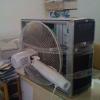
Hey guys, finally i put together my first rig. Just finished few minutes ago.

I had a lot of trouble setting up the CPU fan (so much trouble, i ended up flipping the lock lolol)


SPECS:

CPU: amd 6300

Cooler: Thermaltake NiC C5

Mobo: Asus m5a99x evo r2.0 

Ram: 2 (4g) corsair vengeance

GPU: evga gtx 750 ti sc

PSU: Thermaltake Smart 650w +bronze

1 tb WD HD

2 corsair fan

i think it went all to 700+


would have been cheaper really but if i bought all the stuff onlne, but im too eager to build lol


gpu well im going to change this later ths week and return this GPU  :)


op0o6e.jpg


jky99z.jpg


BIOS

How to setup my BIOS?


should i follow this guy?

or should i just not touch the bios and leave it like that?


The CPU FAN god is loud. i sent the cpu fan speed to 300rpm Silent mode and still loud as hell, no change.

Please help, my fan is Thermaltake NiC C5

I was going to buy the hyper 12 evo but they run out, so i made a deal with them and they order that for me, and  can return this big ass cpu and get that hyper 12.

Link to comment
https://linustechtips.com/topic/198762-setting-up-bios/
Share on other sites

Link to post
Share on other sites

Just plug it into the CPU_FAN header and it will automate the speed based on current temperature. Or use fan control software that came with the motherboard. 

Our Grace. The Feathered One. He shows us the way. His bob is majestic and shows us the path. Follow unto his guidance and His example. He knows the one true path. Our Saviour. Our Grace. Our Father Birb has taught us with His humble heart and gentle wing the way of the bob. Let us show Him our reverence and follow in His example. The True Path of the Feathered One. ~ Dimboble-dubabob III

Link to comment
https://linustechtips.com/topic/198762-setting-up-bios/#findComment-2694167
Share on other sites

Link to post
Share on other sites

NEVER follow guide blind. You can get more trouble if you don't understand what settings you change do. Only thing you need to check in BIOS is boot order. Anything else can be done later. You can setup CPU fan either in BIOS or by software but for first time builder that isn't high priority task.

^^^^ That's my post ^^^^
<-- This is me --- That's your scrollbar -->
vvvv Who's there? vvvv

Link to comment
https://linustechtips.com/topic/198762-setting-up-bios/#findComment-2705919
Share on other sites

Link to post
Share on other sites

Create an account or sign in to comment

You need to be a member in order to leave a comment

Create an account

Sign up for a new account in our community. It's easy!

Register a new account

Sign in

Already have an account? Sign in here.

Sign In Now

×





