Jump to content

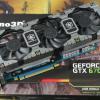
I have a gtx 670 paired with an FX 6300 and most games I can play maxed, (namely crysis 3 and watch dogs that are laggy). I've never overclocked as I'm rather paranoid about my hardware lasting a while and I don't want anything to blow up. So would a moderate overclock give me a tangible benefit in games? So minimum FPS increases from 20 fps closer to 30 for example for watch dogs,


+What hardware do I need? My reference stock 670 is on a GA-78LMT-USB3 which is known for sucky cpu overclocking with its amazing 4+1 power design. So would this stop me overclocking my graphics card? My PSU is up for the job, and thats all the important info I think I need to give.

"Lost in the woods, but DAMN these trees are cool!"

Link to comment
https://linustechtips.com/topic/162661-do-ocs-make-a-noticable-difference/
Share on other sites

Link to post
Share on other sites

OC'ing GPU's is actually really easy, and can make a good ~5% increase most of the time.


Download MSI afterburner, or EVGA Precision X, and simply slide the sliders over, and hit apply.  Then test it in a game, make sure your temps don't go to high (try to keep it under 80) and make sure it doesn't crash.

If it crashes, turn down the OC a little bit, and test again.


I recommend not touching the voltage unless your temps are well below 80C.

Stuff:  i7 7700k @ (dat nibba succ) | ASRock Z170M OC Formula | G.Skill TridentZ 3600 c16 | EKWB 1080 @ 2100 mhz  |  Acer X34 Predator | R4 | EVGA 1000 P2 | 1080mm Radiator Custom Loop | HD800 + Audio-GD NFB-11 | 850 Evo 1TB | 840 Pro 256GB | 3TB WD Blue | 2TB Barracuda

Hwbot: http://hwbot.org/user/lays/ 

FireStrike 980 ti @ 1800 Mhz http://hwbot.org/submission/3183338 http://www.3dmark.com/3dm/11574089

Link to post
Share on other sites

If you overclock everything by a noticeable amount, yes. 

If you just do the CPU, or RAM, or GPU, then no. Everything has to be pushed for it to be noticeable imo.

† Christian Member †

For my pertinent links to guides, reviews, and anything similar, go here, and look under the spoiler labeled such. A brief history of Unix and it's relation to OS X by Builder.


Link to post
Share on other sites

OC'ing GPU's is actually really easy, and can make a good ~5% increase most of the time.


Download MSI afterburner, or EVGA Precision X, and simply slide the sliders over, and hit apply.  Then test it in a game, make sure your temps don't go to high (try to keep it under 80) and make sure it doesn't crash.

If it crashes, turn down the OC a little bit, and test again.


I recommend not touching the voltage unless your temps are well below 80C.

So I'm assuming that if my card already maxes out at 82C I probably shouldn't overclock it..

"Lost in the woods, but DAMN these trees are cool!"

Link to post
Share on other sites

So I'm assuming that if my card already maxes out at 82C I probably shouldn't overclock it..


Is there any way you can provide more fresh air to it?

Stuff:  i7 7700k @ (dat nibba succ) | ASRock Z170M OC Formula | G.Skill TridentZ 3600 c16 | EKWB 1080 @ 2100 mhz  |  Acer X34 Predator | R4 | EVGA 1000 P2 | 1080mm Radiator Custom Loop | HD800 + Audio-GD NFB-11 | 850 Evo 1TB | 840 Pro 256GB | 3TB WD Blue | 2TB Barracuda

Hwbot: http://hwbot.org/user/lays/ 

FireStrike 980 ti @ 1800 Mhz http://hwbot.org/submission/3183338 http://www.3dmark.com/3dm/11574089

Link to post
Share on other sites

Is there any way you can provide more fresh air to it?

All the case fans are maxed, and unless I just remove the side panel, not really. It's a define mini so I don't think it has the best airflow.

"Lost in the woods, but DAMN these trees are cool!"

Link to post
Share on other sites

Create an account or sign in to comment

You need to be a member in order to leave a comment

Create an account

Sign up for a new account in our community. It's easy!

Register a new account

Sign in

Already have an account? Sign in here.

Sign In Now

×