

Jump to content

Ok put simply I'm fairly new to overclocking and

Im running :

3770k

H100i

R9 290 x 2 reference cards

16gb trident x ram

Nzxt phantom 820

Maximus 5 formula

Now I want to overclock CPU and GPU.

So far I'm running

3770k - 4.5ghz @ 1.25volts

Prime95 small fft 10hr run max temp 65degrees on core 3.

R9 290- (stock is 947mhz) OC to 1100mhz

Furmark 2hr run at 65% fan speed holding at 90degrees.

On bf4 max settings runs at 85degrees.

I'm going to make a custom watercooling loop in the coming months.

My question is what is considered a good overclock ? Are these results good or not so good

Thanks in advance

Link to comment
https://linustechtips.com/topic/134682-over-clocking-help/
Share on other sites

Link to post
Share on other sites

Very nice rig you got there. You will benefit from 140mm radiators over 120mm radiators with the r9 290s if your budget allows you to get GPU blocks. Two triple 140mm radiators will be just right for OCing.

Those results are pretty good. The temps on the 3770K are very good for 4.5GHz. But the fans on the 290s must be unbearable, if you're doing a full loop, it will fix that.

Thanks for the quick reply,

I was never an AMD guy but I'm running 6 screens so figured eyefinity would benefit me more.

I think I was just lucky with he cpu chip.

Yeh the fans are very loud and that's why I want to get a full loop.

In my case; I want 360 radiator on top, 140 rad at back and a 280 rad

At the bottom,and all fans running at 500-900rpm.

I'm sick of the noise seeing as I had gtx 480 SLi before.

I did some research A full loop will Cost me around $700 so it's not too bad.

Any other suggestions , any ideas would be great. :)

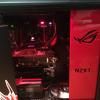
This is my rig at the moment

post-45102-0-00873500-1396493673_thumb.j

Link to comment
https://linustechtips.com/topic/134682-over-clocking-help/#findComment-1795212
Share on other sites

Link to post
Share on other sites

Thanks for the quick reply,

I was never an AMD guy but I'm running 6 screens so figured eyefinity would benefit me more.

I think I was just lucky with he cpu chip.

Yeh the fans are very loud and that's why I want to get a full loop.

In my case; I want 360 radiator on top, 140 rad at back and a 280 rad

At the bottom,and all fans running at 500-900rpm.

I'm sick of the noise seeing as I had gtx 480 SLi before.

I did some research A full loop will Cost me around $700 so it's not too bad.

Any other suggestions , any ideas would be great. :)

This is my rig at the moment

What case are you using?

A water-cooled mid-tier gaming PC.

Link to comment
https://linustechtips.com/topic/134682-over-clocking-help/#findComment-1796496
Share on other sites

Link to post
Share on other sites

<snip>

I think /r/battlestations would like that.


Yes a full loop with 280mm rads would be pretty nifty, but I'll let more experienced water cooling enthusiasts help you.

Link to comment
https://linustechtips.com/topic/134682-over-clocking-help/#findComment-1796567
Share on other sites

Link to post
Share on other sites

AMD said these cards can run 95degrees for their entire lifetime,

I know u wouldn't want to do t hat in the first place but that's what they said.

Yea, they can run even hotter. But amd can only speak for thei chip itself. It will eventually spread for other card components and thats not good at all. I also though the card would throttle at those temps.

Link to comment
https://linustechtips.com/topic/134682-over-clocking-help/#findComment-1798044
Share on other sites

Link to post
Share on other sites

It's in the main post mate:

NZXT Phantom 820

Ok i missed it.....

With a budget of $700,  would get this.....


Radiators

1) http://www.frozencpu.com/products/16238/ex-rad-411/Alphacool_NexXxoS_Monsta_Triple_120mm_Radiator_-_80mm_Thick.html?tl=g30c95s161

2) http://www.frozencpu.com/products/16825/ex-rad-426/Alphacool_NexXxoS_UT60_Full_Copper_Dual_140mm_Radiator.html?tl=g30c95s930


Fans

1) 3 x http://www.frozencpu.com/products/10345/fan-675/Akasa_120mm_x_25mm_Apache_Black_Super_Silent_PWM_Fan_w_Hydro_Dynamic_Bearings_-_Black.html

2) 2 x http://www.frozencpu.com/products/13925/fan-905/Akasa_140mm_x_25mm_Apache_Black_Super_Silent_PWM_Fan_w_Hydro_Dynamic_Bearings_-_Black_AK-FN062.html


Reservoir/pump combo 

1) http://www.frozencpu.com/products/21479/ex-pmp-264/XSPC_Photon_270_Tube_Glass_Cylinder_Reservoir_Pump_Combo_D5_Vario.html?tl=g30c107s152


CPU Block

1) http://www.frozencpu.com/products/19628/ex-blc-1442/EK_Supremacy_Universal_CPU_Liquid_Cooling_Block_-_Clean_Plexi_EK-Supremacy_Clean_CSQ.html?tl=g30c323s828


Fittings

1) 2 x http://www.frozencpu.com/products/18338/ex-tub-1712/ModMyToys_Carbon_Fiber_Enhanced_Compression_Fitting_-_12ID_x_34OD_-_Modders_6_Pack_Black_ChromeMMT-CFF-BC-BK-1234-6.html?tl=g30c569s1764

2) 3x http://www.frozencpu.com/products/15814/ex-tub-1255/Monsoon_999_Fine_Silver_Bullet_Antimicrobial_G_14_Plug_-_Black_MON-PLUG-AG-BLK.html these are out of stock at the moment but i am sure they will re-stock soon.

You may also need some angled fittings. You will have to work out how many and which type, either 45, 60, 90 degrees but make sure they are rotary


Fan splitters

1) http://www.frozencpu.com/products/13548/cab-464/Akasa_Flexa_FP5_PWM_5-Way_Splitter_-_Smart_Fan_Cable_AK-CBFA03-45.html


GPU blocks...you will work that out as well as coolant. 

A water-cooled mid-tier gaming PC.

Link to comment
https://linustechtips.com/topic/134682-over-clocking-help/#findComment-1798394
Share on other sites

Link to post
Share on other sites

AMD said these cards can run 95degrees for their entire lifetime,

I know u wouldn't want to do t hat in the first place but that's what they said.

i wouldn't bother with the 140mm in the back. its more effort than its worth in performance and will just make your loop a bit messier. as for you overclocks. i consider 1150mhz to be avaerage for a 290 with 6000 on the memory, your 3770k seems like a good one if its doing 4.5ghz on 1.25v so i would aim for 4.8ghz at around 1.35v or less.  :)

Rig Specs:

AMD Threadripper 5990WX@4.8Ghz

Asus Zenith III Extreme

Asrock OC Formula 7970XTX Quadfire

G.Skill Ripheartout X OC 7000Mhz C28 DDR5 4X16GB  

Super Flower Power Leadex 2000W Psu's X2

Harrynowl's 775/771 OC and mod guide: http://linustechtips.com/main/topic/232325-lga775-core2duo-core2quad-overclocking-guide/ http://linustechtips.com/main/topic/365998-mod-lga771-to-lga775-cpu-modification-tutorial/

ProKoN haswell/DC OC guide: http://linustechtips.com/main/topic/41234-intel-haswell-4670k-4770k-overclocking-guide/


"desperate for just a bit more money to watercool, the titan x would be thankful" Carter -2016

Link to comment
https://linustechtips.com/topic/134682-over-clocking-help/#findComment-1798793
Share on other sites

Link to post
Share on other sites

Ok i missed it.....

With a budget of $700,  would get this.....


Radiators

1) http://www.frozencpu.com/products/16238/ex-rad-411/Alphacool_NexXxoS_Monsta_Triple_120mm_Radiator_-_80mm_Thick.html?tl=g30c95s161

2) http://www.frozencpu.com/products/16825/ex-rad-426/Alphacool_NexXxoS_UT60_Full_Copper_Dual_140mm_Radiator.html?tl=g30c95s930


Fans

1) 3 x http://www.frozencpu.com/products/10345/fan-675/Akasa_120mm_x_25mm_Apache_Black_Super_Silent_PWM_Fan_w_Hydro_Dynamic_Bearings_-_Black.html

2) 2 x http://www.frozencpu.com/products/13925/fan-905/Akasa_140mm_x_25mm_Apache_Black_Super_Silent_PWM_Fan_w_Hydro_Dynamic_Bearings_-_Black_AK-FN062.html


Reservoir/pump combo 

1) http://www.frozencpu.com/products/21479/ex-pmp-264/XSPC_Photon_270_Tube_Glass_Cylinder_Reservoir_Pump_Combo_D5_Vario.html?tl=g30c107s152


CPU Block

1) http://www.frozencpu.com/products/19628/ex-blc-1442/EK_Supremacy_Universal_CPU_Liquid_Cooling_Block_-_Clean_Plexi_EK-Supremacy_Clean_CSQ.html?tl=g30c323s828


Fittings

1) 2 x http://www.frozencpu.com/products/18338/ex-tub-1712/ModMyToys_Carbon_Fiber_Enhanced_Compression_Fitting_-_12ID_x_34OD_-_Modders_6_Pack_Black_ChromeMMT-CFF-BC-BK-1234-6.html?tl=g30c569s1764

2) 3x http://www.frozencpu.com/products/15814/ex-tub-1255/Monsoon_999_Fine_Silver_Bullet_Antimicrobial_G_14_Plug_-_Black_MON-PLUG-AG-BLK.html these are out of stock at the moment but i am sure they will re-stock soon.

You may also need some angled fittings. You will have to work out how many and which type, either 45, 60, 90 degrees but make sure they are rotary


Fan splitters

1) http://www.frozencpu.com/products/13548/cab-464/Akasa_Flexa_FP5_PWM_5-Way_Splitter_-_Smart_Fan_Cable_AK-CBFA03-45.html


GPU blocks...you will work that out as well as coolant.

Thanks a lot for that mate, im in Australia and I've found a shop that sells

Water cooling stuff, il link all the items and let me know what you think :)

Link to comment
https://linustechtips.com/topic/134682-over-clocking-help/#findComment-1806023
Share on other sites

Link to post
Share on other sites

i wouldn't bother with the 140mm in the back. its more effort than its worth in performance and will just make your loop a bit messier. as for you overclocks. i consider 1150mhz to be avaerage for a 290 with 6000 on the memory, your 3770k seems like a good one if its doing 4.5ghz on 1.25v so i would aim for 4.8ghz at around 1.35v or less.  :)

I've tried hitting 4.6ghz at 1.30v and I get a blue screen on prime 95

small fft within like 10mins. Don t think my cpu will get any higher than

4.5ghz. Unless I'm doing something wrong.

Link to comment
https://linustechtips.com/topic/134682-over-clocking-help/#findComment-1806031
Share on other sites

Link to post
Share on other sites

I've tried hitting 4.6ghz at 1.30v and I get a blue screen on prime 95

small fft within like 10mins. Don t think my cpu will get any higher than

4.5ghz. Unless I'm doing something wrong.

you might have hit a bit of a wall. or maybe something else other than the voltage is making it unstable. what are you running your ram at? if its 2400/2133mhz it might help if you put i down to 2133/1866. you can still try more voltage though. if you have hit it 'wall', then it will require much more voltage for each 100mhz you go up. another thing you could try is to increase the bclk or base frequency to 102.5mhz with the x45 multiplier, which would give you 4.6125ghz without increasing the multiplier from you 4.5ghz overclock. 

Rig Specs:

AMD Threadripper 5990WX@4.8Ghz

Asus Zenith III Extreme

Asrock OC Formula 7970XTX Quadfire

G.Skill Ripheartout X OC 7000Mhz C28 DDR5 4X16GB  

Super Flower Power Leadex 2000W Psu's X2

Harrynowl's 775/771 OC and mod guide: http://linustechtips.com/main/topic/232325-lga775-core2duo-core2quad-overclocking-guide/ http://linustechtips.com/main/topic/365998-mod-lga771-to-lga775-cpu-modification-tutorial/

ProKoN haswell/DC OC guide: http://linustechtips.com/main/topic/41234-intel-haswell-4670k-4770k-overclocking-guide/


"desperate for just a bit more money to watercool, the titan x would be thankful" Carter -2016

Link to comment
https://linustechtips.com/topic/134682-over-clocking-help/#findComment-1806490
Share on other sites

Link to post
Share on other sites

Thanks for the quick reply,

I was never an AMD guy but I'm running 6 screens so figured eyefinity would benefit me more.

I think I was just lucky with he cpu chip.

Yeh the fans are very loud and that's why I want to get a full loop.

In my case; I want 360 radiator on top, 140 rad at back and a 280 rad

At the bottom,and all fans running at 500-900rpm.

I'm sick of the noise seeing as I had gtx 480 SLi before.

I did some research A full loop will Cost me around $700 so it's not too bad.

Any other suggestions , any ideas would be great. :)

This is my rig at the moment

that setup  :wub:

My Setup :P

Spoiler

Skylake: I7-6700|MSI B150 GAMING M3|16GB GSKILL RIPJAWS V|R9 280X (WILL BE 1070)|CRUCIAL MX300 + WD BLACK 1TB


Link to comment
https://linustechtips.com/topic/134682-over-clocking-help/#findComment-1806504
Share on other sites

Link to post
Share on other sites

you might have hit a bit of a wall. or maybe something else other than the voltage is making it unstable. what are you running your ram at? if its 2400/2133mhz it might help if you put i down to 2133/1866. you can still try more voltage though. if you have hit it 'wall', then it will require much more voltage for each 100mhz you go up. another thing you could try is to increase the bclk or base frequency to 102.5mhz with the x45 multiplier, which would give you 4.6125ghz without increasing the multiplier from you 4.5ghz overclock.

I was running ram at 2400mhz so I dropped it to 1600mhz and still no luck. Il try playing with the base clock. Thanks for the advice mate.

Link to comment
https://linustechtips.com/topic/134682-over-clocking-help/#findComment-1817363
Share on other sites

Link to post
Share on other sites

Sorry man been working a lot.

Ok

CPU waterblock : http://www.pccasegear.com/index.php?main_page=product_info&cPath=207_160_878_879&products_id=25080

GPU waterblock : http://www.pccasegear.com/index.php?main_page=product_info&cPath=207_160_878_880_1501&products_id=25537

Radiator: 360-http://www.pccasegear.com/index.php?main_page=product_info&cPath=207_160_297_922&products_id=18730

280- http://www.pccasegear.com/index.php?main_page=product_info&cPath=207_160_297_922&products_id=21059

140- http://www.pccasegear.com/index.php?main_page=product_info&cPath=207_160_297_922&products_id=21060

Pump: http://www.pccasegear.com/index.php?main_page=product_info&cPath=207_160_296&products_id=26173

Reservoir- http://www.pccasegear.com/index.php?main_page=product_info&cPath=207_160_299&products_id=23510

Tubing: I haven't decided because not sure about the whole ID/OD thing.

Coolant: http://www.pccasegear.com/index.php?main_page=product_info&cPath=207_160_301&products_id=18536

Fans: 120- http://www.pccasegear.com/index.php?main_page=product_info&cPath=9_1406&products_id=23805

140- http://www.pccasegear.com/index.php?main_page=product_info&cPath=9_1406&products_id=20518

That might add up to more than $700 lol I haven't added it all up yet but that's what I'm after.

I am not a fan of the Corsair fans but as a high/performance speeds they get really loud but the do perform well. The Phoyba reservoir has a tendency to be over tightened by the user and then it leaks, so be careful with it. The EK coolant stains very badly but then again so do most colored coolants.


Oh and you forgot a fan hub/splitter for the fans...Look into one.

A water-cooled mid-tier gaming PC.

Link to comment
https://linustechtips.com/topic/134682-over-clocking-help/#findComment-1817567
Share on other sites

Link to post
Share on other sites

I am not a fan of the Corsair fans but as a high/performance speeds they get really loud but the do perform well. The Phoyba reservoir has a tendency to be over tightened by the user and then it leaks, so be careful with it. The EK coolant stains very badly but then again so do most colored coolants.


Oh and you forgot a fan hub/splitter for the fans...Look into one.

Thanks for that information, I don't want leaking l for obvious reasons.

That list isn't final it's just a first draft .

I think in the case of the coolant, I might get red tubing and clear

Coolant and hide the res OR clear tube, red coolant and have the res visible.

For aesthetic purposes.

Oh sorry forgot to link the hub,

http://www.pccasegear.com/index.php?main_page=product_info&products_id=24877

As for the fans I might go with the quiet edition ones.

You seem like you have done this watercooling stuff for a long time.

Link to comment
https://linustechtips.com/topic/134682-over-clocking-help/#findComment-1828973
Share on other sites

Link to post
Share on other sites

Thanks for that information, I don't want leaking l for obvious reasons.

That list isn't final it's just a first draft .

I think in the case of the coolant, I might get red tubing and clear

Coolant and hide the res OR clear tube, red coolant and have the res visible.

For aesthetic purposes.

Oh sorry forgot to link the hub,

http://www.pccasegear.com/index.php?main_page=product_info&products_id=24877

As for the fans I might go with the quiet edition ones.

You seem like you have done this watercooling stuff for a long time.

I have been water cooling for only for three years now and did 23 builds, 22 for customers/friends and 1 for myself. but i have never did any logs. I did extensive research before i did my first build and keep up to date.

A water-cooled mid-tier gaming PC.

Link to comment
https://linustechtips.com/topic/134682-over-clocking-help/#findComment-1829280
Share on other sites

Link to post
Share on other sites

I have been water cooling for only for three years now and did 23 builds, 22 for customers/friends and 1 for myself. but i have never did any logs. I did extensive research before i did my first build and keep up to date.

23 builds , that's a lot.

On my motherboard I have 2 barb fittings for watercooling

Personally I don't trust barbs , even with clampsdo they tend to

Leak? And last thing , promise lol

How do u decide what size tubing to buy?

Link to comment
https://linustechtips.com/topic/134682-over-clocking-help/#findComment-1831078
Share on other sites

Link to post
Share on other sites

23 builds , that's a lot.

On my motherboard I have 2 barb fittings for watercooling

Personally I don't trust barbs , even with clampsdo they tend to

Leak? And last thing , promise lol

How do u decide what size tubing to buy?

Compressions are the fitting that tends to leak, not barbs. Those barbs are of good quality and will work fine. Once the barbs on the motherboard is securely tightened, it will not leak at the motherboard connection. For it not to leak at the tube connection you can use a smaller inner diameter tube and stretch it over the barb...in fact you can do that for each fitting in your loop as it is the securest way to ensure no leaks at the tube connection. Which means if you fitting, bard or compression, is 1/2inch inner diameter and 3/4 inch outer diameter use 1/2 inch tubing and soak the end in warm to very warm but not boiling hot water for a few minutes and then take like a bird beak pliers and put it inside the tube and then open the pliers to stretch the tubing, making sure you do not rip or puncture the tube. once it is over the fitting just put on the compression or a hose clamp on the tubing when it cools and it will never leak provided you don't damage the tubing in any way.


The way i decide my size tubing is like this....what ever fitting i use, which is normally 1/2 inch inner diameter and 3/4 inch outer diameter, i get 3/8 inch inner diameter and 1/2inch outer diameter tubing and do the soaking thing in very warm water and force the tubing over the barb by holding the tubing close to the end where i have soaked it in warm water and forcing down while rocking my hand side to side like a pendulum until the tube goes directly down to the bottom of the fitting then set it aside to cool.


I also do a dry run of my loop outside my rig to ensure no leaks are present once i do not water cool the motherboard and if i water cool the motherboard i do two separate dry runs one for the motherboard and then everything else.


When i started water cooling i asked many many questions on forums and not to mention the websites that sell the water cooling parts and they never got annoyed and always helped me. So i will not be annoyed with you or anyone else just make sure that all you help someone else with the same or better disposition in what ever field you have experience in. 

A water-cooled mid-tier gaming PC.

Link to comment
https://linustechtips.com/topic/134682-over-clocking-help/#findComment-1831296
Share on other sites

Link to post
Share on other sites

Compressions are the fitting that tends to leak, not barbs. Those barbs are of good quality and will work fine. Once the barbs on the motherboard is securely tightened, it will not leak at the motherboard connection. For it not to leak at the tube connection you can use a smaller inner diameter tube and stretch it over the barb...in fact you can do that for each fitting in your loop as it is the securest way to ensure no leaks at the tube connection. Which means if you fitting, bard or compression, is 1/2inch inner diameter and 3/4 inch outer diameter use 1/2 inch tubing and soak the end in warm to very warm but not boiling hot water for a few minutes and then take like a bird beak pliers and put it inside the tube and then open the pliers to stretch the tubing, making sure you do not rip or puncture the tube. once it is over the fitting just put on the compression or a hose clamp on the tubing when it cools and it will never leak provided you don't damage the tubing in any way.


The way i decide my size tubing is like this....what ever fitting i use, which is normally 1/2 inch inner diameter and 3/4 inch outer diameter, i get 3/8 inch inner diameter and 1/2inch outer diameter tubing and do the soaking thing in very warm water and force the tubing over the barb by holding the tubing close to the end where i have soaked it in warm water and forcing down while rocking my hand side to side like a pendulum until the tube goes directly down to the bottom of the fitting then set it aside to cool.


I also do a dry run of my loop outside my rig to ensure no leaks are present once i do not water cool the motherboard and if i water cool the motherboard i do two separate dry runs one for the motherboard and then everything else.


When i started water cooling i asked many many questions on forums and not to mention the websites that sell the water cooling parts and they never got annoyed and always helped me. So i will not be annoyed with you or anyone else just make sure that all you help someone else with the same or better disposition in what ever field you have experience in.

Wow thanks so much for clearing that up.

I've started ordering parts for the loop. Hopefully all goes well.

I've also started modding my case which I've never done.

And yeh If I know I can help someone I do my best to aid them.

Thank soo much for the advice. il create a new post when it's almost done.

post-45102-0-97773300-1397412449_thumb.j

post-45102-0-56017700-1397412471_thumb.j

Link to comment
https://linustechtips.com/topic/134682-over-clocking-help/#findComment-1858442
Share on other sites

Link to post
Share on other sites

Create an account or sign in to comment

You need to be a member in order to leave a comment

Create an account

Sign up for a new account in our community. It's easy!

Register a new account

Sign in

Already have an account? Sign in here.

Sign In Now

×



