Jump to content

my 8600k at 5ghz has a really weird temp readout, it goes up and down 10c constantly from ~65 max to ~55c lows it peaks lower and higher but not into the 70s and not below 50 whats going on? is this just because of the way intel XTU loads the CPU? my i5 4440 doesnt have this same variation its a steady line at 64C 

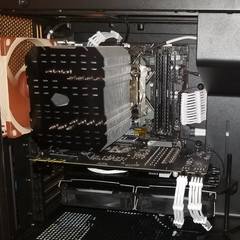
my 8600k is delided, im using conductonaut and Mx4 using an air / tower cooler 

XTU wave.png

Edited by Nogghan
Link to comment
https://linustechtips.com/topic/930710-cpu-temps-underload-range-10c-like-a-wave/
Share on other sites

Link to post
Share on other sites

That sounds like a faulty temp sensor to me. 65 degrees is fine though, so you have nothing to worry about.

Main PC:

AMD Ryzen 7 5800X • Noctua NH-D15 • MSI MAG B550 Tomahawk • 2x8GB G.skill Trident Z Neo 3600MHz CL16 • MSI VENTUS 3X GeForce RTX 3070 OC • Samsung 970 Evo 1TB • Samsung 860 Evo 1TB • Cosair iCUE 465X RGB • Corsair RMx 750W (White)


Peripherals/Other:

ASUS VG27AQ • G PRO K/DA • G502 Hero K/DA • G733 K/DA • G840 K/DA • Oculus Quest 2 • Nintendo Switch (Rev. 2)


Laptop (Dell XPS 13):

Intel Core i7-1195G7 • Intel Iris Xe Graphics • 16GB LPDDR4x 4267MHz • 512GB M.2 PCIe NVMe SSD • 13.4" OLED 3.5K InfinityEdge Display (3456x2160, 400nit, touch). 


Got any questions about my system or peripherals? Feel free to tag me (@bellabichon) and I'll be happy to give you my two cents. 


PSA: Posting a PCPartPicker list with no explanation isn't helpful for first-time builders :)

Link to post
Share on other sites

@Nogghan It looks like it might be the fan having trouble finding equilibrium if the fan ramps up at the peak of those spikes, it might cool the processor enough to where the fan starts slowing down again. You could correct for this by implementing hysteresis on the fan curve.


Does this still happen if you have a different fan profile set? If you have a flat fan curve you should hopefully notice this go away.


Either way though, those temperatures are very good, so it's not something worth worrying over unless you believe the temperatures are inaccurate. 

Link to post
Share on other sites

I believe this is an issue with XTU if you ask me. On my Alienware laptop, from day 1, it went up and down all the time.

Case: Dark Base Pro 900 (Black/Orange)
CPU: Ryzen 5900x
CPU Cooler: Noctua NH-D15 (LTT Special Edition)
Graphics Card: RTX 3090 Founders Edition
Motherboard: ASUS ROG Strix B550-F Gaming
RAM: Team T-Force Night Hawk RGB 32GB DDR4 3000 (2 x 16GB)
Storage (Boot): Samsung 990 PRO 2TB NVMe

Storage (Secondary): Samsung 980 PRO 2TB NVMe

Storage (Secondary): Samsung 850 EVO 1TB SATA III
Storage (Secondary): SanDisk Ultra II 960GB SATA III
Storage (Secondary): 2x Seagate 4TB SSHD (yes, really, solid-state hybrid drives in 2023)
PSU: Corsair RM1000x (80+ Gold)
OS: Windows 10 Home
Keyboard: Razer BlackWidow V3 Pro (with Razer Yellows)

Mouse: Razer Viper Ultimate Wireless
Mousemat: Razer Firefly Chroma Mousepad 2016
Headset: Logitech G533 Wireless Headset (still the best)

Link to post
Share on other sites

7 minutes ago, Tabs said:

@Nogghan It looks like it might be the fan having trouble finding equilibrium if the fan ramps up at the peak of those spikes, it might cool the processor enough to where the fan starts slowing down again. You could correct for this by implementing hysteresis on the fan curve.


Does this still happen if you have a different fan profile set? If you have a flat fan curve you should hopefully notice this go away.


Either way though, those temperatures are very good, so it's not something worth worrying over unless you believe the temperatures are inaccurate. 

no thats not the case that screenshot is with the CPU fan locked to 100% in bios my cooler is " le grand macho" from thermalright, and im not worried about the temps i just want to know why it shows a 10c swing every 10-15 seconds, also im not using mx4 i forgot i put on IC graphite but even that shouldnt do this... its probably just XTU being weird 

Edited by Nogghan
not using Mx4 anymore
Link to post
Share on other sites

Create an account or sign in to comment

You need to be a member in order to leave a comment

Create an account

Sign up for a new account in our community. It's easy!

Register a new account

Sign in

Already have an account? Sign in here.

Sign In Now

×