Jump to content

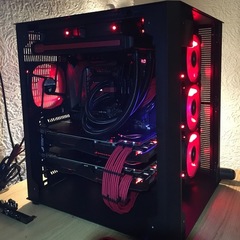
Right i have the Lian Li PC-08 and im using the Zotac 980 GTX Ti AMP EXTREME in SLI on an ASUS Hero VIII mobo


Im using PCIe slots 1 and 2, and with the cards being so big, there getting really hot 80-90 degrees


I want to use them in slots 1 and 3 so theres some space for air flow


Can i use these bridges in either 3 or 4 even though im only using 2 cards in SLI?


https://www.asus.com/Graphics-Cards-Accessory/ROG_Enthusiast_SLI_Bridge/


I dont see it being a problem but just want to be sure?


Thanks

Link to comment
https://linustechtips.com/topic/628213-sli-bridge-help-needed/
Share on other sites

Link to post
Share on other sites


29 minutes ago, Sean- said:

Right i have the Lian Li PC-08 and im using the Zotac 980 GTX Ti AMP EXTREME in SLI on an ASUS Hero VIII mobo


Im using PCIe slots 1 and 2, and with the cards being so big, there getting really hot 80-90 degrees


I want to use them in slots 1 and 3 so theres some space for air flow


Can i use these bridges in either 3 or 4 even though im only using 2 cards in SLI?


https://www.asus.com/Graphics-Cards-Accessory/ROG_Enthusiast_SLI_Bridge/


I dont see it being a problem but just want to be sure?


Thanks


3 minutes ago, Sean- said:

To be clearer, can i use the 4 way SLI bridge with 2 cards, so i can space the cards out


Unfortunately, the setup you're talking about won't work for a reason other than SLI bridge type.  The 3rd PCIe slot, (slot #6) is only PCIe 3.0 x4.  SLI won't work in x4.

Link to comment
https://linustechtips.com/topic/628213-sli-bridge-help-needed/#findComment-8102385
Share on other sites

Link to post
Share on other sites

2 minutes ago, done12many2 said:

Unfortunately, the setup you're talking about won't work for a reason other than SLI bridge type.  The 3rd PCIe slot, (slot #6) is only PCIe 3.0 x4.  SLI won't work in x4.


Here is a shot out of your motherboard's user manual.  Good luck.


Capture.PNG

Link to comment
https://linustechtips.com/topic/628213-sli-bridge-help-needed/#findComment-8102396
Share on other sites

Link to post
Share on other sites

3 minutes ago, TheProfessionalAmateurs said:

The very bottom pcie slot goes through the chipset, while the gray ones go directly to the cpu, so sli is not supported by utilizing the bottom one because of sli's strict rules.

So i can only use the first 2 PCIe slots for SLI?


What can i do to stop the thermal throttling on the GFX cards then?


Would i be better with a different mobo, which would allow me to space the cards out?

Link to comment
https://linustechtips.com/topic/628213-sli-bridge-help-needed/#findComment-8102402
Share on other sites

Link to post
Share on other sites

The cards are already spaced out one slot, so they should by fine, but you could always ramp up the fan speed in msi afterburner, or if they are crapped up with dust, you could take a can of compressed air, or use an air compressor to clean it out.

Link to comment
https://linustechtips.com/topic/628213-sli-bridge-help-needed/#findComment-8102410
Share on other sites

Link to post
Share on other sites

Its not the best picture but as you can see they are basically touching as they are that big, ive had to put in something to allow them a little bit of space on the right hand side until i figure a better option out as the top card was hitting 90 degrees as its fans are completely blocked off by the lower card

img_3383.jpg

Link to comment
https://linustechtips.com/topic/628213-sli-bridge-help-needed/#findComment-8102421
Share on other sites

Link to post
Share on other sites

11 minutes ago, TheProfessionalAmateurs said:

The cards are already spaced out one slot, so they should by fine, but you could always ramp up the fan speed in msi afterburner, or if they are crapped up with dust, you could take a can of compressed air, or use an air compressor to clean it out.

Ill take a better picture so its clearer

Link to comment
https://linustechtips.com/topic/628213-sli-bridge-help-needed/#findComment-8102448
Share on other sites

Link to post
Share on other sites

12 minutes ago, TheProfessionalAmateurs said:

The cards are already spaced out one slot, so they should by fine, but you could always ramp up the fan speed in msi afterburner, or if they are crapped up with dust, you could take a can of compressed air, or use an air compressor to clean it out.


img_33834.jpg

Link to comment
https://linustechtips.com/topic/628213-sli-bridge-help-needed/#findComment-8102455
Share on other sites

Link to post
Share on other sites

Create an account or sign in to comment

You need to be a member in order to leave a comment

Create an account

Sign up for a new account in our community. It's easy!

Register a new account

Sign in

Already have an account? Sign in here.

Sign In Now

×