

Jump to content

Alright so to start I work for a design services company and we work with AutoCAD. All of our machines are currently running HDD's and we are about to upgrade to SSD's so I have a few questions for the community. First we have about 8 people in our office so we plan on getting SSD's for all the computers so what would you guys suggest for brands/models for reliability and performance? We have about a 50/50 mix of desktop and laptops and 2.5 sata drives should work for all of them. Also we have a NAS so the SSD's will just run the OS and AutoCAD etc. so we don't need abundant space. Second what would be the best, quickest, and easiest way to clone all of our old HDD's? 

Thanks for any suggestions! I can answer more questions if needed but hopefully it should be as simple as I think.      

Link to comment
https://linustechtips.com/topic/566586-office-ssd-upgrade/
Share on other sites

Link to post
Share on other sites

Either samsung or Intel drives are known for their reliability and speed. Get one of the smaller 128-256GB models, if you really don't need the space.


Both manufacturers also have a tool that allows you to migrate all your data to the new SSD

-Intel's

-Samsung's

"It's a taxi, it has a FARE METER."

Link to comment
https://linustechtips.com/topic/566586-office-ssd-upgrade/#findComment-7443732
Share on other sites

Link to post
Share on other sites

Samsung has very reliable SSDs, I've had my 840 Pro for almost 3 years now. As for cloning HDDs, I will have to let someone else provide you with a more enterprise way to do that.


excuse the clipping

http://i.imgur.com/vIyda4x.jpg


Yes, Ive abused this SSD :D

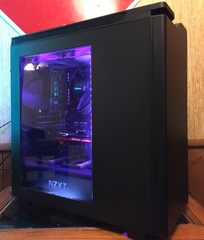
Current rig :  |CPU: 2600K @ 4.8GHz|   |GPU: EVGA ACX GTX 980 @ 1.5GHz| |Ram: 16GB G.Skill Ripjaws X|   |Storage: Samsung 840 Pro 256GB, WD Blue 500GB, WD Black 1TB|  |Motherboard: AsRock Z68 Extreme4 Gen3|   |Cooler : Black Phanteks TC14PE (3 Corsair AF140s)|   |Power Supply : Thermaltake TPG-850M|  |Case: Phantom 410 Black|

Link to comment
https://linustechtips.com/topic/566586-office-ssd-upgrade/#findComment-7443737
Share on other sites

Link to post
Share on other sites

Alright so one of the guys here is saying "we have to get SSD's bigger than the HDD's already installed or the clone doesnt work" I disagree with him but hes saying thats the "ONLY" way to make it possible. There has to be a way around this could someone explain another way to clone? or will the manufacture programs clone everything no problem?

Link to comment
https://linustechtips.com/topic/566586-office-ssd-upgrade/#findComment-7443783
Share on other sites

Link to post
Share on other sites

I would Grab 8 of these 

http://www.newegg.com/Product/Product.aspx?Item=N82E16820147373&cm_re=850-_-20-147-373-_-Product


there a good price for the size and there fairly fast and reliable 

also the extra size will be good for future updates to programs and added software if you need. I ran out pretty fast on my 128 go SSD just with programs so the extra space is nice even though you have a NAS also as a biuness you can right it off on taxes so the extra cost really isn't as big of an issue. 

Link to comment
https://linustechtips.com/topic/566586-office-ssd-upgrade/#findComment-7443851
Share on other sites

Link to post
Share on other sites

Just now, ELSknutson said:

I would Grab 8 of these 

http://www.newegg.com/Product/Product.aspx?Item=N82E16820147373&cm_re=850-_-20-147-373-_-Product


there a good price for the size and there fairly fast and reliable 

also the extra size will be good for future updates to programs and added software if you need. I ran out pretty fast on my 128 go SSD just with programs so the extra space is nice even though you have a NAS


Link to comment
https://linustechtips.com/topic/566586-office-ssd-upgrade/#findComment-7443859
Share on other sites

Link to post
Share on other sites

SSD are essentially memory in a different package. There are numerous good manufacturers and the controllers the units use are quite mature.


There is no real need to install a high performance ssd. But if the budget is there, the Samsung MZ-75E250B/AM (850 EVO 250GB) is an excellent unit. The unit comes with software to move a system on hdd to the new ssd unit.

80+ ratings certify electrical efficiency. Not quality.


Link to comment
https://linustechtips.com/topic/566586-office-ssd-upgrade/#findComment-7444069
Share on other sites

Link to post
Share on other sites

Create an account or sign in to comment

You need to be a member in order to leave a comment

Create an account

Sign up for a new account in our community. It's easy!

Register a new account

Sign in

Already have an account? Sign in here.

Sign In Now

×






