Jump to content

Guys, I've run into a problem.


I'll be moving to somewhere closer to where my internship is the coming 3 weeks, and my pc is coming with me. Because there is no wired internet there, I asked my brother my wireless NIC back that I lent to him. It's a PCIe to mini pcie adapter for the NIC that came out of the XPS. Now, that's all well and good. But the PCB is green.


Now I'm not asking whether putting permanent marker on the card is a good idea because I've already done it without thinking about whether or not it might be conductive. I don't know why. I'm usually more prudent than this. So would it be dangerous to plug the card in or will it probably be fine? I think it's okay but you know, just asking.

I cannot be held responsible for any bad advice given.

I've no idea why the world is afraid of 3D-printed guns when clearly 3D-printed crossbows would be more practical for now.

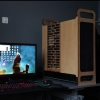
My rig: The StealthRay. Plans for a newer, better version of its mufflers are already being made.

Link to comment
https://linustechtips.com/topic/260378-permanent-marker-on-pcb/
Share on other sites

Link to post
Share on other sites

1. WHY

2. Ive seen marker in small amounts on PCB's before so I would think your fine


I cannot be held responsible for any bad advice given.

Thats that. If you need to get in touch chances are you can find someone that knows me that can get in touch.

Link to comment
https://linustechtips.com/topic/260378-permanent-marker-on-pcb/#findComment-3549525
Share on other sites

Link to post
Share on other sites

It's fine, Permanent marker isn't conductive.


Can't imagine it looking good though...


"My opinion is that your opinion is wrong." - AlwaysFSX    CPU I5 4690k MB MSI Gaming 5 RAM 2 x 4GB HyperX Blu DDR3 GPU Asus GTX970 Strix,  Case Corsair 760T Storage 1 x 120GB 840EVO 1 x 1TB WD Blue, 1 x 500GB Toshiba  

 The cave/beast v2 (OLD) http://imgur.com/a/8AmeH                                  PSU 600W Raidmax RX600AF Displays ASUS VS278Q-P x2, BenQ Xl2720z Cooling Dark Rock 3, 4 AP120s Keyboard Logitech G710+ Mouse Razer Deathadder 


Link to comment
https://linustechtips.com/topic/260378-permanent-marker-on-pcb/#findComment-3549531
Share on other sites

Link to post
Share on other sites

Guys, I've run into a problem.


I'll be moving to somewhere closer to where my internship is the coming 3 weeks, and my pc is coming with me. Because there is no wired internet there, I asked my brother my wireless NIC back that I lent to him. It's a PCIe to mini pcie adapter for the NIC that came out of the XPS. Now, that's all well and good. But the PCB is green.


Now I'm not asking whether putting permanent marker on the card is a good idea because I've already done it without thinking about whether or not it might be conductive. I don't know why. I'm usually more prudent than this. So would it be dangerous to plug the card in or will it probably be fine? I think it's okay but you know, just asking.


It'll work fine with marker but you could do something like this if you want it to, not very difficult, you could even stick it on with double stick foam tape:


http://linustechtips.com/main/topic/229624-project-cheapskate-backplate/

Link to comment
https://linustechtips.com/topic/260378-permanent-marker-on-pcb/#findComment-3550106
Share on other sites

Link to post
Share on other sites

It's fine, Permanent marker isn't conductive.


Can't imagine it looking good though...

post-84472-0-65193300-1417305113_thumb.j

It's not so bad.

I cannot be held responsible for any bad advice given.

I've no idea why the world is afraid of 3D-printed guns when clearly 3D-printed crossbows would be more practical for now.

My rig: The StealthRay. Plans for a newer, better version of its mufflers are already being made.

Link to comment
https://linustechtips.com/topic/260378-permanent-marker-on-pcb/#findComment-3550885
Share on other sites

Link to post
Share on other sites

attachicon.giffoto.JPG

It's not so bad.

yes it is lol


"My opinion is that your opinion is wrong." - AlwaysFSX    CPU I5 4690k MB MSI Gaming 5 RAM 2 x 4GB HyperX Blu DDR3 GPU Asus GTX970 Strix,  Case Corsair 760T Storage 1 x 120GB 840EVO 1 x 1TB WD Blue, 1 x 500GB Toshiba  

 The cave/beast v2 (OLD) http://imgur.com/a/8AmeH                                  PSU 600W Raidmax RX600AF Displays ASUS VS278Q-P x2, BenQ Xl2720z Cooling Dark Rock 3, 4 AP120s Keyboard Logitech G710+ Mouse Razer Deathadder 


Link to comment
https://linustechtips.com/topic/260378-permanent-marker-on-pcb/#findComment-3551346
Share on other sites

Link to post
Share on other sites

Create an account or sign in to comment

You need to be a member in order to leave a comment

Create an account

Sign up for a new account in our community. It's easy!

Register a new account

Sign in

Already have an account? Sign in here.

Sign In Now

×