

Jump to content


Here are the points in the video where the stuttering happens:


2:40


3:05


The most significant one is at 3:24.


This type of stuttering happens in most if not all my games.


Here are the things I tired:


Re-Install and Roll back of drivers.


I went from a Windows 8.1 to Windows 7 and the problem happened also in Windows 8.1 so I deff don't need a clean OS install.


Disables all CPU and GPU power savings


Messed with Pagefile on both SSD and HDD.


I don't have a pic right now, but when I look at my CPU usage graph while gaming it looks like its jumping around a lot.


My temps are fine. 80c GPU Max, and 65c CPU max.


Here are my specs 


CX500


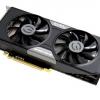
GTX 760


i5 4570


H97 Pro 4


8GB DRR3 1600Mgz


EVGA GTX760 Superclocked (ACX) - i5 4570 - 8GB DDR3 - 1TB Western Digital Caviar Blue - Corsair CX500 - NZXT Source 210(Black)  - 1x 120mm - Valley Bench http://imgur.com/J4EJnvV

Link to comment
https://linustechtips.com/topic/183786-stutter/
Share on other sites

Link to post
Share on other sites

I've  been getting that as well, never happened before. I closed some background stuff because I was getting near my ram limit. Fixed it.

PC: 4770K @ 4.0 GHz --- Maximus VI Hero --- 8 GB 2133 MHz Corsair Vengeance Pro --- EVGA 780 TI Classified @ 1300 MHz --- Samsung Evo 250 GB --- Corsair RM 750 --- Corsair Carbide Air 540 --- CM Storm Rapid-I (MX Blues with PMK Evergreen Keycaps) --- Windows XP --- Razer Naga --- Custom Loop Parts: 380I, EKWB 780 Classy Waterblock and Backplate, 240mm and 360mm XT45, Swiftech MCP655, EKWB multi option reservoir, Mayhems Pastel Red, Primochill Primoflex Advanced Clear Tubing, 5 SP 120 Quiet Editions --- Mobile: Surface Pro 3 (i5 128gb) with JD40 (MX Clears) and Microsoft Sculpt Mouse --- Galaxy S6

Link to comment
https://linustechtips.com/topic/183786-stutter/#findComment-2469679
Share on other sites

Link to post
Share on other sites

I've  been getting that as well, never happened before. I closed some background stuff because I was getting near my ram limit. Fixed it.

Pretty sure I hover around 5GB with BF4 running and I have 8GB so I doubt thats whats happening

EVGA GTX760 Superclocked (ACX) - i5 4570 - 8GB DDR3 - 1TB Western Digital Caviar Blue - Corsair CX500 - NZXT Source 210(Black)  - 1x 120mm - Valley Bench http://imgur.com/J4EJnvV

Link to comment
https://linustechtips.com/topic/183786-stutter/#findComment-2469701
Share on other sites

Link to post
Share on other sites

I've noticed BF has had a lot of problems recently... and seen a few posts about BF problems.

Your FPS suddenly drop. It could be RAM, maybe increase your Paging file or use Lower settings since it will use less RAM, Maybe increase your RAM speed if possible.

Check your GPU temps to see if its throttling


Pretty sure I hover around 5GB with BF4 running and I have 8GB so I doubt thats whats happening


 etc.

--- CPU:  AMD A10-7850k --- Motherboard:  ASUS X88MPlus --- RAM:  G-Skill 8GB Ripjaws X DDR3 2133 Dual --- GPU:  Integrated APU --- Case:  Aerocool Dead Silence Gaming Cube Case  ---

Link to comment
https://linustechtips.com/topic/183786-stutter/#findComment-2469738
Share on other sites

Link to post
Share on other sites

Pretty sure I hover around 5GB with BF4 running and I have 8GB so I doubt thats whats happening

I have 8GB as well, it happens to me, you never know. 

Probably just BF4, Netcode sucks so if it's not ram its BF4.

PC: 4770K @ 4.0 GHz --- Maximus VI Hero --- 8 GB 2133 MHz Corsair Vengeance Pro --- EVGA 780 TI Classified @ 1300 MHz --- Samsung Evo 250 GB --- Corsair RM 750 --- Corsair Carbide Air 540 --- CM Storm Rapid-I (MX Blues with PMK Evergreen Keycaps) --- Windows XP --- Razer Naga --- Custom Loop Parts: 380I, EKWB 780 Classy Waterblock and Backplate, 240mm and 360mm XT45, Swiftech MCP655, EKWB multi option reservoir, Mayhems Pastel Red, Primochill Primoflex Advanced Clear Tubing, 5 SP 120 Quiet Editions --- Mobile: Surface Pro 3 (i5 128gb) with JD40 (MX Clears) and Microsoft Sculpt Mouse --- Galaxy S6

Link to comment
https://linustechtips.com/topic/183786-stutter/#findComment-2469742
Share on other sites

Link to post
Share on other sites

I have 8GB as well, it happens to me, you never know. 

Probably just BF4, Netcode sucks so if it's not ram its BF4.

This happens with most games though so I know its not just Battlefeild

EVGA GTX760 Superclocked (ACX) - i5 4570 - 8GB DDR3 - 1TB Western Digital Caviar Blue - Corsair CX500 - NZXT Source 210(Black)  - 1x 120mm - Valley Bench http://imgur.com/J4EJnvV

Link to comment
https://linustechtips.com/topic/183786-stutter/#findComment-2469749
Share on other sites

Link to post
Share on other sites

This happens with most games though so I know its not just Battlefeild

Thats weird. Reinstall drivers?

PC: 4770K @ 4.0 GHz --- Maximus VI Hero --- 8 GB 2133 MHz Corsair Vengeance Pro --- EVGA 780 TI Classified @ 1300 MHz --- Samsung Evo 250 GB --- Corsair RM 750 --- Corsair Carbide Air 540 --- CM Storm Rapid-I (MX Blues with PMK Evergreen Keycaps) --- Windows XP --- Razer Naga --- Custom Loop Parts: 380I, EKWB 780 Classy Waterblock and Backplate, 240mm and 360mm XT45, Swiftech MCP655, EKWB multi option reservoir, Mayhems Pastel Red, Primochill Primoflex Advanced Clear Tubing, 5 SP 120 Quiet Editions --- Mobile: Surface Pro 3 (i5 128gb) with JD40 (MX Clears) and Microsoft Sculpt Mouse --- Galaxy S6

Link to comment
https://linustechtips.com/topic/183786-stutter/#findComment-2469751
Share on other sites

Link to post
Share on other sites

Thats weird. Reinstall drivers?


Yup did that already, here are the things i did try,


Re-Install and Roll back of drivers.


I went from a Windows 8.1 to Windows 7 and the problem happened also in Windows 8.1 so I deff don't need a clean OS install.


Disables all CPU and GPU power savings


Messed with Pagefile on both SSD and HDD.

EVGA GTX760 Superclocked (ACX) - i5 4570 - 8GB DDR3 - 1TB Western Digital Caviar Blue - Corsair CX500 - NZXT Source 210(Black)  - 1x 120mm - Valley Bench http://imgur.com/J4EJnvV

Link to comment
https://linustechtips.com/topic/183786-stutter/#findComment-2469759
Share on other sites

Link to post
Share on other sites


Yup did that already, here are the things i did try,


Re-Install and Roll back of drivers.


I went from a Windows 8.1 to Windows 7 and the problem happened also in Windows 8.1 so I deff don't need a clean OS install.


Disables all CPU and GPU power savings


Messed with Pagefile on both SSD and HDD.


Well I have no idea.

PC: 4770K @ 4.0 GHz --- Maximus VI Hero --- 8 GB 2133 MHz Corsair Vengeance Pro --- EVGA 780 TI Classified @ 1300 MHz --- Samsung Evo 250 GB --- Corsair RM 750 --- Corsair Carbide Air 540 --- CM Storm Rapid-I (MX Blues with PMK Evergreen Keycaps) --- Windows XP --- Razer Naga --- Custom Loop Parts: 380I, EKWB 780 Classy Waterblock and Backplate, 240mm and 360mm XT45, Swiftech MCP655, EKWB multi option reservoir, Mayhems Pastel Red, Primochill Primoflex Advanced Clear Tubing, 5 SP 120 Quiet Editions --- Mobile: Surface Pro 3 (i5 128gb) with JD40 (MX Clears) and Microsoft Sculpt Mouse --- Galaxy S6

Link to comment
https://linustechtips.com/topic/183786-stutter/#findComment-2469773
Share on other sites

Link to post
Share on other sites

It may be your RAM dumping, I had the same problem but I solved it about 6 months ago, it would also disable my keyboard and mouse periodically (not all the time) 


Try checking Windows Error Log to see if it's been logged by Windows. 

How would I check that?

This happened 2 hours ago would it still be there?

EVGA GTX760 Superclocked (ACX) - i5 4570 - 8GB DDR3 - 1TB Western Digital Caviar Blue - Corsair CX500 - NZXT Source 210(Black)  - 1x 120mm - Valley Bench http://imgur.com/J4EJnvV

Link to comment
https://linustechtips.com/topic/183786-stutter/#findComment-2469858
Share on other sites

Link to post
Share on other sites

How would I check that?

This happened 2 hours ago would it still be there?


Yes the data will still be there unless you have manually wiped the logs or ran Disk Cleaner. 

Click your start button, type in event viewer, under Windows Logs check both System and Application logs, look for any errors or warnings. 

Link to comment
https://linustechtips.com/topic/183786-stutter/#findComment-2469872
Share on other sites

Link to post
Share on other sites

Also, do you notice the problem getting any worse as the game progresses?

Yes usually it only starts after about 10-15 minutes.

EVGA GTX760 Superclocked (ACX) - i5 4570 - 8GB DDR3 - 1TB Western Digital Caviar Blue - Corsair CX500 - NZXT Source 210(Black)  - 1x 120mm - Valley Bench http://imgur.com/J4EJnvV

Link to comment
https://linustechtips.com/topic/183786-stutter/#findComment-2469913
Share on other sites

Link to post
Share on other sites

Yes the data will still be there unless you have manually wiped the logs or ran Disk Cleaner. 

Click your start button, type in event viewer, under Windows Logs check both System and Application logs, look for any errors or warnings. 

I found errors about Windows Shadow Recovery but its because I have it disabled and it keeps saying that Windows is trying open it. Other than that it just shows details about other things like Mirrors edge and GTA IV crashing (GTA crashed because of mods and mirrors edge crashed when I closed Fraps).

EVGA GTX760 Superclocked (ACX) - i5 4570 - 8GB DDR3 - 1TB Western Digital Caviar Blue - Corsair CX500 - NZXT Source 210(Black)  - 1x 120mm - Valley Bench http://imgur.com/J4EJnvV

Link to comment
https://linustechtips.com/topic/183786-stutter/#findComment-2469919
Share on other sites

Link to post
Share on other sites

Yes usually it only starts after about 10-15 minutes.


Monitor your RAM and page file next time you play Battlefield 3, let me know if your RAM gradually fills and doesn't dump until near max, monitor VRAM usage as well. 


MSI Afterburner is the program I use for monitoring hardware

Link to comment
https://linustechtips.com/topic/183786-stutter/#findComment-2470008
Share on other sites

Link to post
Share on other sites

Create an account or sign in to comment

You need to be a member in order to leave a comment

Create an account

Sign up for a new account in our community. It's easy!

Register a new account

Sign in

Already have an account? Sign in here.

Sign In Now

×







