Jump to content


Here are the points in the video where the stuttering happens:


2:40


3:05


The most significant one is at 3:24.


This type of stuttering happens in most if not all my games.


Here are the things I tired:


Re-Install and Roll back of drivers.


I went from a Windows 8.1 to Windows 7 and the problem happened also in Windows 8.1 so I deff don't need a clean OS install.


Disables all CPU and GPU power savings


Messed with Pagefile on both SSD and HDD.


I don't have a pic right now, but when I look at my CPU usage graph while gaming it looks like its jumping around a lot.


My temps are fine. 80c GPU Max, and 65c CPU max.


Here are my specs 


CX500


GTX 760


i5 4570


H97 Pro 4


8GB DRR3 1600Mgz


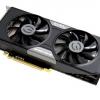
EVGA GTX760 Superclocked (ACX) - i5 4570 - 8GB DDR3 - 1TB Western Digital Caviar Blue - Corsair CX500 - NZXT Source 210(Black)  - 1x 120mm - Valley Bench http://imgur.com/J4EJnvV

Link to comment
https://linustechtips.com/topic/183780-what-causes-stutter-like-this/
Share on other sites

Link to post
Share on other sites

its most likely your internet connection or router settings.

mY sYsTeM iS Not pErfoRmInG aS gOOd As I sAW oN yOuTuBe. WhA t IS a GoOd FaN CuRVe??!!? wHat aRe tEh GoOd OvERclok SeTTinGS FoR My CaRd??  HoW CaN I foRcE my GpU to uSe 1o0%? BuT WiLL i HaVE Bo0tllEnEcKs? RyZEN dOeS NoT peRfORm BetTer wItH HiGhER sPEED RaM!!dId i WiN teH SiLiCON LotTerrYyOu ShoUlD dEsHrOuD uR GPUmy SYstEm iS UNDerPerforMiNg iN WarzONEcan mY Pc Run WiNdOwS 11 ?woUld BaKInG MY GRaPHics card fIX it? MultimETeR TeSTiNG!! aMd'S GpU DrIvErS aRe as goOD aS NviDia's YOU SHoUlD oVERCloCk yOUR ramS To 5000C18! jellYfIn Client siDE TRanscoDinG

Link to post
Share on other sites

its most likely your internet connection or router settings.

Single player games do the same thing though

EVGA GTX760 Superclocked (ACX) - i5 4570 - 8GB DDR3 - 1TB Western Digital Caviar Blue - Corsair CX500 - NZXT Source 210(Black)  - 1x 120mm - Valley Bench http://imgur.com/J4EJnvV

Link to post
Share on other sites

Single player games do the same thing though


Turn off V-Sync. It seems your FPS goes from 60 to 30 or worse, and that's probably it.

How to Post Topics, the Right Way / The Ultimate Build Parts List


"4 words. DON'T BE A DUMBASS" ~@Swndlr

Link to post
Share on other sites

Turn off V-Sync. It seems your FPS goes from 60 to 30 or worse, and that's probably it.

Even without V Sync it does this, it also does this in all my other games (FC3, Tomb Raider, Payday 2, ETS2, GTA IV Ect..)

EVGA GTX760 Superclocked (ACX) - i5 4570 - 8GB DDR3 - 1TB Western Digital Caviar Blue - Corsair CX500 - NZXT Source 210(Black)  - 1x 120mm - Valley Bench http://imgur.com/J4EJnvV

Link to post
Share on other sites

This can happen for all sorts of reasons. You mentioned that you messed with the page file and that could be only one of the reasons. CPU graph jumping around, well that can contribute too but it could be a BIOS setting/s or the BIOS itself, you may need to update your BIOS. It could be that you have the PCIe link speed set on AUTO, it could be you don't do any system OS maintenance and files are all over the SSD/HDD(obviously i mean the HDD) You are suppose to enable TRIM for the SSD, it could be the game files may have some sort of corruption in them, could something as simple as the video cord having a short or not connected properly.


As this stuttering is affecting every game i would recommend you try doing a full OS maintenance first with something like CCleaner, Winutilities or the AVG one can't remember the name. If this does not work try a fresh install. 

A water-cooled mid-tier gaming PC.

Link to post
Share on other sites

I had a similar issue with an older pc of mine. Found out it was the RAM causing the issue

CPU: 6600K @ 4.6Ghz | COOLER: H100i GTX | MOBO: Asus Z170 AR | GPU: EVGA GTX 1080 Ti Hybrid | RAM: G.Skill Trident Z RGB 16GB | 

CASE: Corsair 760T | PSU: Corsair RM750x | STORAGE: Samsung 850 EVO 250GB & Seagate 2TB | KEYBOARD: K70 RGB | MOUSE: Deathadder Elite

Link to post
Share on other sites

I had a similar issue with an older pc of mine. Found out it was the RAM causing the issue

Would your issue only start a few minutes after you started gaming?

EVGA GTX760 Superclocked (ACX) - i5 4570 - 8GB DDR3 - 1TB Western Digital Caviar Blue - Corsair CX500 - NZXT Source 210(Black)  - 1x 120mm - Valley Bench http://imgur.com/J4EJnvV

Link to post
Share on other sites

Would your issue only start a few minutes after you started gaming?

yeah it would do it after about 3 minutes but the freezes i had were much worse than yours, my games would lock up for about 5 seconds.

CPU: 6600K @ 4.6Ghz | COOLER: H100i GTX | MOBO: Asus Z170 AR | GPU: EVGA GTX 1080 Ti Hybrid | RAM: G.Skill Trident Z RGB 16GB | 

CASE: Corsair 760T | PSU: Corsair RM750x | STORAGE: Samsung 850 EVO 250GB & Seagate 2TB | KEYBOARD: K70 RGB | MOUSE: Deathadder Elite

Link to post
Share on other sites

CPU hits 100% and a bottle neck? try having task manager open then when you get this stutter have a look at the CPU a few seconds previous.

5820k@3.8GHz| Corsair H100i |Gigabyte x99 SLI | Corsair 16GB | EVGA 780Ti SC ACX SLI x2 |240GB SSD120GB SSD 512GB SSD 2TB HDD | 3x ASUS VN247H 24" ( nVidia Surround)

Link to post
Share on other sites

Create an account or sign in to comment

You need to be a member in order to leave a comment

Create an account

Sign up for a new account in our community. It's easy!

Register a new account

Sign in

Already have an account? Sign in here.

Sign In Now

×