Jump to content

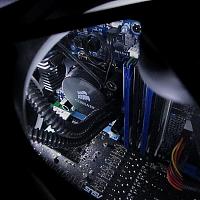
I'm looking to replace the thermal paste on my laptop. I tried some gaming for fun, but encountered some throttling issues due to high temps. I've done countless desktops, but just wanted to ask the community if there's any special techniques for laptops. As you can see, they used a ton of paste to begin with. I'm assuming I should be using a lot less than that, but with the design of laptop chips, the center portion is elevated slightly and specifically for the graphics chip, there is a plastic cover exposing only the elevated portion. So my question is, how should I go about applying new thermal paste to improve the cooling capability of the laptop?

Posted Image

Link to comment
https://linustechtips.com/topic/115644-laptop-thermal-paste-application/
Share on other sites

Link to post
Share on other sites

Wow they put lots on the CPU. I changed the thermal paste on my laptop a couple years ago. Just wipe it off and place thermal paste on the die.

Case: Corsair 4000D Airflow; Motherboard: MSI ZZ490 Gaming Edge; CPU: i7 10700K @ 5.1GHz; Cooler: Noctua NHD15S Chromax; RAM: Corsair LPX DDR4 32GB 3200MHz; Graphics Card: Asus RTX 3080 TUF; Power: EVGA SuperNova 750G2; Storage: 2 x Seagate Barracuda 1TB; Crucial M500 240GB & MX100 512GB; Keyboard: Logitech G710+; Mouse: Logitech G502; Headphones / Amp: HiFiMan Sundara Mayflower Objective 2; Monitor: Asus VG27AQ

Link to post
Share on other sites

Not+only+is+there+a+21+of+hearts+but+_92


yeah the only thing that I know is that the thermal paste shouldn't bee too electrically cnonductive. For cleaning messes such as that, you can use rubbing alchohol, but arcticlean works great too. keep in mind hat articlean makes things near it smell like citrus.

Woo!

Link to post
Share on other sites

Make sure you are using isotropal alcohol 90% to clean the CPU. You want to make sure you have all of the old thermal paste taken off.


P.S. Congrats to you completely taking apart your laptop. You are more brave then I. I hope it goes well putting it back together. :)

Link to post
Share on other sites

Thanks for the tips. I applied a much smaller amount and temperatures are about 20 C lower on full load. Hitting about 72 C max on the CPU and 65 C on the GPU. FYI, it's an Acer TimelineX 3830TG w/ i5-2430M and GT540M.

I think this is PERETY awesome for youst changing the WLP

Link to post
Share on other sites

Create an account or sign in to comment

You need to be a member in order to leave a comment

Create an account

Sign up for a new account in our community. It's easy!

Register a new account

Sign in

Already have an account? Sign in here.

Sign In Now

×