


-rascal-
-
Posts
9,375 -
Joined
-
Last visited









Recent Profile Visitors
12,699 profile views






-rascal-'s Achievements

-

Cooling Advice for my Lian Li O11D XL-X ATX Case
-rascal- replied to JohnnyBoy Tech's topic in Cooling
Are you bottom fans exhausting through the bottom? That's a abnormal setup...because the GPU fans suck air up and through the heatsink.. If you have good airflow, even with the AIO intaking from the top, it should be OK. However, if you have bottom intake, top AIO intake, then the ONLY exhaust is your single rear fan...and any cracks/vents/crevices air can escape through. You could either, without adding more fans: Bottom intake, top AIO exhaust, experiment with the rear as intake or exhaust Bottom intake, side AIO intake, experiment with the rear as intake or exhaust, top as natural exhaust -
Did my i7 12700 die for good?
-rascal- replied to Ofir aviel's topic in CPUs, Motherboards, and Memory
CPU Temp not being reported, or N/A, is a bit odd... CPU_FAN is also reporting N/A... I would have assumed the Noctua cooler may not not been properly installed, or the motherboard was not properly mounting, and shorting to the case. Since you have tried with a different motherboard, and testing the setup outside of the case, there is a chance the CPU may have failed. -
RAM modules dying repeatedly - uncertain what steps to take next
-rascal- replied to Vreak's topic in Troubleshooting
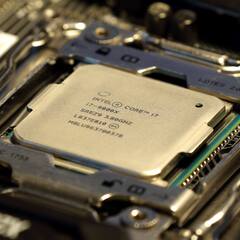
I would also check that current BIOS version, and see if any newer versions are available. A motherboard can damage the CPU / IMC - or even DRAM, since the board supplies all the necessary voltages, etc. That's how my old i7-6800K died; certain ASUS X99 motherboards reportedly degrading/killing CPUs. -
GPU hitting lower power limit after VBIOS Flash
-rascal- replied to TacoBellYummy's topic in Graphics Cards
That's why I asked about the particular model of OP's laptop. If it's exactly at 75W, then I'm assuming it's in the BIOS/firmware. Could be a combination of both HW and SW/FW limitation, though. Say they cut cost on the power delivery and/or cooling, so it's only rated for ~85W, so they limit it to 75W. -
GPU hitting lower power limit after VBIOS Flash
-rascal- replied to TacoBellYummy's topic in Graphics Cards
That make and model laptop do you have? The VBIOS may be allowing the max power to be 95W on the GPU side, but the laptop's power delivery may be limited to 75W. -
When the GPU is idle or running basic Desktop applications, the GPU does not operate a full bandwidth. What happens when you put load on the GPU? Run the built-in test within GPU-Z by clicking on the "?" button. Does it switch from 1.1 to 4.0?

-
Are you able to guide your customers to check for recently install updates/patches? It looks like there was a 25H2 related update released to the public at the end of February 2026. A more recent hotfix may be also introduced an issue... Our work provided laptops are on a slower, more controlled Windows update cycle...we just got a variant of 24H2 on 02/24/2026. Looks like there are some reports of the February 2026 cumulative update causing some issues - black screens and rebooting, instability. KB5077181. Damn this "Micro-slop."
-
When did you upgrade your video card to a 9070XT? Recent (e.g. within the last few days) or it's been sometime now? What OS are you using (e.g. Windows 10, 11) ? Windows 10 Legacy BIOS and UEFI is supported, but Windows 11 requires UEFI...unless you fudge with the install and bypass a few things. The 9070 XT officially only supports UEFI mode. https://www.amd.com/en/resources/support-articles/faqs/GPU-N4XCSM.html
-
SSD with dedicated cache is typically better. If it's a cache-less drive, then it will use some the storage space as cache. If your art files are large / high resolution, or if you are working with large video files, you want a SSD with cache. It will help keep the sustained reads/writes speeds. WD SN850X and the Samsung 990 Pro comes to mind. Other alternatives SSDs with cache: Crucial T500 Patriot VP4300 (non-Lite version) WD SN7100 (no dedicated DRAM caching, but uses some hybrid caching, actually performs very good)
-
The motherboard's M.2 slot is rated at PCI-E 3.0 speed, but you can still put a newer PCI-E 4.0 or 5.0 M.2 SSD in there. It will just run at PCI-E 3.0 X4 speed, rather than the advertised PCI-E 4.0 or 5.0 speed.
-
Ryzen 9600X + ASUS B650M-PLUS – POST loop after enabling CSM
-rascal- replied to Matus1986's topic in Troubleshooting
If you enabled CSM, it probably switched to Legacy BIOS, from the default UEFI. I'm assuming the Windows installer is for Windows 11 - that won't work with Legacy; it's UEFI only. If you remove the button cell battery, rather than shorting CLRTC, you need to disconnect the computer from the wall outlet power. Otherwise, the power supply's stand-by power prevents the CMOS from clearing/resetting. I believe the newer nVidia and AMD GPUs (e.g. like the RX 9070 XT) requires UEFI. I remember when the RX 9000 series was announced AMD did say Legacy BIOS and CSM support was being dropped - at least, legacy firmware was NOT assured. EDIT: https://www.amd.com/en/resources/support-articles/faqs/GPU-N4XCSM.html -
PCPartPicker is overestimating, at least for some of the components. The 1000W will be fine.
-
Damn, RTX 9070 Super. From the future (jk). The symptoms you are describing actually sounds like possible RAM-related issue. e.g. faulty RAM stick
-
Actually? What in the- What value do they use for storage drive(s) and motherboard?? I'm assuming advertised TDP (e.g. CPU, GPU) for everything else. EDIT: 9950X3D - 170W Motherboard - 70W CPU Cooler - 10W RAM - 100W for EACH kit RTX 5090 - 575W
-
Do you get anything on your display at all? E.g. BIOS logo screen I'm assuming you are using the same OS install from your old system, before the upgrade, Windows might be just being stupid with the new hardware. As mentioned Debug code 99 should mean it made it through P.O.S.T. and loading into the OS.



