Jump to content

Hey guys,


I have weird problem with W10, I've never encountered before.


In Windows 10, there are now 2 ways to uninstall program.


1. File Explorer - This PC - (tab) Computer - Uninstall or change a program

This way is not working for me, whenever I try to uninstall program via these steps, it gives me really quick black screen, which immediately disappears and Uninstall or change a program is shut down.


The first way, is traditional one, which was here like forever.


2. Start - Settings - System - Apps and Features

Here I can uninstall everything without a problem.


I wonder, does anyone know, what is the difference between these two? Also, what could possibly cause this issue? Because all my friends, using W10, do not have this issue. And we were not able to find out, what causes it. I did fresh install 3 times and still it won't work, could it be linked to HW somehow?


Thanks

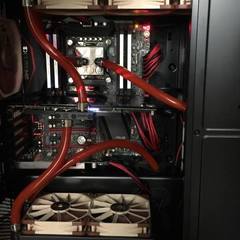
G4MING RIG - CPU: i7 5930K  Cooling: Custom Loop  MOBO: Asus Rampage V Extreme  GPU: EVGA 980 Ti GTX Classified  RAM: Corsair Dominator Platinum DDR4 16 GB  SSD: Samsung 840 Pro  PSU: be quiet! Dark Power Pro 11 850W Platinum Certified  Sound: Asus Xonar Essence STX II  CASE: Phanteks Enthoo Primo  PERIPHERALS: Das Keyboard Ultimate 4, Logitech G502 Proteus Core, Sennheiser G4ME One, B&W MM-1, ROG SWIFT

Macbook Pro Retina 15" 2012CPU: i7 2,7 GHz  GPU: GT 650M,  RAM: 16GB,  SSD: 512GB

Link to comment
https://linustechtips.com/topic/416618-windows-10-program-uninstalling-problem/
Share on other sites

Link to post
Share on other sites

Create an account or sign in to comment

You need to be a member in order to leave a comment

Create an account

Sign up for a new account in our community. It's easy!

Register a new account

Sign in

Already have an account? Sign in here.

Sign In Now

×