Jump to content

It's annoyed me for long enough and I'd like to know if there's a good solution. You see, every time I plug my headphones into the front panel headphone jack, the speakers still keep playing if I don't turn them off manually, to the annoyance of the people I live with. Not everyone wants to listen to Top Gear in the middle of the night apparently. (I knew that.) For a long time I assumed Linux was the problem, but I rebooted into Windows and there it's no different so there must be a hardware issue.


Motherboard is an AsRock FM2A88X Extreme4+, latest BIOS installed

Speakers are connected to the green 3.5mm jack on the rear IO

Front panel audio is a Silverstone SST-FP32B-E, connected via Intel HDA header

OS is Kubuntu 14.10


I've no idea what's wrong with it.

I cannot be held responsible for any bad advice given.

I've no idea why the world is afraid of 3D-printed guns when clearly 3D-printed crossbows would be more practical for now.

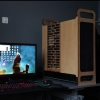
My rig: The StealthRay. Plans for a newer, better version of its mufflers are already being made.

Link to comment
https://linustechtips.com/topic/319913-jack-sensing-doesnt-work-at-all/
Share on other sites

Link to post
Share on other sites


I've no idea what's wrong with it.

it really should be an option in the audio driver, most likely a check mark for "mute this when this is plugged in" type of thing.

i could listen to clarkson's jokes all night, dunno whats wrong with people..

If one does not fail at times, then one has not challenged himself.

Link to post
Share on other sites

it really should be an option in the audio driver, most likely a check mark for "mute this when this is plugged in" type of thing.

i could listen to clarkson's jokes all night, dunno whats wrong with people..

Yeah no there doesn't seem to be. Normally there is one in ALSA. There was one on the laptop I had before, but there isn't now.

I cannot be held responsible for any bad advice given.

I've no idea why the world is afraid of 3D-printed guns when clearly 3D-printed crossbows would be more practical for now.

My rig: The StealthRay. Plans for a newer, better version of its mufflers are already being made.

Link to post
Share on other sites

Link to post
Share on other sites

Not all jacks can sense when something is plugged in - did it work in the past?


And I can imagine something like a 4-wire headphone thing have issues aswell, since the sensing is gennerally just a 4th contact that will short on the ground pin of the connector when something is plugged in.

Link to post
Share on other sites

It has never worked. But I figured out what the problem was eventually. It's Silverstone's fault, really: Pin 4, which is the pin that tells the audio chip that there is indeed a front panel audio attached to the header, is missing on the connector. I connected it to pin 2, which is ground, through a 1k resistor and now it works as advertised.


That front panel I/O thing is the same one that gets delivered with Caselabs cases so if anyone has the same problem with one of those (not all motherboards seem to make a problem of this), that's the culprit.

I cannot be held responsible for any bad advice given.

I've no idea why the world is afraid of 3D-printed guns when clearly 3D-printed crossbows would be more practical for now.

My rig: The StealthRay. Plans for a newer, better version of its mufflers are already being made.

Link to post
Share on other sites

It has never worked. But I figured out what the problem was eventually. It's Silverstone's fault, really: Pin 4, which is the pin that tells the audio chip that there is indeed a front panel audio attached to the header, is missing on the connector. I connected it to pin 2, which is ground, through a 1k resistor and now it works as advertised.


That front panel I/O thing is the same one that gets delivered with Caselabs cases so if anyone has the same problem with one of those (not all motherboards seem to make a problem of this), that's the culprit.


Can you make us a simple diagram in paint or something? It'd be handy to bookmark for later.

Link to post
Share on other sites

Create an account or sign in to comment

You need to be a member in order to leave a comment

Create an account

Sign up for a new account in our community. It's easy!

Register a new account

Sign in

Already have an account? Sign in here.

Sign In Now

×