Jump to content

ok so where to start.... ill start with my system specs.


mb - asrock 990fx fatality killer

gpu - gtx 970 strix

cpu - fx-8350

hdd - seagate cuda 1t

psu - cx600m

ram- corsair vengance 8gb

cpu cooler - h100


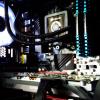
so ill start to what i think was the beginning of the problem if that makes sense? so i had just got my 970 strix and was psyched! the card was a total beast.  but of course, i wanted to see how much gains i could get if i just oced my cpu a little bit, because i was running my 8350 at stock speeds. so i went into my bios and bumped it up to 4.4 which on a h100 and a killer 990fx that should be no problem right? but long behold it turns out even the slightest oc on my 8350 with my killer board is very unstable. it will run programs like valley benchmark, catzilla, and firestrike, in what seems to be slow motion and then all of a sudden go into super speed lol. another thing i noticed in my bios was my ram running at weird ass speeds after i over clock. for instance the xmp file turned on made my 1600mhz to 1750? and also my temps on my cpu through hwmonitor, hwinfo, and speed fan say that my 8350 package temps are at 0c and they get to 20c+ underload. i know this is impossible. i am in a cold room but for them to be that low is ridiculous. so any way i was playing bf4 last night at 4.4 on the cpu then all of a sudden my pc freezes then blue screens i wait for the memory dump then restart, and long behold i get a blank post. nothing on screen at all not even the mb spalsh screen for the bios. so i waited a bit cleared cmos and then restarted my pc about 15-20 minutes later and it turns on and boots up. but after playing battlfield for like 15-20 minutes it does it again and black screens on boot. im guessing my cpu is trashed judging by how the temps are reading out and how unstable the oc's are, but im just looking for a few extra opinions. 


thanks in advanced to anyone who who reads through this whole thing :)

post-164884-0-69483500-1420486644_thumb.

Link to comment
https://linustechtips.com/topic/285098-help-black-screen-on-boot/
Share on other sites

Link to post
Share on other sites

well actually now that i think about it my wattage on my cpu bounces from like 20-48 constantly and i have all the cool n quite crap shut off in bios

Voltage, not wattage. Did you go crazy on the voltage when ocing the chip?

Longboarders/ skaters message me!

Link to post
Share on other sites

no i didnt even change it

my suggestion is to reset the CMOS by removing the battery on the mobo with the power off of course

Budget? Uses? Currency? Location? Operating System? Peripherals? Monitor? Use PCPartPicker wherever possible. 

Quote whom you're replying to, and set option to follow your topics. Or Else we can't see your reply.


Link to post
Share on other sites

i have done that already...

do you have the old gpu?


plug that in and test the PC

Budget? Uses? Currency? Location? Operating System? Peripherals? Monitor? Use PCPartPicker wherever possible. 

Quote whom you're replying to, and set option to follow your topics. Or Else we can't see your reply.


Link to post
Share on other sites

do you have the old gpu?


plug that in and test the PC

i did that already the cpu temp readings are still crazy i even took the psu out and tried it in a diff computer the temps and voltages on everything was fine. its just the temps and voltages on my cpu in my pc are going crazy they are just waaaay to low. so thats why im settling on thinking its my mobo or cpu... not to mention like i said the cpu is extremely unstable on the ever so slightest overclock 

Link to post
Share on other sites

i did that already the cpu temp readings are still crazy i even took the psu out and tried it in a diff computer the temps and voltages on everything was fine. its just the temps and voltages on my cpu in my pc are going crazy they are just waaaay to low. so thats why im settling on thinking its my mobo or cpu... not to mention like i said the cpu is extremely unstable on the ever so slightest overclock 

it could be your mobo acting up


look at your BIOS version and refer to your mobo website and see if there is any changes or updates to the BIOS


worth to try BIOS update before you do anything else

Budget? Uses? Currency? Location? Operating System? Peripherals? Monitor? Use PCPartPicker wherever possible. 

Quote whom you're replying to, and set option to follow your topics. Or Else we can't see your reply.


Link to post
Share on other sites

it could be your mobo acting up


look at your BIOS version and refer to your mobo website and see if there is any changes or updates to the BIOS


worth to try BIOS update before you do anything else

i hate to say it but i already have updated my bios.... right before i got my 970..

Link to post
Share on other sites

i hate to say it but i already have updated my bios.... right before i got my 970..

thats really odd


reflash the BIOS again


my MSI mobo need to reflash 2 times to get it working

Budget? Uses? Currency? Location? Operating System? Peripherals? Monitor? Use PCPartPicker wherever possible. 

Quote whom you're replying to, and set option to follow your topics. Or Else we can't see your reply.


Link to post
Share on other sites

Create an account or sign in to comment

You need to be a member in order to leave a comment

Create an account

Sign up for a new account in our community. It's easy!

Register a new account

Sign in

Already have an account? Sign in here.

Sign In Now

×