Jump to content

Hello again community!


One month ago i build my very first gaming pc on my own and i had a lot of fun building and configurating it but there are some things that are bothering me and i cant help myself.


Let me describe whats going on:


1. GPU and CPU Peaks:


At desktop Idle i am receiving peaks from my GPU and CPU but there is actually nothing demanding running (because the system is idling). CPU peaks go up to 10% usage and GPU up to 51%!!!

- That bothers me because that means something isnt running as it should, right?


- Also does this effect the longlifeability of my components? Temperature is fine but i dont know...


post-138674-0-18552800-1414666842_thumb.


2. Other Problems:


To take advantage of my SSD i enabeld "Windows 8.1 Fast Boot" in the UEFI. The booting time is incredibly insane but i think this option is responsible for many problems that happened since i changed it.


- My mouse a Roccat KONE XTD isnt usable at first BOOT i have too reboot the whole system then i am able to use it. Drivers are up to date and i tried several USB Ports. Same thing with my WLAN-Stick. However the Keyboard works fine at first boot.


- I cant wake up the System by Mouse or Keyboard only if i press the powerbutton. In the Systemsettings i enabled that my devices can wake up the system but in real world they dont.  Doesnt seem like a big deal but its driving me crazy...


- My System is Autobooting wich means in the evening i shutdown my computer and in the very next morning the system is running. Or a few days ago i was watching a movie and suddenly out of nowhere my pc was booting up. i think it has a rythm like every 12h/24h or so. This Penomenom occured several times so i am sure i didnt missclick at shuting down. I dont know what to do, is there a timer? 


My System is:


i7 4790k

16 GB Ram

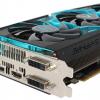
R9 290X 

Msi Gaming 5 Z97

WD Green 2TB

840 Evo 250GB

Corsair RM 750W


I hope u can help me with my issues. Though Englis isnt my native language i hope you still understand what my problems are. 


Thanks everyone!

Case: Corsair Obsidian 450D with 2x SP120 / 1x AF120 Mainboard: Z97 Msi Gaming 5 CPU: i7 4790K @4.0 Ghz CPU-Cooler: Noctua U14S RAM: 16 GB DDR3 Corsair Vengance 1600 Mhz GPU: Sapphire Vapor-X R9 290X HDD: WD Green 2 TB SSD: Samsung Evo 250 GB PSU: Corsair RM 750W Monitor: BenQ XL 2411z 144hz 1080p


Link to comment
https://linustechtips.com/topic/241489-gpu-usage-while-at-idle-and-a-ohter-problems/
Share on other sites

Link to post
Share on other sites

Try this.Go to start>>type msconfig>>and select diagnostic startup.Click apply and reset the pc.Then go to task manager and your monitoring programs and see the usage.If it's lower that you get now(it should be around 2-5%) it means that there's a programs using your pc.Come back with the results

Beware of him that is slow to anger; for when it is long coming, it is the stronger when it comes, and the longer kept. Abused patience turns to fury.
 
Link to post
Share on other sites

Those CPU 'spikes' are no problem at all, they're normal and happen on every system i've seen so far. A CPU is never truly idle, especially in newer OSes, the OS is always doing something that takes a bit of CPU power.

During those GPU spikes, what's the actual core frequency? If it's low, it doesn't matter. If it's the full frequency, something's up. (GPUs downclock when not heavily used, so a lighter task will still show up as heavy GPU usage, even though it's nothing.)


As for your windows 8.1 boot problems, this is quite common. Disable hybrid startup as per http://winaero.com/blog/how-to-disable-or-enable-fast-startup-in-windows-8-1/

The problem there is that Windows 8 and on have a hybrid shutdown/startup using the Hibernation file, but this can lead to problems with various hardware that need a fresh driver start every bootup.

As for the waking up issues, try to see in the BIOS if "Wake on Lan" is enabled.

Link to post
Share on other sites

Thank you JvHummel!


thats a relief for my CPU "Problem". For GPU Msi Afterburner displays that my Core Clock is 0Mhz on a constant line. So are you right?


The thing with the boot problem is, i enabled all these options in the bios and not in the OS. Also i cant start the bios because my pc is so fricking fast.


Case: Corsair Obsidian 450D with 2x SP120 / 1x AF120 Mainboard: Z97 Msi Gaming 5 CPU: i7 4790K @4.0 Ghz CPU-Cooler: Noctua U14S RAM: 16 GB DDR3 Corsair Vengance 1600 Mhz GPU: Sapphire Vapor-X R9 290X HDD: WD Green 2 TB SSD: Samsung Evo 250 GB PSU: Corsair RM 750W Monitor: BenQ XL 2411z 144hz 1080p


Link to post
Share on other sites

that cpu peak is ok

My Main Build: NZXT S340 - NZXT Kraken X31 - Crucial MX100 256GB - i5 4460 - Gigabyte Z97P D3 - Kingston HyperX Red 8GB - MSI Nvidia GTX 780 3GB - Corsair LL & HD RGB Fans, Corsair Lighting Node Pro. 

Link to post
Share on other sites

CPU peek is fine. Task Manager uses your CPU to fetch, process, and display the results. As it gets info form a bunch of stuff, the CPU will show going up at times.

Also, the system is doing things. Small peeks here and there are nothing to worry about.

MSI Afterburner monitors the GPU. That consumes CPU. If you close MSI afterburner, the CPU usage will drop.

Spotify and Chrome web browser set the CPU to never go to sleep, and screws with Windows scheduling leading to more of these spikes, and having the CPU clocked at max speed all the time.

As for the GPU. Well you have something that uses the GPU. Here are things that does:

-> All Modern UI apps are fully GPU rendered

-> Windows 8 desktop interface is GPU rendered (content of windows is CPU rendered, unless specified otherwise by the problem. Eg: games, CAD software, etc..)

-> Software that uses the GPU to process something (obviously)

-> Office 2013, Visual Studio 2013, Zune desktop player, are GPU rendered or hardware accelerated

-> Web browsers are hardware accelerated (Firefox, Chrome, and IE)

To see what uses your GPU and how much, get Microsoft Process Explorer (free - http://technet.microsoft.com/en-us/sysinternals/bb896653)

When you start it: click on View on the menu bar of the program, then go to Select Columns.

Then go to Process GPU tab, and check the box GPU Usage. Click on OK, and a new column will show. It will you which processes uses the GPU and by how much (in percentage).

Link to post
Share on other sites

Thank you all most of the solutions listed up worked perfectly fine! But i still cant enter the BIOS while booting because its so fricking fast booting up... I want to ajust my fanprofiles because they are noisy while idling. 

Also i want to change that my USB devices can wake up my pc from sleeping. 

Case: Corsair Obsidian 450D with 2x SP120 / 1x AF120 Mainboard: Z97 Msi Gaming 5 CPU: i7 4790K @4.0 Ghz CPU-Cooler: Noctua U14S RAM: 16 GB DDR3 Corsair Vengance 1600 Mhz GPU: Sapphire Vapor-X R9 290X HDD: WD Green 2 TB SSD: Samsung Evo 250 GB PSU: Corsair RM 750W Monitor: BenQ XL 2411z 144hz 1080p


Link to post
Share on other sites

Create an account or sign in to comment

You need to be a member in order to leave a comment

Create an account

Sign up for a new account in our community. It's easy!

Register a new account

Sign in

Already have an account? Sign in here.

Sign In Now

×