
Jump to content

CPU clock error?

Go to solution Solved by Tea1337,

The best way to see the real clock speed is through the BIOS, most programs are usually a little off.

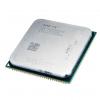
I overclocked my FX-8120 to 3.50 GHz and then set it back to 3.20 GHz because it was overheating but when i open CPU-Z it shows the CPU running at 3422.3 MHz idle. I know that that isn't 3.20 GHz. Is it actually running that high or is CPU-Z broken?


tvoXQU8.png

CPU: AMD FX-8120 | CPU Cooler: Thermaltake Contac 30 | Motherboard: GIGABYTE GA-990FXA-UD3 | Memory: Kingston 16GB (4 x 4GB) DDR3-1333 | Storage: WD 1TB | GPU: Gigabyte Radeon HD 7870 | Case: Thermaltake Chaser MK-I | PSU: Thermaltake Black Widow 850W

Link to comment
https://linustechtips.com/topic/175659-cpu-clock-error/
Share on other sites

Link to post
Share on other sites

The best way to see the real clock speed is through the BIOS, most programs are usually a little off.

in the BIOS the clock speed is set to [Auto] which is 3100 MHz. Now CPU-Z shows it running at over 4.0 GHz which is what the CPB was set to. Is it safe to disable CPB? I don't need it anyway and my fans RPM is way too high for 3100 MHz.

CPU: AMD FX-8120 | CPU Cooler: Thermaltake Contac 30 | Motherboard: GIGABYTE GA-990FXA-UD3 | Memory: Kingston 16GB (4 x 4GB) DDR3-1333 | Storage: WD 1TB | GPU: Gigabyte Radeon HD 7870 | Case: Thermaltake Chaser MK-I | PSU: Thermaltake Black Widow 850W

Link to comment
https://linustechtips.com/topic/175659-cpu-clock-error/#findComment-2346064
Share on other sites

Link to post
Share on other sites

should i disable CPB?

CPU: AMD FX-8120 | CPU Cooler: Thermaltake Contac 30 | Motherboard: GIGABYTE GA-990FXA-UD3 | Memory: Kingston 16GB (4 x 4GB) DDR3-1333 | Storage: WD 1TB | GPU: Gigabyte Radeon HD 7870 | Case: Thermaltake Chaser MK-I | PSU: Thermaltake Black Widow 850W

Link to comment
https://linustechtips.com/topic/175659-cpu-clock-error/#findComment-2346113
Share on other sites

Link to post
Share on other sites

As far as I know CPU-Z is broken. It never reports the correct clock speeds (for me). Been like that for a long time.

I use real temp for temps and the CPU clock speed. (not sure if voltage is accurate though)

    CPU: 3930k  @ stock                                  RAM: 32GB RipjawsZ @ 2133Mhz       Cooling: Custom Loop
MOBO: AsRock x79 Extreme9                      SSD: 240GB Vertex 3 (OS)                     Case: HAF XB                     LG 34um95 + Ergotron MX Arm Mount - Dual Review
  GPUs: Gigabyte GTX 670 SLI                     HDD: 1TB WD Black                                PSU: Corsair AX 860                               Beyerdynamic - Custom One Pro Review

Link to comment
https://linustechtips.com/topic/175659-cpu-clock-error/#findComment-2346216
Share on other sites

Link to post
Share on other sites

Create an account or sign in to comment

You need to be a member in order to leave a comment

Create an account

Sign up for a new account in our community. It's easy!

Register a new account

Sign in

Already have an account? Sign in here.

Sign In Now

×




