Jump to content

saw the new nvidia driver for pubg 388.71 so i went to download and install it,

as you and i know most of the time during driver install your monitors flicker or go black for a second or two and after that it is all good, not this time


all 3 of my monitors went black about 40% into the driver install but the pc was still running and i had a video open and i could still hear the audio from it.

then i waited it out for about 10min and still all screens black i went and rebooted the pc and after rebooting the gpu fans went to 100% during boot and after getting into windows (7) it was fine again and the drivers were installed.


now should i DDU and reinstall the nvidia drivers just incase or leave it? because in both nvidia experience and gpu-z it shows the correct driver ( 388.71)


thx in advance.

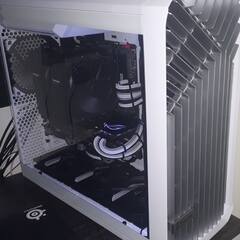
Specs: Ryzen 9800X3D 5425MHz - ASUS TUF RTX 4080 super - G.Skill Trident Z5 Neo 64GB 6400MT/s CL26 -  Gigabyte X870 AORUS Elite Wifi7 ICE - Torrent Fractal Design white - EVGA 850W Supernova G2 80+ Gold - Noctua NH-U12A

Link to comment
https://linustechtips.com/topic/875490-nvidia-driver-38871-crashed-during-install/
Share on other sites

Link to post
Share on other sites

Create an account or sign in to comment

You need to be a member in order to leave a comment

Create an account

Sign up for a new account in our community. It's easy!

Register a new account

Sign in

Already have an account? Sign in here.

Sign In Now

×