
Jump to content

PC won't shut down

Go to solution Solved by Leonard,

I removed battery from MOBO for like 30 seconds and put it back and it solved everything.

Cool. Now you need to perform a windows system file clean up. There are many programs available. Do some research and find one you prefer. I use WinUtiltites and it is for an advanced user, but you can look at CCleaner and AVG has one to.

Hello everyone,


At first I apologize, I did not know, to which thread put this problem.


I've encountered problem with one of our PC.


Components:


Brand new parts:

i5 4440

ADATA 2x4GB RAM

Asus Z87-C

WD Black 500GB


Older parts (2 years) but still functional:

Fortron Black Power 550W Gold Certified

Asus GTX 570


I've installed Windows 7 64-bit Home Premium. This PC is meant for my mother as working station.


Here lies the problem. When I try to turn off PC via physical Power button or via start button on the screen, it shuts itself completely down, lights out, and after 4 seconds it boots up to the Windows again. The only solution to this problem is to unplug it from the wall.


Had anyone ever encountered this kind of problem? I do not believe any of the older parts are broken.


I went through the cables again, replugged them, but problem still exists. 


G4MING RIG - CPU: i7 5930K  Cooling: Custom Loop  MOBO: Asus Rampage V Extreme  GPU: EVGA 980 Ti GTX Classified  RAM: Corsair Dominator Platinum DDR4 16 GB  SSD: Samsung 840 Pro  PSU: be quiet! Dark Power Pro 11 850W Platinum Certified  Sound: Asus Xonar Essence STX II  CASE: Phanteks Enthoo Primo  PERIPHERALS: Das Keyboard Ultimate 4, Logitech G502 Proteus Core, Sennheiser G4ME One, B&W MM-1, ROG SWIFT

Macbook Pro Retina 15" 2012CPU: i7 2,7 GHz  GPU: GT 650M,  RAM: 16GB,  SSD: 512GB

Link to comment
https://linustechtips.com/topic/66417-pc-wont-shut-down/
Share on other sites

Link to post
Share on other sites

Have you tried turning it off and on again? oh, wait....

Does the motherboard have a power switch on it? A cable might be hitting it.

Main Rig: -FX8150 -32gb Kingston HyperX BLUE -120gb Kingston HyperX SSD -1TB WD Black -ASUS R9 270 DCUII OC -Corsair 300r -Full specs on Profile


Other Devices: -One Plus One 64gb Sandstone Black -Canon T5 -Moto G -Pebble Smartwatch -Nintendo 2DS -G27 Racing Wheel


#PlugYourStuff - 720penis - 1080penis - #KilledMyWife - #LinusButtPlug - #HashtagsAreALifestyle - CAR BOUGHT: 2010 Corolla

Link to comment
https://linustechtips.com/topic/66417-pc-wont-shut-down/#findComment-907744
Share on other sites

Link to post
Share on other sites

This might be a RAM or motherboard problem, had kinda the same thing with mine, mine didn't start well and wouldn't shut it self down, try maybe reinstalling your OS, if this doesn't help, try sending your components back, I don't see another way...

VIDEO GAMES                                  Max Power Build Log

Link to comment
https://linustechtips.com/topic/66417-pc-wont-shut-down/#findComment-907761
Share on other sites

Link to post
Share on other sites

Have you tried turning it off and on again? oh, wait....

Does the motherboard have a power switch on it? A cable might be hitting it.

I did well cable management, nothing touches anything.

G4MING RIG - CPU: i7 5930K  Cooling: Custom Loop  MOBO: Asus Rampage V Extreme  GPU: EVGA 980 Ti GTX Classified  RAM: Corsair Dominator Platinum DDR4 16 GB  SSD: Samsung 840 Pro  PSU: be quiet! Dark Power Pro 11 850W Platinum Certified  Sound: Asus Xonar Essence STX II  CASE: Phanteks Enthoo Primo  PERIPHERALS: Das Keyboard Ultimate 4, Logitech G502 Proteus Core, Sennheiser G4ME One, B&W MM-1, ROG SWIFT

Macbook Pro Retina 15" 2012CPU: i7 2,7 GHz  GPU: GT 650M,  RAM: 16GB,  SSD: 512GB

Link to comment
https://linustechtips.com/topic/66417-pc-wont-shut-down/#findComment-907772
Share on other sites

Link to post
Share on other sites

I did well cable management, nothing touches anything.

Maybe there is some sort of short on the PSU or back of the motherboard?

Main Rig: -FX8150 -32gb Kingston HyperX BLUE -120gb Kingston HyperX SSD -1TB WD Black -ASUS R9 270 DCUII OC -Corsair 300r -Full specs on Profile


Other Devices: -One Plus One 64gb Sandstone Black -Canon T5 -Moto G -Pebble Smartwatch -Nintendo 2DS -G27 Racing Wheel


#PlugYourStuff - 720penis - 1080penis - #KilledMyWife - #LinusButtPlug - #HashtagsAreALifestyle - CAR BOUGHT: 2010 Corolla

Link to comment
https://linustechtips.com/topic/66417-pc-wont-shut-down/#findComment-907776
Share on other sites

Link to post
Share on other sites

Maybe there is some sort of short on the PSU or back of the motherboard?

I went through the case again and everything seems alright.  :angry:  What could possibly be causing that problem?

G4MING RIG - CPU: i7 5930K  Cooling: Custom Loop  MOBO: Asus Rampage V Extreme  GPU: EVGA 980 Ti GTX Classified  RAM: Corsair Dominator Platinum DDR4 16 GB  SSD: Samsung 840 Pro  PSU: be quiet! Dark Power Pro 11 850W Platinum Certified  Sound: Asus Xonar Essence STX II  CASE: Phanteks Enthoo Primo  PERIPHERALS: Das Keyboard Ultimate 4, Logitech G502 Proteus Core, Sennheiser G4ME One, B&W MM-1, ROG SWIFT

Macbook Pro Retina 15" 2012CPU: i7 2,7 GHz  GPU: GT 650M,  RAM: 16GB,  SSD: 512GB

Link to comment
https://linustechtips.com/topic/66417-pc-wont-shut-down/#findComment-907842
Share on other sites

Link to post
Share on other sites

Is this a new problem or has it existed since the beginning? Have you tried clearing your CMOS?

The PC is running for like 2 hours now. No I did not, but I'll try it now.

G4MING RIG - CPU: i7 5930K  Cooling: Custom Loop  MOBO: Asus Rampage V Extreme  GPU: EVGA 980 Ti GTX Classified  RAM: Corsair Dominator Platinum DDR4 16 GB  SSD: Samsung 840 Pro  PSU: be quiet! Dark Power Pro 11 850W Platinum Certified  Sound: Asus Xonar Essence STX II  CASE: Phanteks Enthoo Primo  PERIPHERALS: Das Keyboard Ultimate 4, Logitech G502 Proteus Core, Sennheiser G4ME One, B&W MM-1, ROG SWIFT

Macbook Pro Retina 15" 2012CPU: i7 2,7 GHz  GPU: GT 650M,  RAM: 16GB,  SSD: 512GB

Link to comment
https://linustechtips.com/topic/66417-pc-wont-shut-down/#findComment-907936
Share on other sites

Link to post
Share on other sites

Looks like, the clearing of CMOS solved the problem. Thank You!

G4MING RIG - CPU: i7 5930K  Cooling: Custom Loop  MOBO: Asus Rampage V Extreme  GPU: EVGA 980 Ti GTX Classified  RAM: Corsair Dominator Platinum DDR4 16 GB  SSD: Samsung 840 Pro  PSU: be quiet! Dark Power Pro 11 850W Platinum Certified  Sound: Asus Xonar Essence STX II  CASE: Phanteks Enthoo Primo  PERIPHERALS: Das Keyboard Ultimate 4, Logitech G502 Proteus Core, Sennheiser G4ME One, B&W MM-1, ROG SWIFT

Macbook Pro Retina 15" 2012CPU: i7 2,7 GHz  GPU: GT 650M,  RAM: 16GB,  SSD: 512GB

Link to comment
https://linustechtips.com/topic/66417-pc-wont-shut-down/#findComment-907989
Share on other sites

Link to post
Share on other sites

Did it shut down and stayed off until you restarted it?

I removed battery from MOBO for like 30 seconds and put it back and it solved everything.

G4MING RIG - CPU: i7 5930K  Cooling: Custom Loop  MOBO: Asus Rampage V Extreme  GPU: EVGA 980 Ti GTX Classified  RAM: Corsair Dominator Platinum DDR4 16 GB  SSD: Samsung 840 Pro  PSU: be quiet! Dark Power Pro 11 850W Platinum Certified  Sound: Asus Xonar Essence STX II  CASE: Phanteks Enthoo Primo  PERIPHERALS: Das Keyboard Ultimate 4, Logitech G502 Proteus Core, Sennheiser G4ME One, B&W MM-1, ROG SWIFT

Macbook Pro Retina 15" 2012CPU: i7 2,7 GHz  GPU: GT 650M,  RAM: 16GB,  SSD: 512GB

Link to comment
https://linustechtips.com/topic/66417-pc-wont-shut-down/#findComment-908973
Share on other sites

Link to post
Share on other sites

I removed battery from MOBO for like 30 seconds and put it back and it solved everything.

Cool. Now you need to perform a windows system file clean up. There are many programs available. Do some research and find one you prefer. I use WinUtiltites and it is for an advanced user, but you can look at CCleaner and AVG has one to.

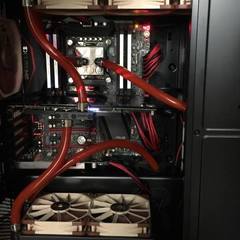
A water-cooled mid-tier gaming PC.

Link to comment
https://linustechtips.com/topic/66417-pc-wont-shut-down/#findComment-909208
Share on other sites

Link to post
Share on other sites

Create an account or sign in to comment

You need to be a member in order to leave a comment

Create an account

Sign up for a new account in our community. It's easy!

Register a new account

Sign in

Already have an account? Sign in here.

Sign In Now

×



