Jump to content

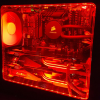
I thought I was being smart when I put in a valve to my water loop so i could "easily" drain it. Well i just tried it for the first time yesterday and my experience was less than "easy." It seems like there's a huge air bubble in my loop causing only like 30-40% of it to drain without my shaking/rotating the entire PC....my gpu blocks come in tomorrow so if there's something I can mod before finishing up with the graphics cards that'd be awesome. Oh by the way I think its in one of the front mounted radiators but I cant be too sure. I attached some pics of my loop...  sorry that some are sideways they arent on my pc?

post-234813-0-54839000-1445451409_thumb.

post-234813-0-59041800-1445451437_thumb.

post-234813-0-31578500-1445451445_thumb.

My current Rig (Memphis) --> http://pcpartpicker.com/p/jQYWpg

Link to comment
https://linustechtips.com/topic/471145-why-does-my-loop-drain-suck/
Share on other sites

Link to post
Share on other sites

Easiest solution (from someone without any custom loop knowledge. Please dont kill me) without any form of debugging will be to buy new coolant, and rebuild the loop and test all the parts to see if it was a part issue or a setup problem.

Rig: Thermaltake Urban S71 | MSI Z77 G45-Gaming Intel Core i5 3570K (4.4Ghz @ 1.4v) CM Hyper 212 EVO | Kingston HyperX Fury 8GB | MSI GTX 660 | Kingston 120GB SSD | Seagate 3TB HDD | EVGA 850W B2

Link to post
Share on other sites

-snip-

If you're going to use a T fitting to have a drain tube, you need to make sure that it is placed in the lowest possible point in the loop. If you really want it to work well, then you also need to get a bleed port at the highest point of the loop. That way you would open the drain tube port, then you open the bleed port at the top of the loop. This would allow the water to drain out the bottom port without the air entering the system having to fight against the flow of water to move up into the loop.

It's the same principle as shotgunning a can of beer. ;)

END OF LINE

-- Project Deep Freeze Build Log --

Quote me so that I always know when you reply, feel free to snip if the quote is long. May your FPS be high and your temperatures low.

Link to post
Share on other sites

If you're going to use a T fitting to have a drain tube, you need to make sure that it is placed in the lowest possible point in the loop. If you really want it to work well, then you also need to get a bleed port at the highest point of the loop. That way you would open the drain tube port, then you open the bleed port at the top of the loop. This would allow the water to drain out the bottom port without the air entering the system having to fight against the flow of water to move up into the loop.

It's the same principle as shotgunning a can of beer. ;)

so when I drain my loop I take the top cap off of my res, but I guess technically I could get a little higher up with the res thats mounted on the top of my case (in the psu section) and the t fitting is in the lowest part of my case, but there are also the input/output of the 2 front res's on that same height..... its the only way they fit in the case :(

My current Rig (Memphis) --> http://pcpartpicker.com/p/jQYWpg

Link to post
Share on other sites

so when I drain my loop I take the top cap off of my res, but I guess technically I could get a little higher up with the res thats mounted on the top of my case (in the psu section) and the t fitting is in the lowest part of my case, but there are also the input/output of the 2 front res's on that same height..... its the only way they fit in the case :(

In order to help you out I would need a better look at how exactly you have your loop set up. The pictures you posted are at weird angles, so it's kinda hard to get a good look at what is the top of the case. and the bottom. If you are wanting to redo your loop to work better, comment/tag me, or PM me, a list of the WC components you are using and what case you're using along with straight up/down pictures of the system and I can give you some recommendations for any changes that might help.

END OF LINE

-- Project Deep Freeze Build Log --

Quote me so that I always know when you reply, feel free to snip if the quote is long. May your FPS be high and your temperatures low.

Link to post
Share on other sites

In order to help you out I would need a better look at how exactly you have your loop set up. The pictures you posted are at weird angles, so it's kinda hard to get a good look at what is the top of the case. and the bottom. If you are wanting to redo your loop to work better, comment/tag me, or PM me, a list of the WC components you are using and what case you're using along with straight up/down pictures of the system and I can give you some recommendations for any changes that might help.

I'll get some better pics up immediately, thanks! 

My current Rig (Memphis) --> http://pcpartpicker.com/p/jQYWpg

Link to post
Share on other sites

Create an account or sign in to comment

You need to be a member in order to leave a comment

Create an account

Sign up for a new account in our community. It's easy!

Register a new account

Sign in

Already have an account? Sign in here.

Sign In Now

×