Jump to content

Oi guys, i have a weird problem i can't get rid off:


Logitech gaming software does not recognize my mouse, the g500s, unless the application is not started as administrator.


The application can see my g710+ keyboard but does not see my mouse, i have tried numerous fixes on the internet and nothing seams to help me to run the application as an administrator on startup, even if i make a custom task in task scheduler, it does not start if i ask it to open as admin in the task itself, and what is worse the application will not start on startup, if i set the core application to always run as admin.


The only way it works is when i right click the application icon in start or core folder .exe and run as admin. I use windows 7 ultimate 64bit, and have the latest driver, mouse is bought yesterday, and it has the latest firmware update out of the box, and yes i am using my admin profile.


Any insight or help on this issue would be nice, ty!

System

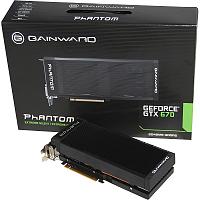
CPU: i7 4770kMotherboard: Asus Maximus VI HeroRAM: HyperX KHX318C9SRK4/32 - 32GB DDR3-1866 CL9 / GPU: Gainward Geforce GTX 670 Phantom Case: Cooler Master HAF XBStorage: 1 TB WD BluePSU: Cooler Master V-650sDisplay(s): Dell U2312HM, LG194WT, LG E1941

Cooling: Noctua NH-D15Keyboard: Logitech G710+Mouse: Logitech G502 Proteus SpectrumSound: Focusrite 2i4 - USB DAC / OS: Windows 7 (still holding on XD)


Link to post
Share on other sites

Create an account or sign in to comment

You need to be a member in order to leave a comment

Create an account

Sign up for a new account in our community. It's easy!

Register a new account

Sign in

Already have an account? Sign in here.

Sign In Now

×