Jump to content

maby this is a complete newb question but i like to know this..


yesterday i had to reset my bios and it also disabled XMP so my ram ran at 1333 insted of 1600.

after i booted back into windows and did some stress tests my 4790k would run at 4.2ghz under load and 4.4ghz without any load on the cpu, is this normal?

now with the ram back on 1600 it run 4.4ghz load or no load on the cpu.


so does ram speed effect cpu speeds? or has it something to do with the motherboard?


Thanks in advance!


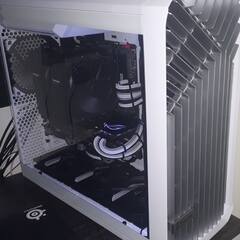
Specs: Ryzen 9800X3D 5425MHz - ASUS TUF RTX 4080 super - G.Skill Trident Z5 Neo 64GB 6400MT/s CL26 -  Gigabyte X870 AORUS Elite Wifi7 ICE - Torrent Fractal Design white - EVGA 850W Supernova G2 80+ Gold - Noctua NH-U12A

Link to comment
https://linustechtips.com/topic/498618-lower-ram-speed-lower-cpu-speed/
Share on other sites

Link to post
Share on other sites

RAM speed can effect the stability of the overclock but shouldn't adjust the clock speed of the CPU. What are your power settings?

adaptive in bios and balanced in windows. the windows setting was on high performance for some reason.

but it still set's my cpu on 4.2ghz underload when using 1333 ram speed.


i'm not worried or anything because my pc works just fine, but i was just wondering why the ram speed effects my cpu under load.

Specs: Ryzen 9800X3D 5425MHz - ASUS TUF RTX 4080 super - G.Skill Trident Z5 Neo 64GB 6400MT/s CL26 -  Gigabyte X870 AORUS Elite Wifi7 ICE - Torrent Fractal Design white - EVGA 850W Supernova G2 80+ Gold - Noctua NH-U12A

Link to post
Share on other sites

While the speed of the RAM shouldn't directly effect OC speeds, it might actually be a symptom instead of a cause. It might have been that some options in the BIOS were changed to some sort of "Power Saving" mode which reduced clocks.

COMPUTER: Mobile Battlestation  |  CPU: INTEL I7-8700k |  Motherboard: Asus z370-i Strix Gaming  | GPU: EVGA GTX 1080 FTW ACX 3.0 | Cooler: Scythe Big Shuriken 2 Rev. b |  PSU: Corsair SF600 | HDD: Samsung 860 evo 1tb


Link to post
Share on other sites

Why is your 4790k running at over 4GHz under no load? Did you disable Intel SpeedStep technology in your BIOS? That's really unusual. The processor should lower its clockspeed when not under load to save power.


Generally though, you should keep your RAM on XMP. RAM speeds shouldn't have an effect on CPU speeds, so I have a feeling there's another setting somewhere else in your BIOS that has changed.

I actually couldn't underclock my 5 year old GPU to make it as slow as a next-gen console.

#pcmasterraceproblems

~Slick

Link to post
Share on other sites

Why is your 4790k running at over 4GHz under no load? Did you disable Intel SpeedStep technology in your BIOS? That's really unusual. The processor should lower its clockspeed when not under load to save power.


Generally though, you should keep your RAM on XMP. RAM speeds shouldn't have an effect on CPU speeds, so I have a feeling there's another setting somewhere else in your BIOS that has changed.

my power saving options were on high performance and i didn't notice it. it's runs at lower clock speeds now under no load.

and yes i always have my XMP profiles on, but like i said i had to reset my bios and it turned of the XMP profile and then i noticed the cpu ran at 4.2ghz under load. 


everything is fine now, but i just found it weird that the ram speed effected the overall performance of my cpu.

Specs: Ryzen 9800X3D 5425MHz - ASUS TUF RTX 4080 super - G.Skill Trident Z5 Neo 64GB 6400MT/s CL26 -  Gigabyte X870 AORUS Elite Wifi7 ICE - Torrent Fractal Design white - EVGA 850W Supernova G2 80+ Gold - Noctua NH-U12A

Link to post
Share on other sites

Ram speed effects stability of the overclock because of the load on the memory controller. Though I haven't had a problem and my 1600 kit is Overclocked to 2200mhz.

What configuration?

Gb×#


G3258 V 860k (Spoiler: G3258 wins)


Spoiler

i7-4790K | MSI R9 390x | Cryorig H5 | MSI Z97 Gaming 7 Motherboard | G.Skill Sniper 8gbx2 1600mhz DDR3 | Corsair 300R | WD Green 2TB 2.5" 5400RPM drive | <p>Corsair RM750 | Logitech G602 | Corsair K95 RGB | Logitech Z313

Link to post
Share on other sites

10,13,13, 35 I think for the last

Are you 4k posts in with no idea how to quote?

Really though. What size do you run in how many slots.


G3258 V 860k (Spoiler: G3258 wins)


Spoiler

i7-4790K | MSI R9 390x | Cryorig H5 | MSI Z97 Gaming 7 Motherboard | G.Skill Sniper 8gbx2 1600mhz DDR3 | Corsair 300R | WD Green 2TB 2.5" 5400RPM drive | <p>Corsair RM750 | Logitech G602 | Corsair K95 RGB | Logitech Z313

Link to post
Share on other sites

Are you 4k posts in with no idea how to quote?

Really though. What size do you run in how many slots.

Was on my phone, it doesn't always quote :lol:


Ive got two sticks of 8g Gskills RipJawX. 2 channels(slots) Only place it makes a difference I've found so far is Fallout 4. I run it at 1.64v

If anyone asks you never saw me.

Link to post
Share on other sites

Was on my phone, it doesn't always quote :lol:

Ive got two sticks of 8g Gskills RipJawX. 2 channels(slots) Only place it makes a difference I've found so far is Fallout 4. I run it at 1.64v

Nice, that's a pretty good overclock on that ram.


G3258 V 860k (Spoiler: G3258 wins)


Spoiler

i7-4790K | MSI R9 390x | Cryorig H5 | MSI Z97 Gaming 7 Motherboard | G.Skill Sniper 8gbx2 1600mhz DDR3 | Corsair 300R | WD Green 2TB 2.5" 5400RPM drive | <p>Corsair RM750 | Logitech G602 | Corsair K95 RGB | Logitech Z313

Link to post
Share on other sites

Create an account or sign in to comment

You need to be a member in order to leave a comment

Create an account

Sign up for a new account in our community. It's easy!

Register a new account

Sign in

Already have an account? Sign in here.

Sign In Now

×