

Jump to content

Hi Guys,


I recently built a computer and ran into 2 problems.

The parts are as follows (Not all the parts were available on pc partpicker so i just typed it out):

Ram:
Crucial Ballistix Sport 16GB Kit (4GBx4) DDR4 2400 MT/s (PC4-19200) CL16 SR x8 Unbuffered DIMM 288-Pin Memory
 
Optical Drive:
ASUS BW-12B1ST/BLK/G/AS 12X Blu-ray Internal Burner Drive with Disc Encryption
 
Case:
Cooler Master HAF X - Full Tower Computer Case with High Airflow Windowed Side Panel and USB 3.0 
 
CPU:
Intel Core i7-5960X Haswell-E 8-Core 3.0GHz LGA 2011-v3 140W Desktop Processor
 
MotherBoard:
ASUS RAMPAGE V EXTREME, Extended ATX x99 Motherboard , LGA 2011-V3 Socket, DDR4 3300Mhz+(OC) 
 
CPU Cooler:
Noctua NH-D15 
 
Hardrives:
2 x Western Digital 4 TB Green SATA III 5400 RPM 64 MB Cache Bulk/OEM (Storage) 
1 x Intel SSD DC P3700 Series SSDPEDMD400G401 (400GB, 1/2 Height PCIe 3.0, 20nm, MLC) (For installing games/programs/OS) 
 
GPU:
2 x GTX 980 Geforce Gigabyte G1 Windforce
 
Power Supply:
EVGA Supernova 1000 
 
Monitor:
Samsung 28-Inch Ultra High Definition LED Monitor 
 
 
The two problems I am having is:
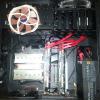
1.) The GPU is very close to the CPU and is (from what I can see) resting on the eject switches for the RAM. (Everytime I load up the BIOS/UEFI it states that I have either 4GB of Ram, 12 Gb of Ram or 16 GB of Ram as my memory each time.)
2.) The Intel SSD P3700 has a very short mounting bracket. This means even though I can fit it into the the PCIe slot on the Mobo, the mounting bracket is actually not properly secured. (Secured it as best as I could by wedging the mounting bracket in between the space where it is supposed to be screwed on).
 
My solutions:
1.) I think I will have to take off the back plate for the GPU that is resting on the RAM, not sure if that will work.
2.) I am looking for a high profile mounting bracket to replace the mounting bracket on this one....
 
If anyone can link me to the tools(small screw driver set and a high profile mounting bracket that could work)  I will be very grateful.
Also if you guys have any better ideas/solutions to these problems then please tell me (returns are not an option :P)
 
Will post pictures later.


Link to comment
https://linustechtips.com/topic/251966-bracket-to-short/
Share on other sites

Link to post
Share on other sites

--snip--

I doubt that the GPU is resting on the eject switches for the RAM, but if they are, why not just move the cards down a slot? There are 4 available so there is plenty of room

The Intel SSD, you are saying it has a low profile bracket attacked to it? It may be possible to buy a full size one if it is a big problem.

Link to comment
https://linustechtips.com/topic/251966-bracket-to-short/#findComment-3453861
Share on other sites

Link to post
Share on other sites

Update:

Okay so I investigated the issue with the RAM and as it turns out there weren't full pressed down into the slot :P

So I pushed it in and it seems to detect everything now.


I doubt that the GPU is resting on the eject switches for the RAM, but if they are, why not just move the cards down a slot? There are 4 available so there is plenty of room

The Intel SSD, you are saying it has a low profile bracket attacked to it? It may be possible to buy a full size one if it is a big problem.


I had thought of that initially (before I fixed the issue) but the manual for the mobo says that the first PCIe Lane and the third PCIe Lane are the only x16 lanes on the mobo, so naturally I had to put the GPU's in there.

Also I found this on amazon, but I'm not sure if it will work or not. Also I still need the right tool set to remove the default bracket as well; http://www.amazon.com/Bplus-JP0593-Standard-Profile-Optional/dp/B00LAKLGV6/ref=lh_ni_t?ie=UTF8&psc=1&smid=A2LG6SUAZFT9TS


Any help will be highly appreciated, thanks ^_^

Link to comment
https://linustechtips.com/topic/251966-bracket-to-short/#findComment-3456413
Share on other sites

Link to post
Share on other sites

Update:

Okay so I investigated the issue with the RAM and as it turns out there weren't full pressed down into the slot :P

So I pushed it in and it seems to detect everything now.


I had thought of that initially (before I fixed the issue) but the manual for the mobo says that the first PCIe Lane and the third PCIe Lane are the only x16 lanes on the mobo, so naturally I had to put the GPU's in there.

Also I found this on amazon, but I'm not sure if it will work or not. Also I still need the right tool set to remove the default bracket as well; http://www.amazon.com/Bplus-JP0593-Standard-Profile-Optional/dp/B00LAKLGV6/ref=lh_ni_t?ie=UTF8&psc=1&smid=A2LG6SUAZFT9TS


Any help will be highly appreciated, thanks ^_^

I understand putting it in that slot, but GPUs don't need 16x. 8x is very sufficient and that data bandwidth won't be saturated. The only issue there could possibly be is those cards being close, and getting a tad bit hotter than they would otherwise. This could also determine whether or not the GPU was resting on those eject switches. If you mobo sees all the RAM when you move the card, then it was resting on it. If you still have problems getting all the RAM to be recognized, then either 1 or more DIMM slots is dead, or 1 or more DIMMs are dead.


EDIT: Yeah, that SSD definitely has a low profile bracket on it. Either leave it if it doesn't bother you, return it(if you still can), or buy a full size bracket(if you can).

Link to comment
https://linustechtips.com/topic/251966-bracket-to-short/#findComment-3477513
Share on other sites

Link to post
Share on other sites

I understand putting it in that slot, but GPUs don't need 16x. 8x is very sufficient and that data bandwidth won't be saturated. The only issue there could possibly be is those cards being close, and getting a tad bit hotter than they would otherwise. This could also determine whether or not the GPU was resting on those eject switches. If you mobo sees all the RAM when you move the card, then it was resting on it. If you still have problems getting all the RAM to be recognized, then either 1 or more DIMM slots is dead, or 1 or more DIMMs are dead.


EDIT: Yeah, that SSD definitely has a low profile bracket on it. Either leave it if it doesn't bother you, return it(if you still can), or buy a full size bracket(if you can).


At the moment I'm still looking into getting a full sized bracket but so far this is the only thing I've come up with: http://www.amazon.co...=A2LG6SUAZFT9TS

Link to comment
https://linustechtips.com/topic/251966-bracket-to-short/#findComment-3478152
Share on other sites

Link to post
Share on other sites

  • 1 month later...

Bossman111, thank you for confirming to me that the Intel DC P3700(400GB) SSD works with the Asus Rampage V Extreme motherboard.

Can you please Post benchmarks of the SSD, specifically ATTO benchmark and Crystal Mark.


Thank you.


Now i can go get the Rampage V Extreme board.

Link to comment
https://linustechtips.com/topic/251966-bracket-to-short/#findComment-3810176
Share on other sites

Link to post
Share on other sites

Create an account or sign in to comment

You need to be a member in order to leave a comment

Create an account

Sign up for a new account in our community. It's easy!

Register a new account

Sign in

Already have an account? Sign in here.

Sign In Now

×





