
Jump to content

DUAL 7970 Crossfire Issue
Go to solution Solved by asimrc,

Turns out the Displayport Adapter was faulty

Hi Guys


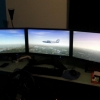
I am running dual 7970's on tripple screen pc mainly used for sim racing. Has been running great for a 1&1/2 years until yesterday. The screen running via active display port just stopped running.


Screen inputs to graphics card are 1xDVI, 1xHDMI, 1x Active Displayport.


Screen tested on another cable it works. But still couldn't get three screens to work at once.


Second card not showing in device manager or AMD catalyst controller.


Swapped postions of cards on motherborad and still no luck. The card closest to the CPU work while the other doesn't. When i start the PC only one card's fan spools up.


Checked the bios and it only shows one card on in PCIE 1 at 8x native what ever that means.


Guys please help as i am not sure what to do next.

Link to comment
https://linustechtips.com/topic/211369-dual-7970-crossfire-issue/
Share on other sites

Link to post
Share on other sites

PC Specs below


 CPU - Intel i7 3770K 3.5GHz(3.9GHz Turbo)
· CPU Cooler - Corsair Hydro Series H80 CPU Cooler - All In One Liquid cooling
· Motherboard - ASUS MAXIMUS V Formula 6-Core Ready Quad-Chn DDR3 USB3 SATA3 CF/SLI Ready
· RAM - Gskill 8GB(2x 4GB) DDR3 1333 
· Graphics - HIS 7970 3gb.
· Graphics - HIS 7970 3gb. xfire Bridge
· Primary HDD - Intel SDD160 Series 3 160GB SSD SATA III 6GB/s Max Read/Write: 550/520(MB/s)
· Second HDD - 500Gb SATA 3
· Second HDD - WD BLACK 2TB SATA 3
· Optical Drive - DVDRW
· Case - ANTEC P280 GAMING CASE
· PSU - OCZ Fatalty 1000w Modular 80+ Gold
· Tripple Screen Stand
· 3 Acer LCD Monitors G235H 

Link to post
Share on other sites

Your motherboard might have messed up. Try resetting cmos and see what happens; if nothing happens you might have to change it unfortunately. Do other screens work via displayport?

Don't ask to ask, just ask... please 🤨

sudo chmod -R 000 /*

Link to post
Share on other sites

Don't know the solution to the problem but I do know that your CPU is not 2nd gen. It's 3rd gen.


Have you installed any programd recently?


no new programs for a while now atleast 6 months even no new games. 

switched it off normally two days ago and then the next morning it only started on two screens and I have raced since. So i thought you guys on here might be able to help. 

Link to post
Share on other sites

PC Specs below


 CPU - Intel 2nd-gen i7 3770K 3.2GHz(3.9GHz Turbo) 12MB Cache

· Motherboard - ASUS MAXIMUS V Formula 6-Core Ready Quad-Chn DDR3 USB3 SATA3 CF/SLI Ready

Some of the specs you have listed don't make sense...

Firstly the 3770K is a 3rd generation CPU (not 2nd gen), the base clock is 3.5ghz (not 3.2ghz) with a 3.9ghz turbo, it also has 8MB of cache (not 12MB)

6 core CPU and quad channel memory on the maximus v formula?? nope.

Link to post
Share on other sites

Yes but only on two displays.


With both gpus? At this point I'm pretty sure it's a motherboard issue, do you have any friends who can lend you a gpu to test with? If so try that one in both slots and see if you can achieve 3-display eyefinity. If it has the same problems, you'll need a new motherboard I'm afraid.

Don't ask to ask, just ask... please 🤨

sudo chmod -R 000 /*

Link to post
Share on other sites

Yes but only on two displays.

try swapping the gpu's over maybe.

Rig Specs:

AMD Threadripper 5990WX@4.8Ghz

Asus Zenith III Extreme

Asrock OC Formula 7970XTX Quadfire

G.Skill Ripheartout X OC 7000Mhz C28 DDR5 4X16GB  

Super Flower Power Leadex 2000W Psu's X2

Harrynowl's 775/771 OC and mod guide: http://linustechtips.com/main/topic/232325-lga775-core2duo-core2quad-overclocking-guide/ http://linustechtips.com/main/topic/365998-mod-lga771-to-lga775-cpu-modification-tutorial/

ProKoN haswell/DC OC guide: http://linustechtips.com/main/topic/41234-intel-haswell-4670k-4770k-overclocking-guide/


"desperate for just a bit more money to watercool, the titan x would be thankful" Carter -2016

Link to post
Share on other sites

With both gpus? At this point I'm pretty sure it's a motherboard issue, do you have any friends who can lend you a gpu to test with? If so try that one in both slots and see if you can achieve 3-display eyefinity. If it has the same problems, you'll need a new motherboard I'm afraid.


try swapping the gpu's over maybe.


Okay now display port isnt work either. 


I have tried running both GPU's individually on the second pcie slot neither worked on the second slot.

Link to post
Share on other sites

  • 5 weeks later...

Create an account or sign in to comment

You need to be a member in order to leave a comment

Create an account

Sign up for a new account in our community. It's easy!

Register a new account

Sign in

Already have an account? Sign in here.

Sign In Now

×


