
Can't boot a certain game
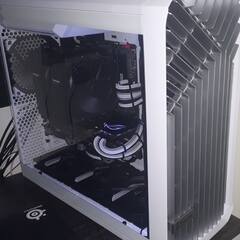
29 minutes ago, Wildgg said:update: i reset my bios to default and reinstalled the game and now it booted up. i also made a new partition just for the game.
I turned my bios profile back on, meaning cpu overclock and xmp on and the game does not want to boot anymore so it's bios related.
I will update again when i find what bios setting causes this.
1st im happy the game works now!
2nd I have no idea what bios setting causes this.
I reset to defaults and one by one i re-add my custom overclock settings, between EVERY setting i rebooted the PC and tried to boot the game.
XMP > Manual CPU voltage(to run my 5.1ghz) > Performance cores CPU multiplier 51(to get 5.1ghz) > Efficiency core CPU multiplier 36(to get 3.6ghz) > LLC on Turbo(Load-Line Calibration, applies additional voltage to your CPU under load to provide more stability while overclocking) > disabled motherboard RGB > turned of gigabyte app in bios(this download loads a gigabyte app in windows for drivers).
Those setting is what i had before, nothing more nothing less, so TLDR; i reset bios, re-did my settings and now the game magically works.

-
Topics
-

asdasdasdasdasdasd ·
Posted in Hot Deals0 -

RipperDoc5456 ·
Posted in Troubleshooting2 -

Nebcs ·
Posted in CPUs, Motherboards, and Memory0 -
 1
1 -

FancyPants101 ·
Posted in CPUs, Motherboards, and Memory0 -
 0
0 -
 1
1 -
 0
0 -
 0
0 -

l3eyond ·
Posted in Programs, Apps and Websites0
-





Create an account or sign in to comment
You need to be a member in order to leave a comment
Create an account
Sign up for a new account in our community. It's easy!
Register a new accountSign in
Already have an account? Sign in here.
Sign In Now