


BrandonJohnsonL
-
Posts
27 -
Joined
-
Last visited
Recent Profile Visitors
441 profile views



BrandonJohnsonL's Achievements

-
sorry if this has already been done but i noticed it about 10min before im due to leave for work. in asus gpu tweak 2 my cards clock speed is only showing up as maxing out at 671mhz but any game works just as usual. if anyone can shed some light into the issue it would be appreciated. thanks in advance system specs 5930k 32gb ddr4 asus strix 1080 corsair 850m psu msi x99a sli plus motherboard system is by all means running as normal but the speed of the card is not showing up right, you would think that a 1080 would still have to increase its clock speed when playing gta v, witcher 3, battlefield 1. etc
-
I was just making sure that the system would post as is havent spent too much time on it as of yet, about to move so that takes precedence. Thanks for the support though I probably wouldnt have thought about going team red im a bit of a Nvidia person.
-
That is the full specs of what I currently have looking for suggestions on Graphics card, Power supply, replacement cooler, .etc
-
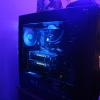
Hello there, so im in the later planning stages for my girlfriends computer. She's getting back into gaming after really only ever playing on a gamecube, so I didnt want to put alot of money into something that she may just use on occasion. Im currently gathering some older parts that I had laying around current parts Motherboard: Asus P8Z77-v lk CPU: Intel i5 3570k Cooler: stock Ram: mismatch of 1600mhz 16gb I would appreciate any suggestions on a better cooler, graphics card, psu, and peripherals (mouse, keyboard, headset, .etc) please keep in mind that she wont be playing too many games and the most strenuous would probably be borderlands the pre sequel, and im aiming for a mid size computer Picture below of its current state Thanks for your help.

-
razer blackwidow ultimate and kraken 7.1 and a logitech g700s. that headset looks so nice
-
LG PF1000U Ultra Short Throw Projector Giveaway
BrandonJohnsonL replied to CPotter's topic in LTT Releases
It seems as if it would be really good to have as a somewhat portable projector, and in a case like I have where my room is long but narrow it would be great to use as a movie projector. -
Nvidia driver install made computer unusable
BrandonJohnsonL replied to BrandonJohnsonL's topic in Troubleshooting
alright so he just updated me that people are reporting issues if you run multiple monitors. Nvidia knows about this so to sum up some graphics cards apparantly dont like the latest driver update and will cause a BSOD when the driver is installed when running multi monitor setups. -
Nvidia driver install made computer unusable
BrandonJohnsonL replied to BrandonJohnsonL's topic in Troubleshooting
so he tried uninstalling the graphics driver that worked fine then he tried to reinstall the driver and same thing happens could something like the overclock on the graphics card be affecting the installation process? -
Nvidia driver install made computer unusable
BrandonJohnsonL replied to BrandonJohnsonL's topic in Troubleshooting
of windows or the graphics driver? -
friend installed the new nvidia driver version 364.47 today in preperation for the division. System specs as follows CPU: Intel I7 6700k OC@4.7ghz Motherboard: Asus ROG maximus 8 hero Ram 16Gb corsair vengeance lpx 3000mhz GPU Nvidia GTX 980Ti hybrid oc@ 1400mhz SSD: Samsung 950 M.2 512gb the error that windows gave him when booting: VIDEO_TDR_FAILURE (nvlddmkm.sys) he has restored the pc to yesterdays save point and is back up and running but were both at a standstill as i with a 5930k and 2overclocked 970's had no issue whatsoever installing the driver update any help in letting me know what the problem is or just what the error code is would be helpful. Thanks
-
ok so i had a home networked server running windows 7. pc had all the appropriate drivers as supplied by the cd that came with the motherboard (asus p8z77-v lk) it ran fine for a month or so on an i3 and 4g of ram with no issues and had speeds that were limited by the network to 100mb/s. I had no issues with said system. On christmas my little brother got some new parts and in the process of installing the new parts we ran into issues that i have been trying to solve said parts are as follows intel 3570k, asus p8z77-v pro, 16gb of 1866mhz gskill ram and an h80i said system was mine and it has run fine for years we tried the swap it ran fine until he tried to play a game and then black screen and crash i have verified via another system that the ram and gpu work fine, so i replaced the power supply from a raidmax 630w to a corsair 750w system began to post then not boot into windows now the pro motherboard will not recognize any ram in any configuration so we tried the i3 system to eliminate a bad motherboard or cpu. system posted and ran then crashed began to think hdd was bad went to replace it we through installing windows 10 from a good flash drive got to creating an account then crash now no system no matter how simple or advanced wont recognize the drive tried different drive now any of the drives that were in the i3 rig arent recognized by any of my systems any help with this problem would be appreciated i have old backups of files and rendered videos that i would like back thanks
-
Questions with an upgrade
BrandonJohnsonL replied to BrandonJohnsonL's topic in CPUs, Motherboards, and Memory
damn well this exploded thanks for the help i was getting confused with a couple of the other solutions -
alright so ive heard that your windows key for windows 10 is tied to your motherboard i am in the process of buying a new processor and motherboard moving from z77 to x99. i used the free upgrade from 7 to 10 for my system. i do know how to view my product key, so my question is can i just reactivate using the same product key ( might have to call microsoft and have the key cleaned from my current system) or should i look at purchasing a new key and using that to revalidate windows
-
ok makes sense thanks
-
so what does the rapid mode do then? kinda new to this
