fluffyPC
-
Posts
36 -
Joined
-
Last visited
fluffyPC's Achievements

-
not looking for anything special, I just want a small bluetooth keyboard with a case for it (separate keyboard, not a folio case). There is just too many options, suggestions? Thanks
-
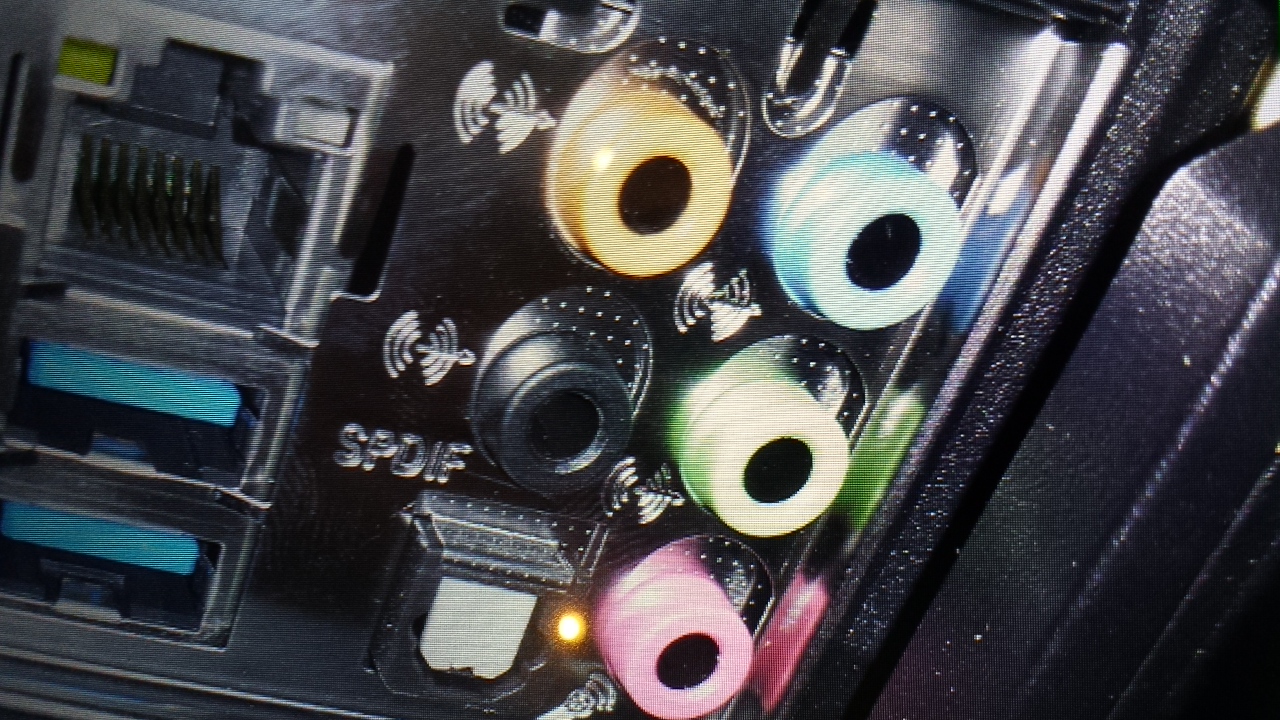
hi, I've recently purchased a Rosewill Apollo keyboard. If you aren't familiar with the model it has a microphone and headphone passthrough. The manual says to plug the mic in the pink output and the headphone in the green. Outputs are realtek HD and on the Asrock h87m motherboard
-
the rosewill apollo seems to be a very good deal right now ($50 off), would you still not recommend that.
-
both of the other keyboards are on sale now for sub $100
-
Hi, im having some trouble looking for keyboards. I would like it to be tenkeyless, backilt, and Cherry Blue switches. Haven't had a mechanical keyboard before, but have used the blues and they seem to feel the best for me. I will be doing a lot of typing, but some gaming as well. I don't need any frills besides a backlight (the room my computer is in is really dark). Getting a tenkeyless AND a back light seems like a problem, so tenkeyless isn't absolutely necessary. And my last criteria is it needs to be as cheap as possible, I won't spend much more than $100. some options ive found: Rosewill Apollo RK-9100xB, Tt eSPORTS KB-POI-BLBLUS-01 POSEIDON, Rosewill RK-9100
-
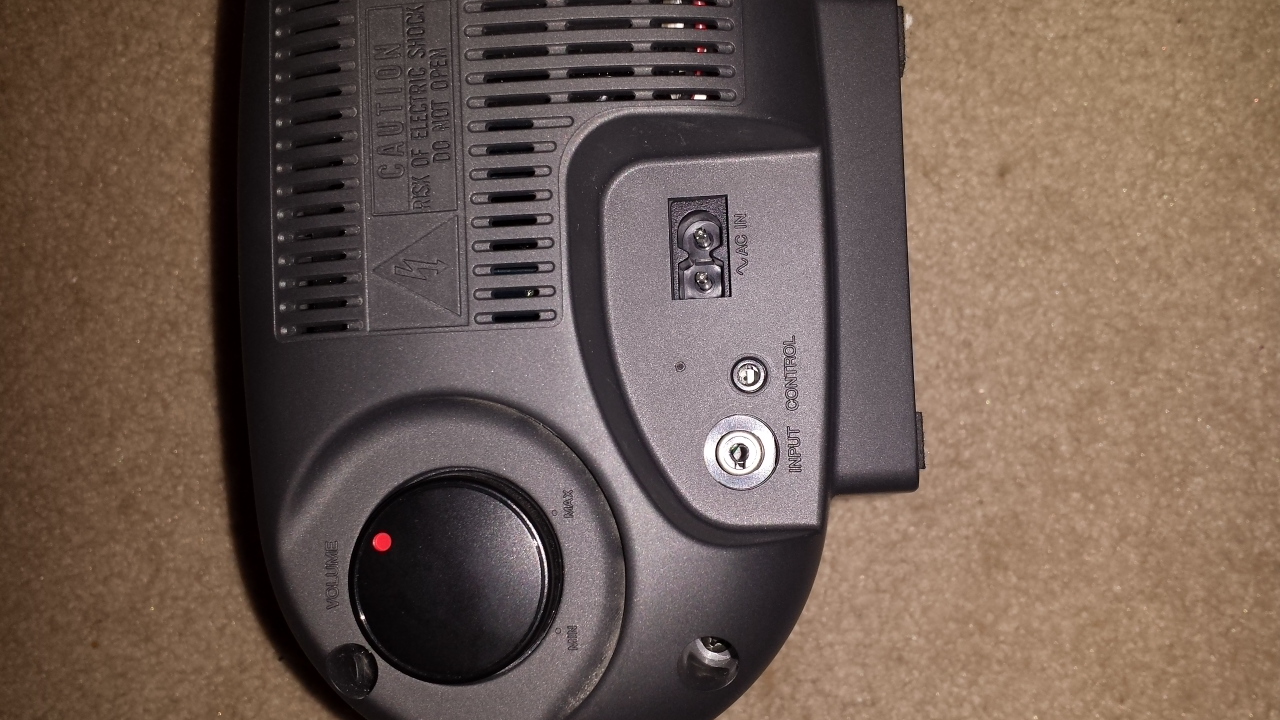
center speaker (Panasonic sb-av30) to HD audio help
fluffyPC replied to fluffyPC's topic in Home Theater Equipment
and a 3.5 mm jack will fit into the control -
center speaker (Panasonic sb-av30) to HD audio help
fluffyPC replied to fluffyPC's topic in Home Theater Equipment
yes a standard RCA will fit -
Hi, i recently found some speakers in my basement (the center is the only one that works), i would like it to be connected to my PC. The speaker does have an attached amp. How would I go about connecting this? I have already tried some RCA cables that i had laying around but they didnt work. I have attached some pictures showing the connections.

-
ok thats how i thought it would work, you know of any good places to get the .iso @PokémonTrainerFour
-
Hi, I'm building a new PC and need a cheap copy of windows to stay in budget. I've concluded that G2A is the best option. My question is what exactly do I get when I purchase, is it just the product key? If so how do I download the required files for installation?
-
i like the looks, it looks slim and sleek
-
PCPartPicker part list / Price breakdown by merchant CPU: Intel Core i3-4330 3.5GHz Dual-Core Processor ($121.98 @ SuperBiiz) Motherboard: Asus H81M-D PLUS Micro ATX LGA1150 Motherboard ($52.98 @ Newegg) Memory: Kingston Fury Black Series 8GB (2 x 4GB) DDR3-1600 Memory ($72.99 @ Amazon) Storage: Seagate Barracuda 320GB 3.5" 7200RPM Internal Hard Drive ($37.74 @ Amazon) Video Card: Sapphire Radeon R9 270 2GB Dual-X Video Card ($147.98 @ Newegg) Case: Thermaltake Commander MS-I ID ATX Mid Tower Case ($19.99 @ Micro Center) Power Supply: Corsair Builder 430W 80+ Bronze Certified ATX Power Supply ($19.99 @ Newegg) Total: $473.65 Prices include shipping, taxes, and discounts when available ive been looking at the benchmarks and it doesnt seem like an i5 is worth the money right now. this is another build i came up with, thoughts?
-
would you try it for $20 @Hidden Orange?
-
@Hidden Orange, is G2A like used products or something. I went to their website and their was a copy of windows for $20, but im confused on what makes it that low of a price? Also, would you say that the lesser amount of higher performing cores in an i5 or even an i3 is better for the more basic things that I will be doing? I know that more cores will make a bigger difference in games in the future, but gaming is not the priority for me, so will more cores be more important in general use in the future?
-
@CoolBeans I have been recommended that before, why would you suggest that? the more cores?