


pavlos94
-
Posts
21 -
Joined
-
Last visited
pavlos94's Achievements

-
Hi all, I've bought an Asus R9 280X DirectCUII to crossfire with my MSI HD 7970 Lightning BE. I set them up in crossfire and reinstalled the drivers. I noticed that once I ran a game or Kombustor, after approx. a minute the monitor would go black as if it has lost a signal. It's an LG monitor that flashes "Power Saving Made" when this happens and no matter what I do I cannot get the screen back unless I pull the plug (of my PC). When I tested the new card solo, exactly the same happens. Is the problem a defect card or could it be driver related? Thanks in advance for your replies. My System: Intel i7 930 (LGA 1366) Asus Rampage II Gene (X58) OCZ 6GB (3x2GB) 1600MHz DDR3 Intel 520 120GB SSD (OS Drive) Seagate 1TB EVGA Supernova G2 850W PSU CoolIT ECO A.L.C. CPU Cooler MSI HD 7970 Lighting Boosted Edition & Asus R9 280X DirectCUII Corsair Obsidian 350D
-
Note I measured the flow rate using plain water. Also my circuit had quite a lot of gunk in it (maybe bacteria?) so the car coolant was rubbish.
-
I said I will update you. The water arrived but didn't make much of a difference. I tested the pump again and measured it's flow rate. I was running at a low 4ml/sec. I think the pump didn't like the car coolant and is almost dead. It's probably the reason it wasn't cooling my CPU. Thanks again for all your help though.
-
Thanks for the reply. I've order some distilled water so when it arrives I'll try it out. It was very difficult to fill and remove any air. Thanks for your help guys. I'll update you when my water arrives.
-
Could my pump bearings have damaged such that it is pumping inefficiently at a very slow rate?
-
My specs are; Intel i7 930 (LGA 1366) Asus Rampage II Gene (X58) OCZ 6GB (3x2GB) 1600MHz DDR3 Intel 520 120GB SSD (OS Drive) Seagate 1TB EVGA Supernova G2 850W PSU CoolIT ECO A.L.C. CPU Cooler MSI HD 7970 Lighting Boosted Edition Corsair Obsidian 350D I don't currently have any distilled water to try but I'm sure the difference in temperatures between distilled water and radiator coolant would be negligible.
-
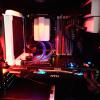
Hi all, So my all-in-one CPU water cooler 'failed' one day so I took it apart to find that there was very little liquid in it (around 30ml). I bought some new tubing and painted the radiator outer casing white and the plastic pump/water-block white also and filled up the loop with car radiator coolant (it took around 250ml) and fitted it back in. My system now looks awesome....If only it worked! So it was working fine for a while, temps: ~45C idle, ~72C load while gaming. A big improvement from before I fixed it. About a week after I have been using it in my system, i.e. last night, I decided to run prime95 and temps looked good again. I ran it over night and when I woke up I found the CPU temp was 99-100C. I don't know how long it had been like that but I switched it off ASAP. I left it cool and when I switch it back on and go into bios the CPU temp climbs from 53C upwards. I don't want to see what it hits. The pump would have run dry-ish before I re-did the loop but still seems to be running fine. I checked it before I put it back in. The outlet tube feels hot and the inlet tube feels cool so my pump must be working, and this indicates that radiator is doing it's job fairly well. So why is it not keeping my cpu cool now??? I've attached a photo of it in my system.

-
My mate had the same issue with his Mac and asked me to fix it. It had the same problems as your mate's Mac. @watts300 has nailed the solution on the head. Thats how i fixed my mates PC.
-
Yeah I found it and temperatures are relatively better now. I think my cooler had run out of water. I'm going to take it apart to have a look tonight. In my new case the pump is higher up relative to the radiator so what little water was left was pooling in the radiator and not returning to the pump.
-
i'll see if i can hunt it out thanks for the reply
-
btw there is no overclock
-
Hi all, I need some suggestions as to what might be the cause of my problem. This is what I was rocking: Intel i7 930 (LGA 1366) Asus Rampage II Gene (X58) OCZ 6GB (3x2GB) 1600MHz DDR3 Intel 520 120GB SSD (OS Drive) Seagate 1TB (contains all my documents, games, etc.) OCZ 600W PSU semi-modular (now replaced) CoolIT ECO A.L.C. CPU Cooler MSI HD 7970 Lighting Boosted Edition I recently bought the Corsair Obsidian 350D case and EVGA Supernova G2 850W PSU (both look great!) and moved my kit over to the new case and hooked up the PSU. Once all was in, I booted it up and I was using it for 40 mins. I then turned it back on 2 hours later and after 2 minutes the computer just switched off. I switched it back on and a BIOS warning message came up immediately saying my CPU over heated. After work today I removed my cooler and reapplied new thermal paste and ensure the cooler was securely in place and booted it back up. I checked the temps as soon as I was in windows and they were at 100C so I switched my PC off straight away. When all had cooled down I checked the temps in the bios and my CPU was at ~58C and slowly rising. Any ideas why? I connected a external power supply to the cooler's pump then fan and both work. I presume the pump is working as it is making some noise. Is my CPU bust? or could it be a faulty PSU spiking CPU voltages? Please help as I don't want my PC to die!
-
LG G3 Review and.... TWENTY-FIVE Phone Giveaway?!
pavlos94 replied to LinusTech's topic in LTT Releases
My favourite thing is it's gorgeous looks! It's beautiful! -
OK thanks. I'll report back in quite a few days
-
Hi all, So I posted a couple of weeks ago in 'New Builds and Planning' about a new build, but I mentioned about what I believe may be hardware issues. I was recommended to start a new topic here for help. I have been getting quite a few BSOD (ID: 2057). It is when I start to push my system. Far Cry 3 commonly crashes my system with Assassin's Creed IV also doing it occasionally. Running prime95 and kombuster simultaneously can result in a BSOD but not always. I overclocked my CPU about a year ago from 2.8GHz to 3.2GHz (not ground breaking I know but it was my first overclock). Anyway it seemed stable. I had run prime95 for 24 hours no problem. Multiple IntelBurnTest no problem. I had played many games with it and no issue at all. It seemed to be running very stable. However last January my secondary HDD failed and Windows 8 wouldn't boot. It kept going into a repair boot loop (which seems to be a common issue). I just bought a new HDD and started from scratch, reinstalling and staying with Windows 7. At the same time I installed Hackingtosh as well and that was when I first started to suspect something. OS X was never stable. After running a few tests I found that my overclock was no longer stable even in windows and crashed....a lot. I thought it was very strange how my overclock went from being pretty stable for 6 months without a single crash to being very unstable. I'm at university and I had a lot of work and no time so I just returned my BIOS settings to default removing the overclock and it seemed to run fine for a while. Since easter however I found that it was crashing a lot and after running prime95 my computer always gets BSOD (always ID: 2057) or the following errors for both worker #5 & #6: "FATAL ERROR: Rounding was 0.5, expected less than 0.4" "Hardware failure detected, consult stress.txt file" "Worker Stopped" Sometimes this can occur 5 mins after starting or 5 hours. (I am unable to find any stress.txt file as well) I ran two Memtests with 0 errors (4 hours and 12 hours). Anyone have any thoughts as to what it may be? Or any other tests I can perform to help find the problem? Tests and results I have ran so far: Memtest86 - 4 hours (0 errors) - 12 hours (0 errors) Prime95 (blend test) 1. Immediate BSOD after clicking run (performed straight after a 12 hour Memtest) 2. 2hr 25min - no issues 3. 12hr test - @ 5hr 19min, worker #5 stopped - @ 5hr 42min, worker #6 stopped 4. workers #5&6 stopped working after 5 mins My current system is: Intel i7 930 (LGA 1366) Asus Rampage II Gene (X58) OCZ 6GB (3x2GB) 1600MHz DDR3 Intel 520 120GB SSD (OS Drive) Seagate 1TB (contains all my documents, games, etc.) OCZ 600W PSU semi-modular (which I will have to upgrade with I decide to crossfire) CoolIT ECO A.L.C. CPU Cooler (which is rubbish) Thermaltake Armor Revo Gaming Case (looking to buy a Corsair 350D to replace it) MSI HD 7970 Lighting Boosted Edition Thanks in advance for all your help and I hope the above made sense.
